

Microsoft Family Safety✓
- Name :
- Microsoft Family Safety
- Category:
- Parenting
- Safety :
- 100% Safe
- Price:
- free
- Developer:
- Microsoft Corporation
- Download :
- 1M+
Screenshot


App Intro
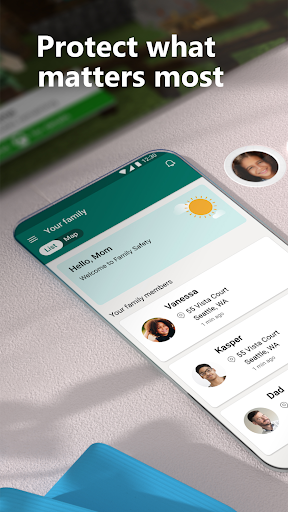
Microsoft Family Safety is a comprehensive tool designed to help parents manage their children's digital lives and ensure their well-being. It offers a suite of features to set healthy digital habits, from filtering online content and managing screen time across devices to providing insights into online activity. Beyond the digital realm, the app extends its protective capabilities to physical safety with location sharing and, for Microsoft 365 subscribers, advanced features like location alerts and driving safety reports. This makes it an invaluable app for parents seeking peace of mind while allowing their children the freedom to explore and learn. Whether you're concerned about online predators, excessive screen time, or simply want to stay connected with your child's whereabouts, Family Safety provides the tools to foster a safer and more balanced environment for the entire family.
Pros
- Comprehensive digital and physical safety features.
- Free core features with optional premium upgrades.
- Cross-platform device management capabilities.
- Detailed activity and driving safety reports.
- Helps foster healthy digital habits.
Feature Guides
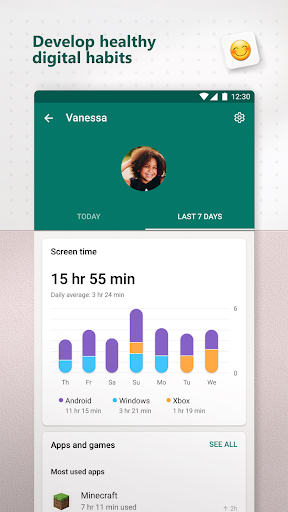
- Monitor and manage your children's digital footprint with detailed activity reports, offering insights into their screen time and online usage through weekly email summaries. This feature helps foster open conversations about online habits.
- Establish healthy screen time boundaries by setting limits for specific apps and games on Android, Xbox, and Windows devices, or even device-wide limits on Xbox and Windows. The app also provides notifications if your child requests additional time.
- Ensure a safer online experience for kids by utilizing content filters. These filters can block inappropriate apps and games, and curate browsing to kid-friendly websites on Microsoft Edge.
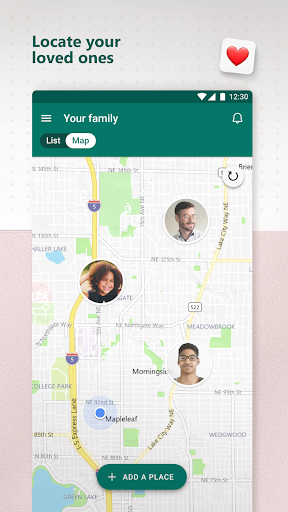
- Stay connected with your family's whereabouts through the GPS family location tracker. You can save frequently visited locations like school or work for quick reference.
Recent Improvements
Recent updates have focused on refining the user experience, making it more intuitive for parents to set up and manage family settings. Improvements to activity reporting provide clearer, more actionable insights into children's digital behavior, aiding in constructive conversations. Enhancements to location sharing ensure greater reliability and accuracy, offering parents more confidence in their child's safety. The driving safety features have also seen subtle refinements, aiming to provide more accurate data on driving habits and encourage safer practices behind the wheel for teenage drivers.
User reviews
This app is a lifesaver for managing my kids' screen time! I love being able to set limits and see what they're up to online. The location sharing gives me great peace of mind when they're out. 👍
As a parent of a new driver, the driving safety features are invaluable. It's concerning how often my teen uses their phone, and this app highlights it clearly, helping us discuss safer habits. 🚗