

Google Meet✓
- Name :
- Google Meet
- Category:
- Communication
- Safety :
- 100% Safe
- Price:
- free
- Developer:
- Google LLC
- Download :
- 5B+
Screenshot
App Intro
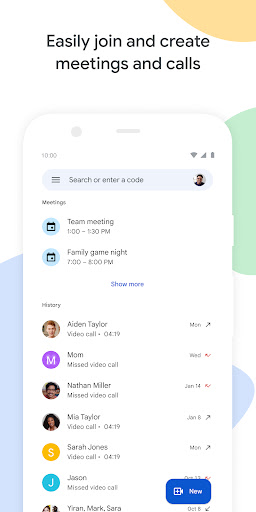
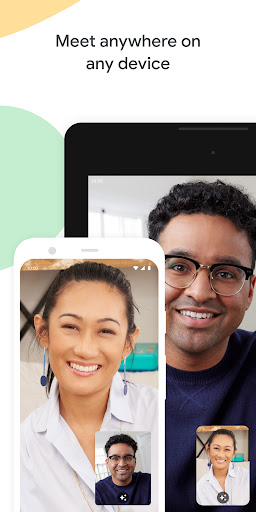
Formerly known as Google Duo, Google Meet has evolved into a comprehensive communication platform designed for both personal and professional use. This app consolidates high-quality video calling, meeting scheduling, and real-time collaboration into a single, intuitive interface. Whether you're catching up with family across the globe, leading a team brainstorming session, or presenting to clients, Meet offers a robust solution. Its cross-platform compatibility ensures seamless connections on smartphones, tablets, and web browsers, making it accessible to virtually anyone. With features like noise cancellation and low-light mode, it prioritizes clear communication, while fun elements like filters and backgrounds add a personal touch. It's an ideal download for anyone needing a reliable and versatile tool for staying connected.
Pros
- High-quality audio and video.
- Cross-platform compatibility.
- Secure and encrypted calls.
- Integrated meeting scheduling and calling.
- Interactive content sharing features.
Feature Guides
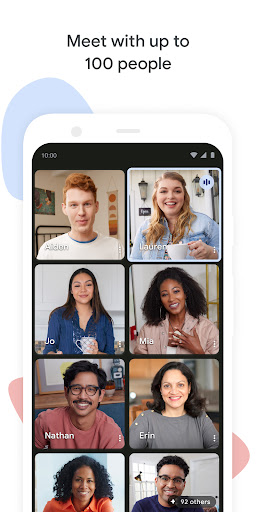
- Host video calls and meetings for up to 100 participants, bringing together friends, family, or colleagues in one virtual space.
- Enjoy cross-device compatibility, allowing you to join meetings from your Android or iOS mobile device, tablet, or web browser.
- Experience crystal-clear communication with advanced features like low-light mode and noise cancellation, ensuring everyone is seen and heard perfectly.
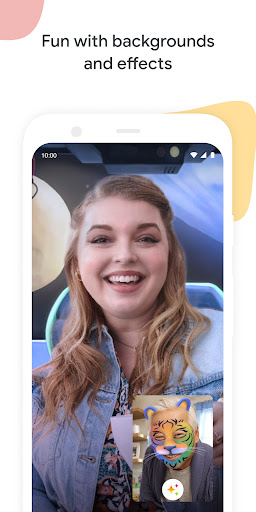
- Enhance your calls with a variety of fun visual effects, including filters, AR masks, and customizable backgrounds, perfect for casual chats.
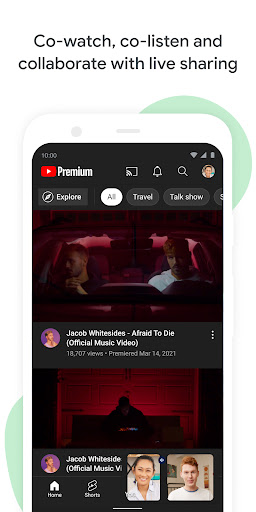
- Collaborate effectively by sharing your screen to present documents, slides, or even cowatch YouTube videos and play games together in real-time.
Recent Improvements
The recent updates to Google Meet have significantly enhanced its utility, moving beyond simple video calls to a more integrated collaboration hub. The app now feels more polished, with smoother transitions and improved stability across devices. Performance optimizations ensure that even larger meetings run without noticeable lag, and the audio and video quality continue to be top-notch, especially with the added low-light and noise-canceling capabilities. The integration of interactive features like live content sharing has made meetings more engaging and productive, transforming passive viewing into active participation.
User reviews
Really love how this app has combined Duo and Meet! It's so much easier now to switch between a quick call with my mom and a scheduled work meeting. The video quality is fantastic, even when I'm in a dimly lit room. Plus, the new background effects are a fun touch! 😄
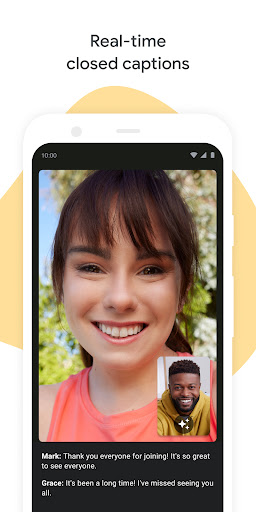
Finally, a video conferencing app that works reliably across all my devices. I can join a meeting from my laptop, tablet, or phone without any issues. The screen sharing feature is a lifesaver for presentations, and the real-time captions are surprisingly accurate. Great job, Google! 👍
 ThreemaCommunication
 moboCommunication
 Burner: Second Phone NumberCommunication
 Phoner 2nd Phone Number + TextCommunication
 ZangiCommunication
 MessagesCommunication
 CC200Communication
 BoostOneCommunication
 Portable WiFi - Mobile HotspotCommunication
 EtherMailCommunication
 Ding Top-up: Mobile RechargeCommunication
 Messenger Kids – The MessagingCommunication
 MyFrontierCommunication
 Glide - Video Chat MessengerCommunication
 Google VoiceCommunication
 Messages by GoogleCommunication
 GmailCommunication
 GroupMeCommunication
 Kogan Mobile New ZealandCommunication
 Ooredoo SuperApp: Do it all!Communication