
Google Lens✓
- Name :
- Google Lens
- Category:
- Tools
- Safety :
- 100% Safe
- Price:
- free
- Developer:
- Google LLC
- Download :
- 1B+
Screenshot
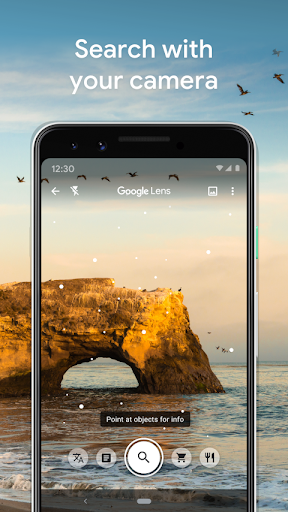
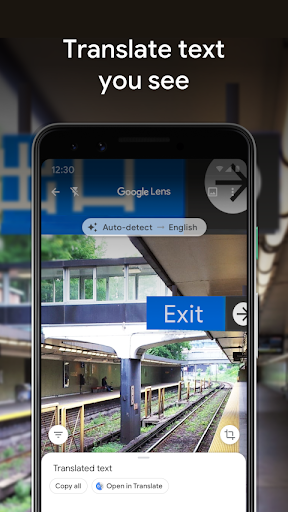
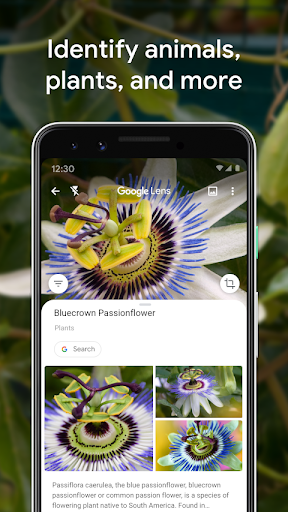
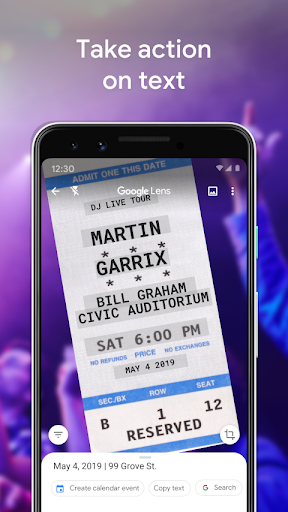
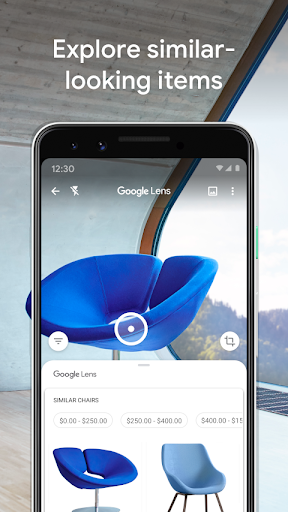
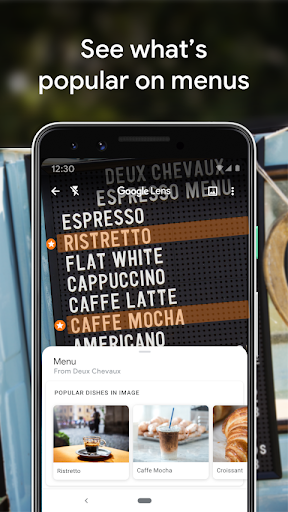
App Intro
Google Lens is a powerful visual search engine that transforms your smartphone camera into an intelligent information-gathering tool. Whether you're trying to decipher a foreign menu, identify a fascinating plant, or find a product you've seen online, Lens simplifies the process by allowing you to search using images. It's incredibly useful for travelers needing instant translations, students researching visual subjects, shoppers looking for specific items, or anyone curious about the world around them. This app is a must-have for anyone who wants to quickly access information without typing, making everyday tasks more efficient and discoveries more engaging. It's designed for anyone who appreciates having a powerful, context-aware assistant right in their pocket.
Pros
- Instant visual search and information retrieval.
- Seamless text translation and object identification.
- Effortless shopping for similar products.
- Explore and learn about your surroundings.
- Quickly scan codes and save details.
Feature Guides
- Instantly translate text from signs, menus, or documents directly through your camera, making language barriers a thing of the past. You can also easily save contact information from business cards or add calendar events from posters, streamlining your daily tasks.
- Identify any plant or animal you encounter, whether it's a curious houseplant or a dog you spot at the park. Lens provides quick answers and fascinating facts about the natural world.
- Explore your surroundings by pointing your camera at landmarks, restaurants, or shops to get instant information like ratings, opening hours, and historical context, enriching your travel and local experiences.
- Discover similar items to anything you see, from fashion pieces to furniture. Simply take a photo, and Lens will help you find where to buy it or similar styles online.
- Scan QR codes and barcodes effortlessly for quick access to websites, product details, or Wi-Fi networks.
Recent Improvements
Recent updates have focused on refining the accuracy and speed of visual recognition, particularly for text translation and object identification in diverse lighting conditions. The app's ability to provide contextual information for places has also been enhanced, offering more comprehensive details about businesses and landmarks. Performance optimizations ensure a smoother experience, with quicker processing times for image analysis and search results. These refinements make Lens an even more reliable and indispensable tool for everyday information seeking and discovery.
User reviews
This app is a game-changer! I used it to translate a menu in Italy, and it worked perfectly. It also helped me identify a cool plant in my neighbor's yard 🪴. So useful!
Google Lens is incredibly handy for quick searches and information. I love how it helps me find similar items when shopping online. Definitely recommend it 👍.
 AppLock LiteTools
 My OptusTools
 Fires Near Me AustraliaTools
 Service NSWTools
 Authenticator App - SafeAuthTools
 fitproTools
 AVG AntiVirus & SecurityTools
 Google Play StoreTools
 System Update for AndroidTools
 Move to iOSTools
 AZIP Master: ZIP / RAR, UnzipTools
 My SpectrumTools
 Cast for Chromecast & TV CastTools
 CoinSnap - Coin IdentifierTools
 DuckDuckGo Private BrowserTools
 TeraBox: Cloud Storage SpaceTools
 Fatic PlusTools
 MyRogersTools
 Voice AccessTools
 Google Find My DeviceTools