

Android Accessibility Suite✓
- Name :
- Android Accessibility Suite
- Category:
- Tools
- Safety :
- 100% Safe
- Price:
- free
- Developer:
- Google LLC
- Download :
- 10B+
Screenshot
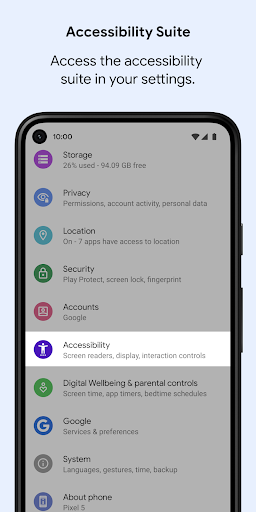
App Intro
Android Accessibility Suite is a comprehensive toolkit designed to empower users with disabilities to interact with their Android devices more effectively and independently. This collection of apps offers robust solutions for eyes-free navigation and control, making smartphones and tablets accessible to a broader audience. Whether you rely on a screen reader, need alternative input methods, or prefer a simplified control interface, this suite provides the tools you need. It's an essential download for anyone seeking to enhance their device's accessibility, offering features that cater to a range of visual, motor, and cognitive needs. The suite integrates seamlessly with Android, ensuring a consistent and reliable user experience.
Pros
- Provides essential screen reader functionality.
- Offers multiple alternative input methods.
- Customizable large on-screen menu for easy control.
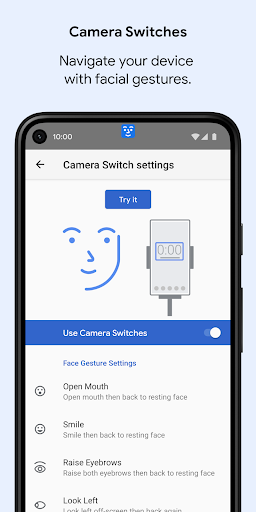
- Supports navigation via facial gestures.
- Enhances device usability for diverse needs.
Feature Guides
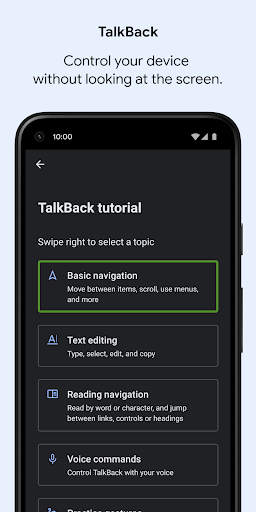
- TalkBack offers a powerful screen reader that provides spoken feedback and gesture-based navigation, allowing users to operate their devices without needing to see the screen. It even includes an on-screen braille keyboard for tactile input.
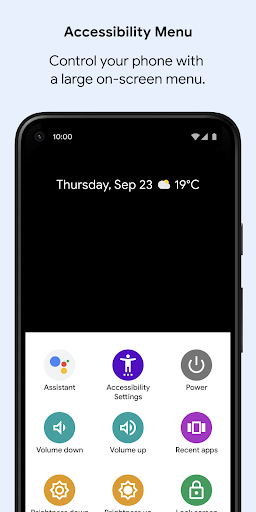
- The Accessibility Menu presents a large, customizable on-screen menu, giving users quick access to essential functions like locking the screen, adjusting volume and brightness, taking screenshots, and accessing other quick actions.
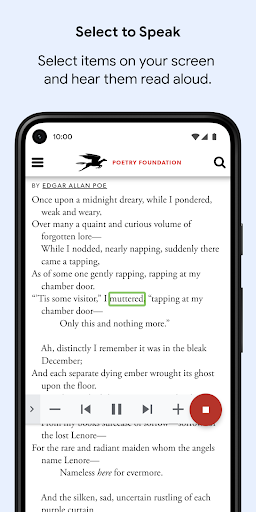
- Select to Speak enables users to highlight specific text or elements on their screen and have them read aloud, which is incredibly useful for reading documents, web pages, or messages.
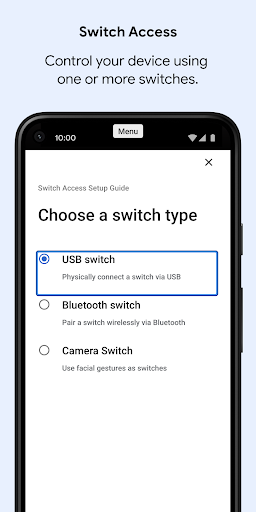
- Switch Access provides an alternative way to interact with your device using external switches, a keyboard, or even camera gestures (like blinking or opening your mouth) to navigate and control the interface, bypassing the need for direct touchscreen interaction.
Recent Improvements
Recent updates have focused on refining the responsiveness and intuitiveness of the core accessibility features. Enhancements to gesture recognition in TalkBack ensure smoother navigation, while improvements to Switch Access offer more reliable camera-based controls. The Accessibility Menu has also seen tweaks for better organization and quicker access to frequently used functions. These refinements aim to provide a more seamless and less frustrating experience for users who depend on these tools daily, ensuring their Android devices remain powerful and accessible.
User reviews
This suite is a lifesaver! TalkBack makes using my phone so much easier without straining my eyes. The braille keyboard is a nice touch too. Highly recommend! 👍
Switch Access with camera gestures is surprisingly accurate and has given me back a lot of independence with my device. It took a little practice, but it's worth it. 😊
 AppLock LiteTools
 My OptusTools
 Fires Near Me AustraliaTools
 Service NSWTools
 Authenticator App - SafeAuthTools
 fitproTools
 AVG AntiVirus & SecurityTools
 Google Play StoreTools
 System Update for AndroidTools
 Move to iOSTools
 AZIP Master: ZIP / RAR, UnzipTools
 My SpectrumTools
 Cast for Chromecast & TV CastTools
 CoinSnap - Coin IdentifierTools
 DuckDuckGo Private BrowserTools
 TeraBox: Cloud Storage SpaceTools
 Fatic PlusTools
 MyRogersTools
 Voice AccessTools
 Google Find My DeviceTools