

Gmail✓
- Name :
- Gmail
- Category:
- Communication
- Safety :
- 100% Safe
- Price:
- free
- Developer:
- Google LLC
- Download :
- 10B+
Screenshot
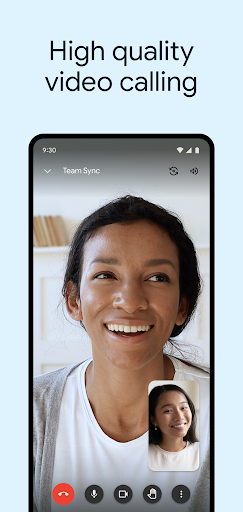
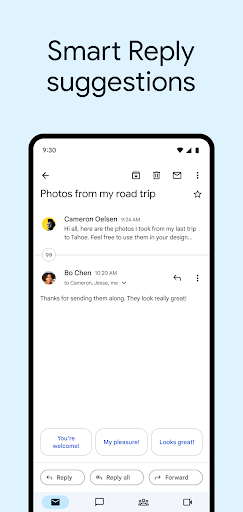
App Intro
Gmail for Android is more than just an email client; it's a comprehensive communication hub designed to streamline your digital life. It brings the full power of Gmail to your mobile device, offering robust security features, instant notifications, and seamless management of multiple email accounts. Whether you're a student juggling academic correspondence, a professional managing client communications, or simply someone who values an organized inbox, Gmail provides the tools you need. Its powerful search functionality ensures you can find any email in seconds, and built-in security measures work tirelessly to keep your inbox free from spam and phishing attempts. For those looking for an all-in-one solution for email, chat, and video conferencing, Gmail is a compelling download.
Pros
- Exceptional spam and phishing protection.
- Effortless management of multiple accounts.
- Integrated chat and video conferencing.
- Fast and accurate search functionality.
- Convenient 'Undo Send' feature.
Feature Guides
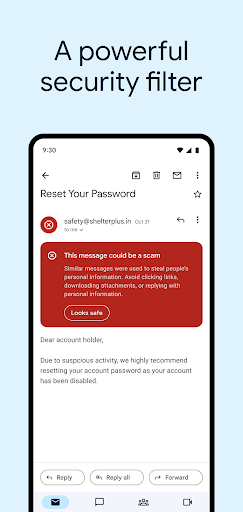
- Experience unparalleled security with automatic blocking of over 99.9% of spam, phishing, malware, and dangerous links, keeping your inbox safe and clean.
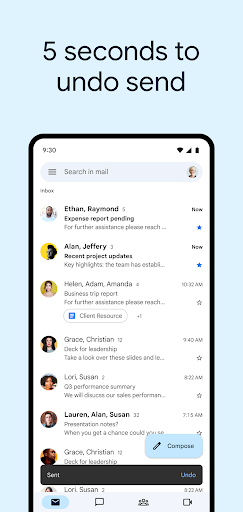
- Never fear sending an email in haste again, thanks to the convenient 'Undo Send' feature that gives you a crucial second chance.
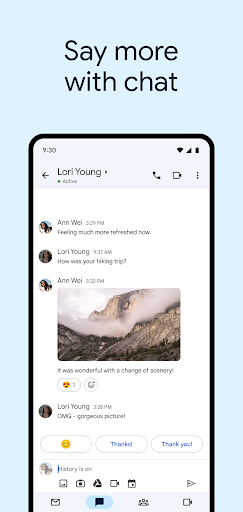
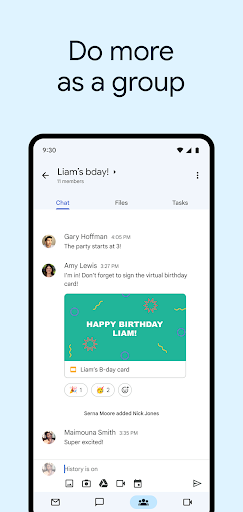
- Seamlessly integrate Google Chat and Google Meet for effortless communication, collaboration, and video calling directly within the Gmail interface, transforming it into a dynamic workspace.
- Effortlessly manage multiple email accounts from various providers all within a single, intuitive app, simplifying your digital communication workflow.
- Utilize smart features like Smart Reply and Smart Compose to respond to emails faster and more efficiently, saving you valuable time throughout your day.
Recent Improvements
Recent updates have focused on enhancing the integrated communication experience. Users will notice smoother transitions between email, chat, and video calls, making collaboration more fluid. The app's performance has been optimized for quicker loading times and more responsive navigation, especially when managing a large volume of messages or multiple accounts. Security enhancements continue to be a priority, with ongoing refinements to spam and phishing detection algorithms to ensure your inbox remains protected against emerging threats. The overall user interface feels more polished and intuitive, reflecting a commitment to user-friendliness and efficiency.
User reviews
This app is a lifesaver for managing all my work and personal emails in one place. The spam filter is incredibly effective! 💯
I love how seamlessly it integrates with Google Chat and Meet. It makes staying connected with my team so much easier. Highly recommended! 👍
 ThreemaCommunication
 moboCommunication
 Burner: Second Phone NumberCommunication
 Phoner 2nd Phone Number + TextCommunication
 ZangiCommunication
 MessagesCommunication
 CC200Communication
 BoostOneCommunication
 Portable WiFi - Mobile HotspotCommunication
 EtherMailCommunication
 Ding Top-up: Mobile RechargeCommunication
 Messenger Kids – The MessagingCommunication
 MyFrontierCommunication
 Glide - Video Chat MessengerCommunication
 Google VoiceCommunication
 Messages by GoogleCommunication
 Google MeetCommunication
 GroupMeCommunication
 Kogan Mobile New ZealandCommunication
 Ooredoo SuperApp: Do it all!Communication