
Google Assistant✓
- Name :
- Google Assistant
- Category:
- Productivity
- Safety :
- 100% Safe
- Price:
- free
- Developer:
- Google LLC
- Download :
- 1B+
Screenshot
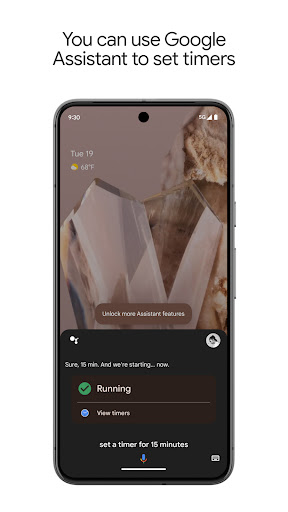
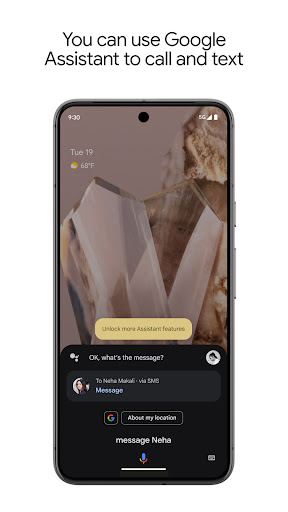
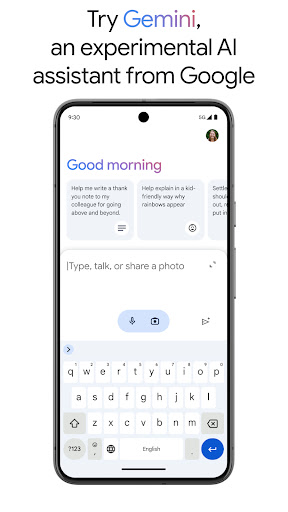

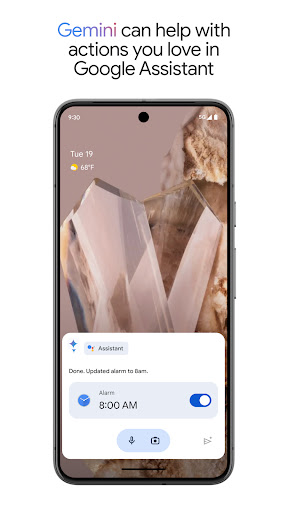
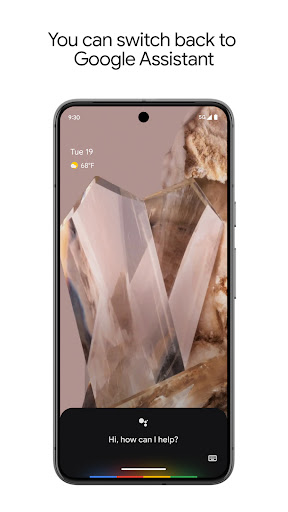
App Intro
Google Assistant is your go-to voice-activated helper, designed to streamline your daily routines and provide instant access to information and device control. Whether you need to manage your phone hands-free, stay on top of your schedule with reminders and lists, or navigate your way around, the Assistant is there to assist. It seamlessly integrates with your smart home devices, allowing you to control lights and thermostats with simple voice commands, making your living space more convenient. A significant recent development is the opt-in availability of Gemini, Google's advanced AI, within the Assistant interface. This integration offers enhanced capabilities and new ways to interact, though some features are still experimental and rolling out. For users seeking a powerful, integrated, and intelligent assistant, Google Assistant, especially with the new Gemini integration, is a compelling download.
Pros
- Hands-free control of phone and apps.
- Seamless smart home device integration.
- Voice-activated task management and information.
- Cutting-edge AI capabilities with Gemini integration.
- Easy to use and convenient daily.
Feature Guides
- Control your device and apps using only your voice, from opening applications to adjusting settings and even turning on your flashlight.
- Effortlessly make calls, send text messages, and manage your emails without needing to touch your phone, keeping you connected on the go.
- Stay organized by setting reminders, creating to-do lists, and getting quick answers to your questions or directions when you're on the move.
- Expand its utility to your home by managing compatible smart devices like lights and thermostats directly through voice commands for ultimate convenience.
- Experience cutting-edge AI with the option to integrate Gemini (formerly Bard) for advanced conversational abilities and innovative assistance.
Recent Improvements
Recent updates have focused on enhancing the core functionality of Google Assistant while introducing the groundbreaking integration of Gemini. This allows users to leverage Google's most advanced AI models directly within the familiar Assistant interface. While some existing Assistant actions are still being adapted for Gemini, the development promises a richer, more capable interaction. The ongoing refinement aims to blend the reliability of established Assistant features with the novel possibilities of generative AI, ensuring a progressively smarter and more versatile experience for users as the rollout continues and more features become compatible.
User reviews
The Gemini integration is a game-changer! Asking complex questions and getting detailed answers is amazing. Still getting used to some of the feature changes, but overall, it's a huge upgrade. ✨
I love having my Assistant and a powerful AI like Gemini in one place. It's incredibly helpful for quick info and managing my day. Setting reminders is still super easy! 👍
 Perplexity - Ask AnythingProductivity
 DAVx⁵ – CalDAV CardDAV WebDAVProductivity
 myGovProductivity
 Express Plus CentrelinkProductivity
 myGovIDProductivity
 AI Speech Chatbot Text & VoiceProductivity
 CompanyCamProductivity
 AOL: Email News Weather VideoProductivity
 Easy Voice Recorder ProProductivity
 Email - Fast & Secure MailProductivity
 Lookout - Assisted visionProductivity
 Google DriveProductivity
 Google CalendarProductivity
 Instabridge: WiFi MapProductivity
 ChatAI:AI Chatbot PlusProductivity
 LiveChat - Customer serviceProductivity
 Link to WindowsProductivity
 MiXplorer Silver File ManagerProductivity
 Penly: Digital Planner & NotesProductivity
 Pushbullet: SMS on PC and moreProductivity