
File Manager✓
- Name :
- File Manager
- Category:
- Tools
- Safety :
- 100% Safe
- Price:
- free
- Developer:
- Xiaomi Inc.
- Download :
- 1B+
Screenshot
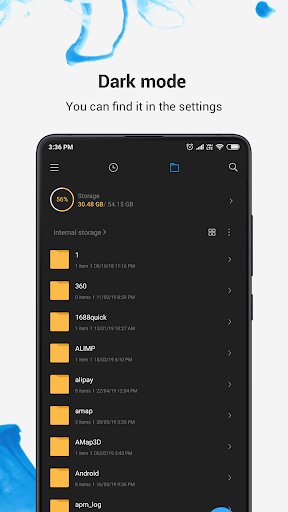

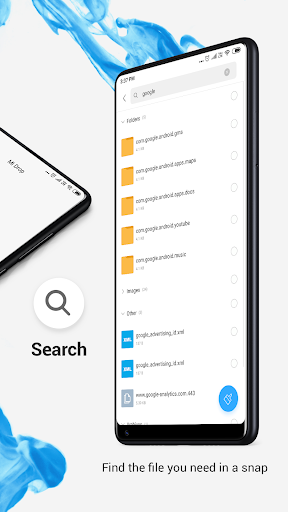
App Intro
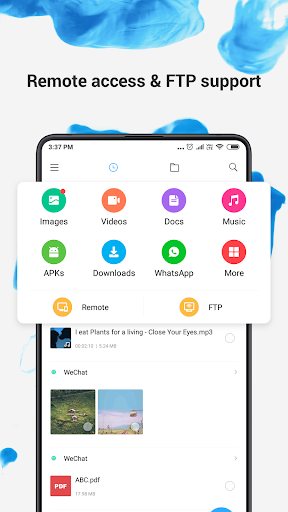
Mi File Manager is a robust, free, and secure application designed to simplify your digital life by offering efficient file management capabilities. Whether you need to quickly locate a document, organize your media, or share files with a friend nearby, this app has you covered. Its intuitive interface makes navigating your device's storage a breeze, supporting a wide array of file types including music, videos, images, documents, APKs, and compressed archives. For anyone looking to streamline how they handle files on their Android device, from casual users to power users, Mi File Manager presents a compelling, all-in-one solution that is definitely worth downloading.
Pros
- Free and secure file management.
- Intuitive interface with clear categorization.
- Fast offline file sharing with Mi Drop.
- Efficient storage cleaning tools.
- Supports a wide range of file formats.
Feature Guides
- Quickly access recently used files without a lengthy search, thanks to the dedicated 'Recent' tab.
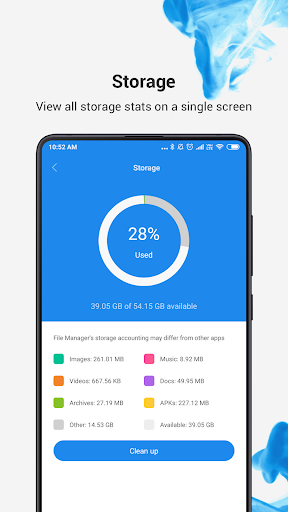
- Effortlessly manage your device's storage with a clear overview of used space and easy folder navigation.
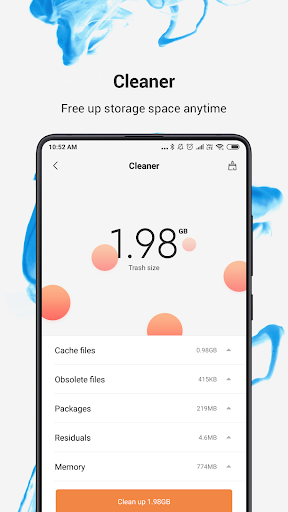
- Keep your device clutter-free with the 'Cleaner' tool, which helps identify and remove unnecessary cache and junk files to free up valuable space.
- Share files instantly with nearby friends using Mi Drop, an internet-free transfer solution.
- Locate any file in seconds using the powerful global search functionality by simply typing in keywords.
Recent Improvements
The development team has been actively refining the user experience, focusing on enhancing the responsiveness of file operations and improving the accuracy of the storage analysis tools. Efforts have also been made to ensure smoother file transfers via Mi Drop, making sharing large files with friends a more seamless process. The app's internal search algorithms have received an upgrade, leading to faster and more precise results when looking for specific files. These subtle yet impactful adjustments contribute to a more polished and efficient file management experience.
User reviews
This app is a lifesaver! It makes organizing my photos and downloads so much easier. The cleaner tool is surprisingly effective too. Highly recommend! 👍
Mi File Manager is my go-to for managing all my files. The interface is clean and fast, and I love the ability to share files offline with Mi Drop. Great app! 🚀
 AppLock LiteTools
 My OptusTools
 Fires Near Me AustraliaTools
 Service NSWTools
 Authenticator App - SafeAuthTools
 fitproTools
 AVG AntiVirus & SecurityTools
 Google Play StoreTools
 System Update for AndroidTools
 Move to iOSTools
 AZIP Master: ZIP / RAR, UnzipTools
 My SpectrumTools
 Cast for Chromecast & TV CastTools
 CoinSnap - Coin IdentifierTools
 DuckDuckGo Private BrowserTools
 TeraBox: Cloud Storage SpaceTools
 Fatic PlusTools
 MyRogersTools
 Voice AccessTools
 Google Find My DeviceTools