

Signia App✓
- Name :
- Signia App
- Category:
- Medical
- Safety :
- 100% Safe
- Price:
- free
- Developer:
- Sivantos Pte. Ltd.
- Download :
- 1M+
Screenshot



App Intro
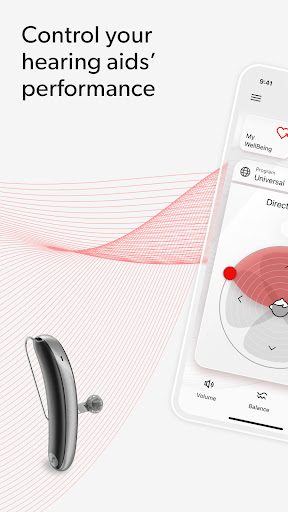
The Signia app is designed to put you in the driver's seat of your hearing experience, offering a suite of tools to manage and enhance your hearing aids. It’s more than just a remote control; it’s a comprehensive companion for your hearing journey. Whether you want to fine-tune audio levels on the fly, receive support from your hearing professional remotely, or even monitor your daily activity, this app aims to provide that control and connectivity. It’s particularly beneficial for individuals who want to proactively manage their hearing health and leverage technology to its fullest, making hearing aid use more intuitive and integrated into daily life. For anyone seeking greater autonomy and personalized support with their hearing devices, the Signia app is certainly worth exploring.
Pros
- Effortless remote control for hearing aid adjustments.
- Personalized settings with the Signia Assistant.
- Convenient remote support via TeleCare.
- Integrated health and hearing activity tracking.
- Helpful how-to videos for quick guidance.
Feature Guides
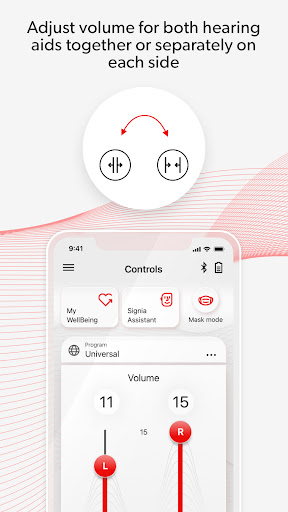
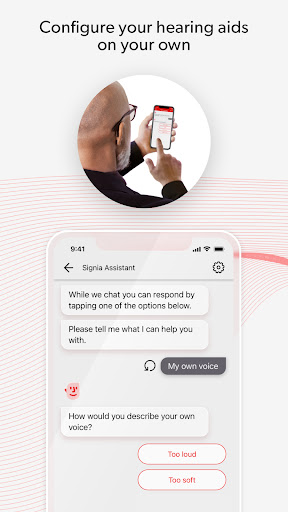
- Take complete command of your hearing aids with the remote control feature, allowing you to adjust volume and settings effortlessly to match your current environment or activity. The integrated Signia Assistant offers personalized adjustments, ensuring your hearing aids always perform at their best for you.
- Stay connected with your audiologist through the TeleCare feature, enabling remote consultations and support. This ensures you receive timely assistance and advice without needing to visit the clinic, making hearing care more accessible.
- Access a library of easy-to-follow how-to videos directly within the app. These guides provide quick answers to common questions and help you get the most out of your hearing aids and the app's functionalities.
- Monitor your hearing and physical well-being with the My WellBeing feature. Track your daily hearing activity and set personal fitness goals, empowering you to take a holistic approach to your health.
Recent Improvements
Recent updates have focused on refining the user interface for a smoother, more intuitive experience. We’ve enhanced the responsiveness of the remote control features, ensuring seamless adjustments to volume and settings. The Signia Assistant has also seen improvements, offering more tailored recommendations based on your usage patterns. Connectivity with hearing professionals via TeleCare has been optimized for greater reliability, and the My WellBeing section now provides clearer insights into your activity tracking. These refinements aim to make managing your hearing health more straightforward and effective.
User reviews
This app has made managing my hearing aids so much easier! The remote control is a lifesaver, and I love being able to track my activity. 👍
Finally, an app that makes hearing care accessible. The TeleCare feature saved me a trip to the audiologist, and the how-to videos are super helpful. 😊
 InstantScriptsMedical
 Netmeds - India Ki PharmacyMedical
 ADHD TestMedical
 Affect: Addiction RecoveryMedical
 My Invisalign - Official AppMedical
 KardiaMedical
 AmbraMedical
 Sydney HealthMedical
 BCBSMMedical
 Baritastic - Bariatric TrackerMedical
 BloomText HIPAA Compliant ChatMedical
 My Health Net CAMedical
 1800 Contacts - Lens StoreMedical
 Delta Dental Mobile AppMedical
 Doctor On DemandMedical
 FreeStyle Libre 3 – USMedical
 BCBSTXMedical
 MyHealthONEMedical
 FollowMyHealth®Medical
 Halodoc: Dokter, Obat & LabMedical