

Bose Connect✓
- Name :
- Bose Connect
- Category:
- Music & Audio
- Safety :
- 100% Safe
- Price:
- free
- Developer:
- Bose Corporation
- Download :
- 10M+
Screenshot


App Intro
The Bose Connect app serves as a central hub for managing and enhancing your Bose wireless audio products, offering a streamlined experience for everything from basic controls to advanced features. It’s designed to give you quick access to essential functions like adjusting noise cancellation levels on headphones, monitoring battery life, and controlling playback. For those with multiple Bose devices, it simplifies Bluetooth management, making it effortless to switch between connections or pair new devices. The app truly shines when it comes to sharing your audio experience, allowing you to sync two pairs of headphones for simultaneous listening or connect two SoundLink speakers for amplified sound. Whether you're looking to personalize your listening environment or simply ensure your Bose gear is up-to-date, this app aims to make it all incredibly easy, making it a must-have for any Bose wireless product owner.
Pros
- Easy management of multiple Bluetooth devices.
- Share music with friends using Music Share.
- Control noise cancellation levels effectively.
- Sync multiple speakers for enhanced audio.
- Monitor battery and product details easily.
Feature Guides
- Effortlessly manage multiple Bluetooth connections and switch between devices seamlessly, ensuring you're always connected to what matters most.
- Experience shared listening with MUSIC SHARE, enabling two pairs of Bose wireless headphones to enjoy the same audio simultaneously. Plus, PARTY MODE syncs two SoundLink speakers for broader sound coverage, while STEREO MODE provides an immersive audio experience by separating left and right channels across two speakers.
- Tailor your audio environment with Controllable Noise Cancellation for QC®30 headphones, allowing you to adjust the level of ambient sound you hear. For fitness enthusiasts, the SoundSport® Pulse headphones display real-time heart rate directly within the app.
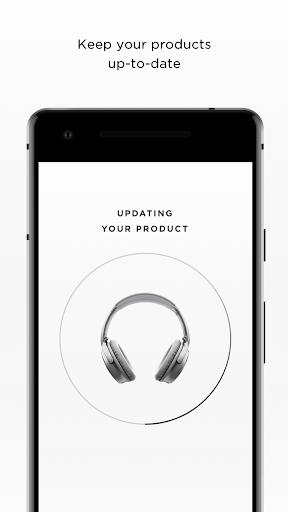
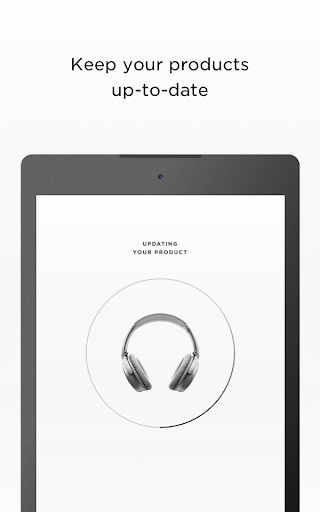
- Stay informed and in control with easy access to product details, personalized settings, and background software updates that install only when you're ready.
Recent Improvements
Recent updates have focused on refining the user experience for a broader range of Bose wireless devices, ensuring smoother connectivity and more intuitive control. Enhancements to the audio sharing features provide a more stable and enjoyable experience when listening with others or extending sound coverage. The app continues to be optimized for background software updates, making sure your Bose products are always performing at their best without interrupting your listening sessions. We've also improved the clarity of device status indicators, giving you quicker access to vital information like battery levels and connection status.
User reviews
This app is a game-changer for my SoundSport Free earbuds! Finally, I can easily adjust settings and check battery life without fumbling. The MUSIC SHARE feature is surprisingly fun for sharing podcasts on the go 🎧.
I was skeptical at first, but the Bose Connect app has made managing my QC35 headphones so much simpler. The ability to fine-tune noise cancellation is brilliant, and the stereo mode for my SoundLink speakers is fantastic for parties! 👍
 triple jMusic & Audio
 Apple MusicMusic & Audio
 Groovepad - music & beat makerMusic & Audio
 USB Audio Player PROMusic & Audio
 Audio Evolution Mobile StudioMusic & Audio
 Google PodcastsMusic & Audio
 YouTube MusicMusic & Audio
 Hubhopper - Start your podcastMusic & Audio
 Violy SyncedDemo & MusicSheetMusic & Audio
 iReal ProMusic & Audio
 rova – radio, music & podcastsMusic & Audio
 Mixcloud - Music, Mixes & LiveMusic & Audio
 TREBEL: Music, MP3 & PodcastsMusic & Audio
 Podcast Player App - PodbeanMusic & Audio
 Qello ConcertsMusic & Audio
 Radio FMMusic & Audio
 Pulsar Music Player ProMusic & Audio
 Scanner Radio - Police ScannerMusic & Audio
 Shazam: Music DiscoveryMusic & Audio
 SoundCloud: Play Music & SongsMusic & Audio