

Design Space: DIY with Cricut✓
- Name :
- Design Space: DIY with Cricut
- Category:
- Lifestyle
- Safety :
- 100% Safe
- Price:
- free
- Developer:
- Cricut
- Download :
- 1M+
Screenshot
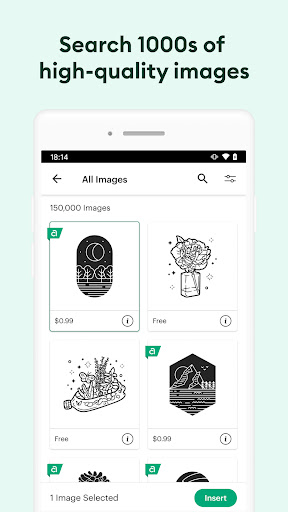
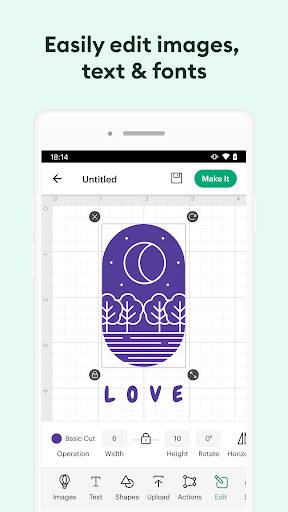
App Intro
Cricut Design Space™ empowers your creativity, acting as the central hub for all your DIY projects involving Cricut Explore™ and Cricut Maker™ machines. Whether you're a seasoned crafter or just starting, this app provides the tools to bring your ideas to life. You can design from scratch, or dive into a vast library of images, pre-made projects, and unique fonts to get inspired. Its cloud-based syncing means your projects are accessible across all your devices, allowing you to design whenever and wherever inspiration strikes. For those looking to maximize material usage, the SnapMat™ feature is a game-changer. It's an essential companion for anyone with a Cricut cutting machine looking to expand their crafting horizons.
Pros
- Vast library of images and fonts for endless creativity.
- Seamless cloud syncing across all your devices.
- Intuitive design tools for beginners and experts.
- SnapMat feature maximizes material usage.
- Wireless connectivity to Cricut machines.
Feature Guides
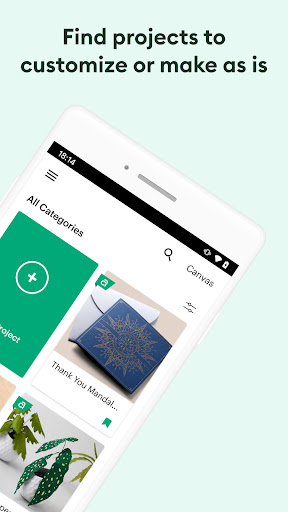
- Design and cut your own creations or choose from thousands of images and fonts in the extensive Cricut Image Library.
- Cloud-based syncing ensures your projects are saved and accessible across all your devices, so you can create anywhere.
- Utilize the innovative SnapMat™ feature to make the most of your materials and minimize waste.
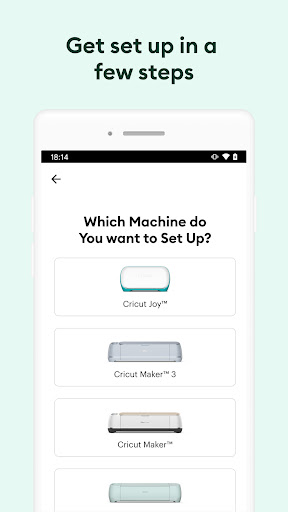
- Connect wirelessly to your compatible Cricut cutting machine via Bluetooth for a seamless crafting experience.
Recent Improvements
Recent updates have focused on refining the user experience, making it more intuitive for both new and experienced users. Enhancements to text editing, including features like kerning and spell check, provide greater control over designs. For users with compatible devices running Android 9 or higher, these improvements are readily available, allowing for more precise and polished text-based projects. The app continues to evolve, aiming to streamline the design process and open up new possibilities for creators.
User reviews
This app is fantastic for bringing my crafting ideas to life! The interface is easy to navigate, and I love having access to so many design options on the go. Connecting to my Maker machine is seamless. Highly recommend for any DIY enthusiast! ✨
I've been using Design Space for a while now and appreciate the ongoing updates that make it even better. The SnapMat feature is a lifesaver for small scraps. It's an indispensable tool for anyone serious about their Cricut projects. So much fun! 🤩
 WaitomoLifestyle
 AAA MobileLifestyle
 Uconnect LIVELifestyle
 Yarn - ask to understandLifestyle
 Be My EyesLifestyle
 myQ GarageLifestyle
 Combyne - Outfit creationLifestyle
 Devotion LGBTLifestyle
 Happy New Year 2026Lifestyle
 FordPass™Lifestyle
 Astroline: Zodiac & AstrologyLifestyle
 Cync (the new name of C by GE)Lifestyle
 H&M - we love fashionLifestyle
 Paws and PintsLifestyle
 Life360: Live Location SharingLifestyle
 Michaels StoresLifestyle
 Benefits PlusLifestyle
 myPurina – Pet Food RewardsLifestyle
 Nextdoor: Neighborhood networkLifestyle
 My NRMALifestyle