
Picsart Color - Painting, Draw✓
- Name :
- Picsart Color - Painting, Draw
- Category:
- Entertainment
- Safety :
- 100% Safe
- Price:
- free
- Developer:
- PicsArt, Inc.
- Download :
- 50M+
Screenshot
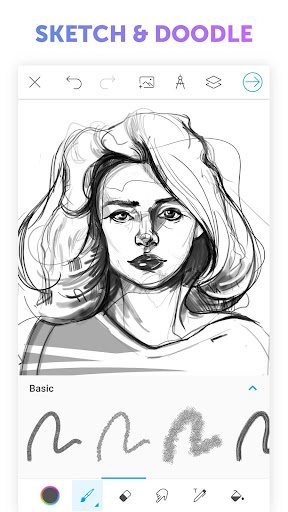
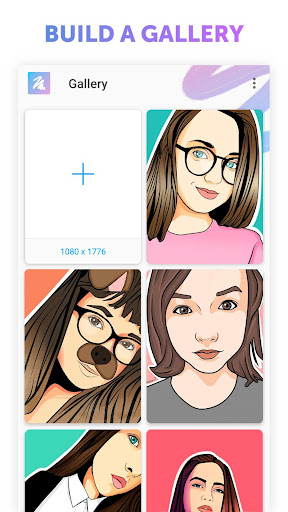
App Intro
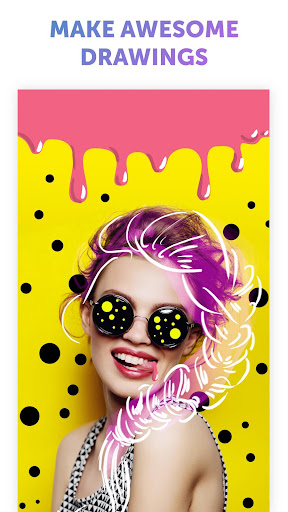
Picsart Color transforms your mobile device into a powerful digital art studio, making the creation of stunning illustrations accessible to everyone, from curious beginners to seasoned professionals. This app packs a comprehensive drawing suite, offering a rich array of tools and functionalities designed to fuel your creativity. Imagine layering your artwork with advanced tools, blending any imaginable color with a sophisticated mixer, and customizing brushes to perfectly suit your style. Unique features like symmetric drawing, which simplifies complex patterns, and a textured brush that adds depth beyond simple color, elevate the creative possibilities. Whether you're looking to enhance a casual selfie with artistic flair, craft an elaborate fantasy landscape, or simply enjoy the therapeutic act of coloring, Picsart Color provides an intuitive and empowering platform. Its user-friendly interface ensures that your focus remains on bringing your artistic visions to life, rather than navigating complex menus.
Pros
- Powerful and intuitive drawing tools for all skill levels.
- Extensive brush customization and blending options.
- Unique features like symmetric drawing and textured brushes.
- Free to use with no intrusive advertisements.
- Supports multiple layers for complex artwork.
Feature Guides
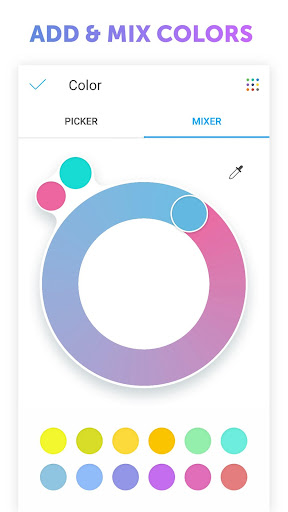
- Explore infinite color possibilities with a versatile color wheel and mixer, allowing you to precisely match or create any hue. The app also supports pattern fills for unique backgrounds and designs.
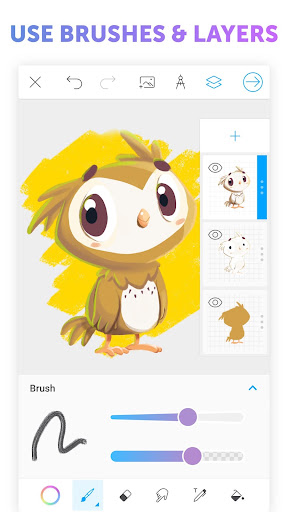
- Unleash your artistic potential with a fully customizable brush library and advanced blending modes. Plus, experiment with the unique textured brush that adds an extra dimension to your strokes.
- Draw with symmetry and precision using the innovative symmetric drawing feature, which automatically mirrors your strokes across a rotating axis, perfect for creating intricate patterns and designs effortlessly.
- Advanced layer management and blending options give you professional-level control over your artwork, enabling complex compositions and sophisticated visual effects.
Recent Improvements
Recent updates have focused on refining the user experience, making the already powerful tools even more responsive and intuitive. The development team has listened to user feedback, enhancing brush customization options to offer greater control over stroke dynamics and texture application. Additionally, performance optimizations have been implemented to ensure smoother drawing sessions, even when working with complex, multi-layered projects. The goal remains to provide a seamless creative environment where artists can bring their visions to life without technical interruptions, focusing purely on the art itself.
User reviews
This app is a game-changer for digital art on my phone! The layers and brush customization are fantastic. Finally, a drawing app that doesn't feel limited. 😍
I've tried many drawing apps, but Picsart Color is by far the most feature-rich and intuitive. The symmetric drawing tool is pure genius! Highly recommend. ✨
 Freeview AUEntertainment
 Stan.Entertainment
 10 playEntertainment
 BingeEntertainment
 Ticketek AUEntertainment
 LotterywestEntertainment
 ABC KidsEntertainment
 LiteTVEntertainment
 Mirror of Past Life : MagicEntertainment
 Monster Detector: Alien, GhostEntertainment
 Ghost Detector Real Life RadarEntertainment
 Apple TVEntertainment
 Battle.netEntertainment
 BritBox: Brilliant British TVEntertainment
 STARZEntertainment
 Celebrity Twin - Funny FilterEntertainment
 Paramount+ | Peak StreamingEntertainment
 CBSEntertainment
 Hotune Body Editor & Face SlimEntertainment
 Ultimate PainterEntertainment