

PowerSchool Mobile✓
- Name :
- PowerSchool Mobile
- Category:
- Education
- Safety :
- 100% Safe
- Price:
- free
- Developer:
- PowerSchool Group LLC
- Download :
- 5M+
Screenshot
App Intro
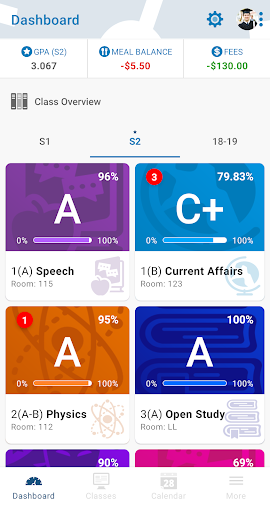
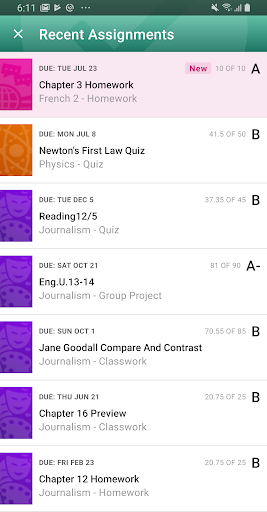
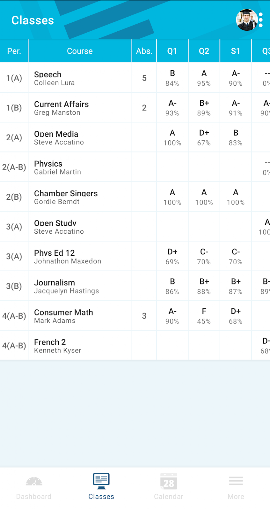
PowerSchool Mobile serves as a crucial bridge between parents, students, and schools, leveraging the PowerSchool Student Information System to provide real-time academic and administrative insights. It is designed to significantly enhance parent engagement by offering instant access to vital information such as attendance records, assignment details, scores, and overall grades. This app is particularly beneficial for guardians managing multiple children, as it allows for the consolidation of all student profiles under a single account, streamlining the process of staying informed. For districts already utilizing PowerSchool, this app is an indispensable tool for proactive monitoring of a student's progress and school communications. Its intuitive interface and customizable dashboard make it a worthwhile download for any parent or guardian seeking to stay closely connected with their child's educational journey.
Pros
- Real-time access to grades and attendance.
- Consolidated view for multiple students.
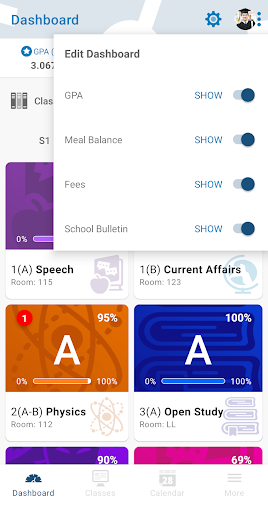
- Customizable dashboard and alerts.
- Direct communication with school updates.
- Easy-to-use interface for parents.
Feature Guides
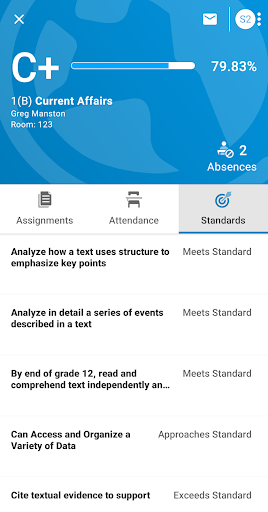
- Gain immediate oversight of your child's academic standing with real-time updates on grades and attendance, ensuring you're always in the loop.
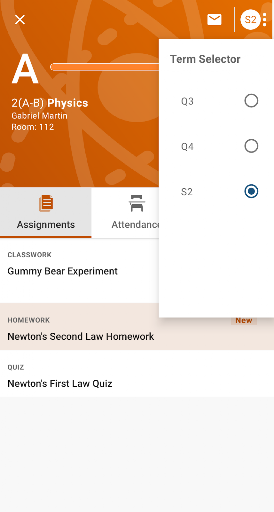
- Stay ahead of deadlines and assignments by viewing detailed assignment information and utilizing the integrated calendar that highlights all due dates.
- Receive timely alerts via customizable push notifications and email for any changes in grades, attendance, or new assignments, keeping you informed proactively.
- Access a comprehensive view of your child's school life, including teacher comments, daily bulletins, and a full course schedule, all from a single, convenient dashboard.
Recent Improvements
The latest updates to PowerSchool Mobile have focused on refining the user experience, making it even easier for parents and guardians to track student progress. Recent refinements include enhancements to notification delivery for greater reliability and speed, ensuring you receive critical updates without delay. The app's performance has also been optimized, leading to quicker loading times for grade and attendance data. Additionally, minor visual tweaks have been implemented to improve readability and navigation, making it more intuitive to access all the essential information you need about your child's schooling. These thoughtful adjustments aim to strengthen the connection between home and school.
User reviews
This app is a lifesaver for busy parents! I can check my daughter's grades and homework assignments on the go 📱. So much better than waiting for paper notices.
Finally, an easy way to keep up with both my kids' school activities! The notifications are super helpful, and I love seeing the daily bulletin. 👍
 Animal Coloring Book for KidsEducation
 Rosetta Stone: Learn, PracticeEducation
 Hand Talk TranslatorEducation
 PictureThis - Plant IdentifierEducation
 Brainly: AI Homework HelperEducation
 brightwheel: Childcare AppEducation
 MagellanTV DocumentariesEducation
 Babbel - Learn LanguagesEducation
 ClassDojoEducation
 Easy Drawing for KidsEducation
 Zutobi: DMV Practice TestEducation
 Translate now Photo translatorEducation
 Picture Insect: Bug IdentifierEducation
 Headway: 15-Min Book SummariesEducation
 IQ Test - Intelligence TestEducation
 IXLEducation
 Lingvano: Sign Language - ASLEducation
 Lumosity: Brain TrainingEducation
 PhotomathEducation
 Smartify: Arts and CultureEducation