

Amazon Kindle✓
- Name :
- Amazon Kindle
- Category:
- Books & Reference
- Safety :
- 100% Safe
- Price:
- free
- Developer:
- Amazon Mobile LLC
- Download :
- 100M+
Screenshot
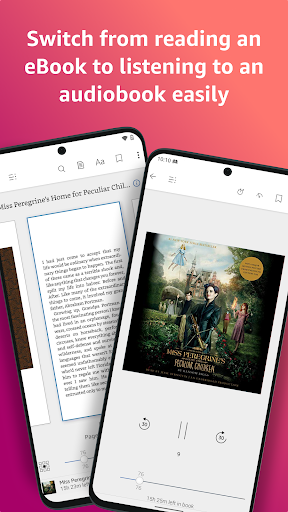
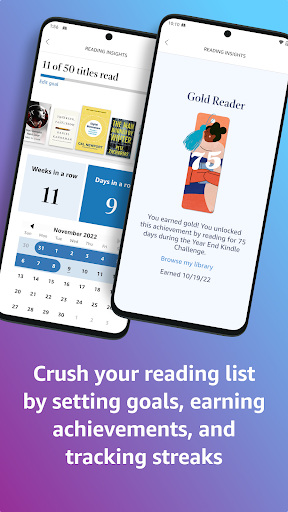
App Intro
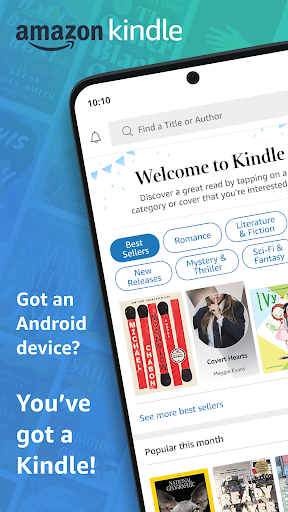
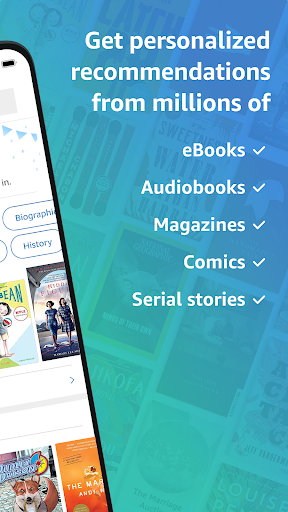
The Kindle app transforms your smartphone or tablet into a portable library, offering access to millions of books, magazines, comics, and audiobooks. Whether you're commuting, on a break, or relaxing at home, this app ensures you always have something to read or listen to. It's an indispensable tool for avid readers, students, and anyone looking to explore new literary worlds without carrying physical books. With features like customizable reading settings, integrated dictionaries, and seamless syncing across devices, Kindle provides a rich and convenient reading experience. For those subscribed to Kindle Unlimited or Amazon Prime, a vast collection of titles is readily available, making it an even more compelling download for discovering your next great story.
Pros
- Vast library of books and audiobooks.
- Customizable reading experience.
- Seamless syncing across devices.
- Offline reading capabilities.
- Integrated dictionary and lookup tools.
Feature Guides
- Access an extensive library of millions of books, magazines, comics, and audiobooks, with options to sample titles before purchasing. Explore bestsellers, new releases, and diverse genres, ensuring there's something for every reader. Kindle Unlimited and Amazon Prime members unlock even more content.
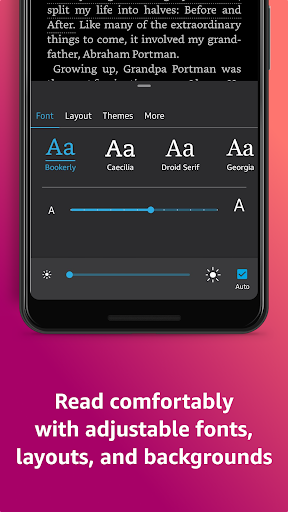
- Customize your reading experience with adjustable text size, font types, margins, background colors, and brightness. Choose between page-turning or continuous scroll, and orient your device in portrait or landscape mode for optimal comfort.
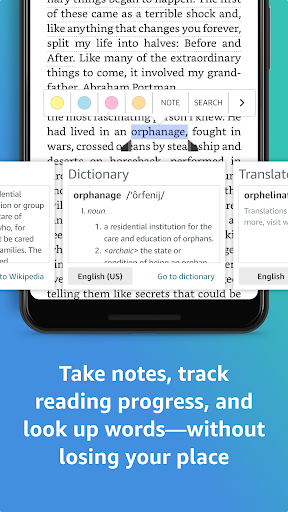
- Enhance your reading comprehension with built-in tools like a dictionary, X-Ray (to identify characters and terms), Wikipedia lookups, and instant translations. Quickly find definitions or delve deeper into topics without leaving the app.
- Seamlessly sync your reading progress, bookmarks, highlights, and notes across all your devices. Start reading on your phone and pick up exactly where you left off on your tablet or e-reader.
- Switch effortlessly between reading your Kindle books and listening to Audible audiobooks within the same app, offering a flexible way to consume content whether you're on the go or multitasking.
Recent Improvements
Recent updates have focused on refining the user interface for smoother navigation and quicker access to your library and reading settings. The integration with Audible has been further streamlined, allowing for even more seamless transitions between reading and listening. Performance optimizations ensure faster loading times for books and improved responsiveness, especially with graphically rich content like magazines and comics. Additionally, improvements have been made to the discovery features, helping users find new titles and authors more effectively.
User reviews
Love having all my books in one place! The app is super easy to use and I can switch between my phone and tablet without losing my spot. Great for travel! ✈️
The customization options are fantastic. I can adjust the font and background to be easy on my eyes, especially for late-night reading. The dictionary feature is a lifesaver for new words!
 Ancestry: Family History & DNABooks & Reference
 Audible: Audio EntertainmentBooks & Reference
 Downpour.comBooks & Reference
 Lunescope Pro: Moon Phases+Books & Reference
 WhisperFM - Romance NovelsBooks & Reference
 Moon+ Reader ProBooks & Reference
 Merlin Bird ID by Cornell LabBooks & Reference
 Laws On DemandBooks & Reference
 My Bible - Verse+AudioBooks & Reference
 Libby, by OverDriveBooks & Reference
 Ramsey AudiobooksBooks & Reference
 YouVersion Bible App + AudioBooks & Reference
 e-Sword: Bible Study to GoBooks & Reference
 FamilySearch TreeBooks & Reference
 WikipediaBooks & Reference