

Libby, by OverDrive✓
- Name :
- Libby, by OverDrive
- Category:
- Books & Reference
- Safety :
- 100% Safe
- Price:
- free
- Developer:
- OverDrive, Inc.
- Download :
- 10M+
Screenshot
App Intro
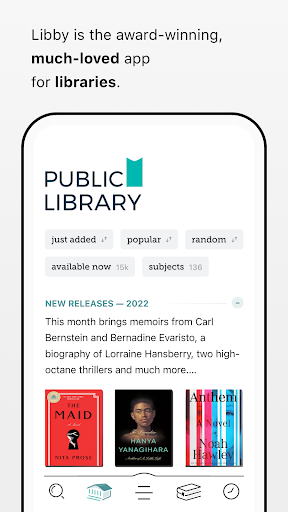
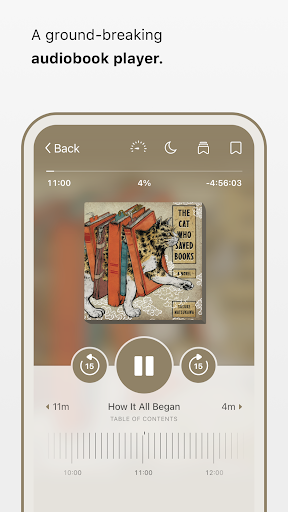
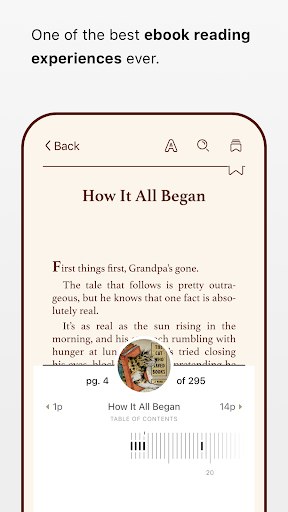
Libby is your gateway to a world of free ebooks and audiobooks, all accessible through your local library card. Developed by the team at OverDrive, this award-winning app empowers you to borrow a vast digital collection, ranging from timeless classics to the latest bestsellers. Whether you prefer to read on your e-reader, listen on the go, or download titles for offline enjoyment, Libby seamlessly integrates into your lifestyle. It's an indispensable tool for avid readers and casual listeners alike, offering a convenient and cost-effective way to explore diverse literary genres. If you have a library card, Libby is a must-download, providing endless entertainment and knowledge right at your fingertips.
Pros
- Access to a vast library of free ebooks and audiobooks.
- Intuitive interface for browsing and borrowing content.
- Offline downloads available for reading anywhere.
- Customizable reading and listening experience.
- Seamless syncing across multiple devices.
Feature Guides
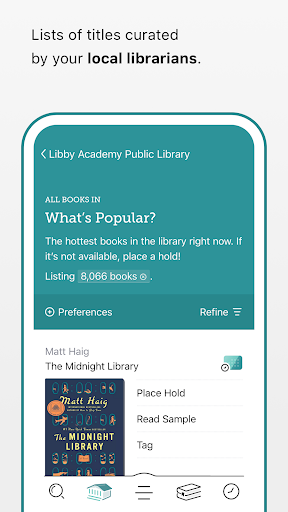
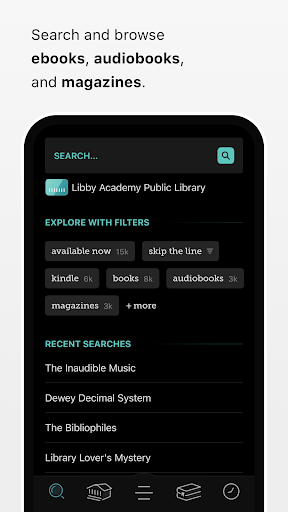
- Browse and borrow an extensive digital catalog from your library, featuring everything from new releases to beloved classics.
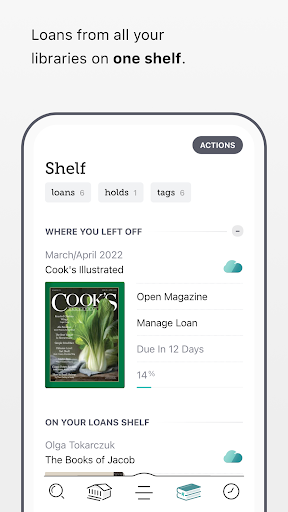
- Download ebooks and audiobooks for offline access, perfect for commutes or travel, or stream them to conserve device storage.
- Seamlessly send ebooks to your Kindle device for a familiar reading experience (available for U.S. libraries).
- Utilize customizable tags to organize your reading list, create wish lists, and manage your literary interests.
- Enjoy a rich reading and listening experience with features like adjustable playback speeds, sleep timers, and customizable text settings.
Recent Improvements
Recent updates to Libby have focused on refining the user experience, particularly enhancing the audiobook playback controls. Users will find that skipping forward or backward is now more intuitive with simple swipes, and the speed adjustment feature offers a wider range from 0.6x to 3.0x for personalized listening. The ebook reader has also seen subtle improvements, making text adjustments and zooming into magazines more fluid. These refinements aim to make your digital library experience even more enjoyable and seamless, ensuring you spend more time reading and listening and less time fiddling with settings.
User reviews
Absolutely love Libby! It makes borrowing ebooks and audiobooks so easy and convenient. My library card has never been put to better use. The interface is clean and intuitive, and I appreciate the offline download feature for when I'm traveling. 📚 Highly recommend!
Libby has transformed my reading habits. The selection is vast, and I can always find something new to dive into. The audiobook player is fantastic, especially the speed control feature. It's a game-changer for my commute! 🎧
 Amazon KindleBooks & Reference
 Ancestry: Family History & DNABooks & Reference
 Audible: Audio EntertainmentBooks & Reference
 Downpour.comBooks & Reference
 Lunescope Pro: Moon Phases+Books & Reference
 WhisperFM - Romance NovelsBooks & Reference
 Moon+ Reader ProBooks & Reference
 Merlin Bird ID by Cornell LabBooks & Reference
 Laws On DemandBooks & Reference
 My Bible - Verse+AudioBooks & Reference
 Ramsey AudiobooksBooks & Reference
 YouVersion Bible App + AudioBooks & Reference
 e-Sword: Bible Study to GoBooks & Reference
 FamilySearch TreeBooks & Reference
 WikipediaBooks & Reference