

APOD✓
- Name :
- APOD
- Category:
- Shopping
- Safety :
- 100% Safe
- Price:
- free
- Developer:
- Australian Partners of Defence (APOD)
- Download :
- 10K+
Screenshot
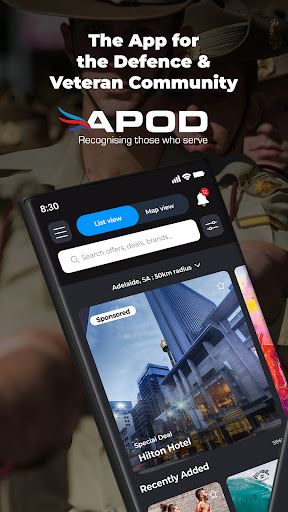


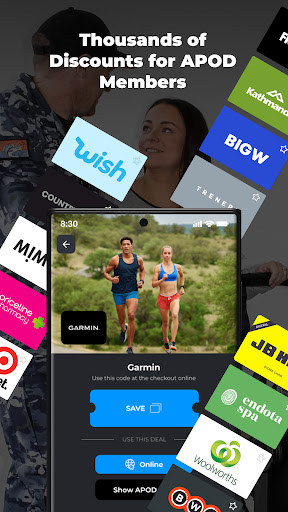
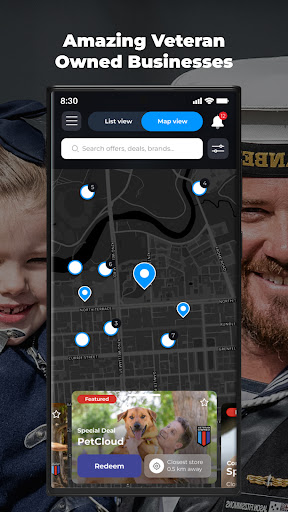
App Intro
The APOD App is an indispensable tool for Australian Defence Force personnel, reservists, allied forces, veterans, and their families, offering a wide array of everyday savings and exclusive deals. Founded by veteran families, APOD has, since 2012, forged partnerships with numerous businesses to provide significant discounts. This app consolidates your essential cards, including the APOD Card, Veteran Card, and Ampol Fuel Card, into a convenient digital wallet, eliminating the need for physical cards or printed vouchers. It keeps you informed about the latest offers and limited-time deals from partners, with customizable notifications and location-based suggestions. A standout feature is the dedicated category to discover and support over 600 veteran-owned businesses, fostering community and economic growth within the veteran network. For those who love a good deal or a chance to win, APOD also hosts regular giveaways and competitions. It’s a practical, community-focused platform designed to make daily life more affordable and connected for its users.
Pros
- Centralized digital wallet for all your discount cards.
- Exclusive savings on everyday purchases and fuel.
- Easy discovery and support for veteran-owned businesses.
- Personalized offers and timely deal notifications.
- Regular competitions and giveaway opportunities.
Feature Guides
- Digital Card Wallet: Securely store and access your APOD Card, Veteran Card, Ampol Fuel Card, and other gift cards all in one place, making checkouts a breeze.
- Personalized Offers: Browse a diverse range of deals, set your location preferences, and enable notifications to be the first to know about new and limited-time offers from APOD partners.
- Save Your Favorites: Bookmark preferred deals and create a custom wishlist to easily revisit and utilize offers that matter most to you.
- Support Veteran Businesses: Easily discover and patronize over 600 veteran-owned businesses through a dedicated category within the app, strengthening the community.
- Never Miss a Giveaway: Stay updated on all in-app competitions and giveaways hosted by APOD, providing more opportunities to win exciting prizes.
Recent Improvements
Recent updates have focused on enhancing the user experience by streamlining the digital card wallet functionality, ensuring quicker access to your essential cards like APOD and Ampol. The offer browsing interface has been refined for smoother navigation, making it easier to find and save your favorite deals. Additionally, improvements have been made to the notification system, ensuring you receive timely alerts for new offers and competitions without being overwhelmed. We’ve also continued to expand our network of veteran-owned businesses, making them even more discoverable within the app. These refinements aim to provide a more seamless and valuable savings experience for all our users.
User reviews
This app is a game-changer for Aussie veterans! Having all my discount cards in one place is so convenient, and I've saved a ton on fuel with Ampol. Plus, discovering local veteran-owned cafes has been a great experience. Highly recommend! 👍
APOD really looks after its community. I love how easy it is to find deals, and the option to save my favorites is brilliant for planning my shopping. Getting notified about local offers is a nice touch too. Keep up the good work! 😊
 Free Stuff AppShopping
 Bunnings PowerPassShopping
 DealsDirectShopping
 OfficeworksShopping
 OnePass: Supercharge Your ShopShopping
 SpudshedShopping
 Affirm: Buy now, pay over timeShopping
 Afterpay - Buy Now, Pay LaterShopping
 Alibaba.com - B2B marketplaceShopping
 AliExpressShopping
 Blue Light CardShopping
 Grays: Auction MarketplaceShopping
 Back Market - Buy & Sell techShopping
 Media Rewards: Gift CardsShopping
 BunningsShopping
 Cashrewards: Cashback RewardsShopping
 Chewy - Where Pet Lovers ShopShopping
 Circle KShopping
 Wish: Shop and SaveShopping
 Country RoadShopping