

JetBlue - Book & manage trips✓
- Name :
- JetBlue - Book & manage trips
- Category:
- Travel & Local
- Safety :
- 100% Safe
- Price:
- free
- Developer:
- JetBlue Airways Corporation
- Download :
- 5M+
Screenshot
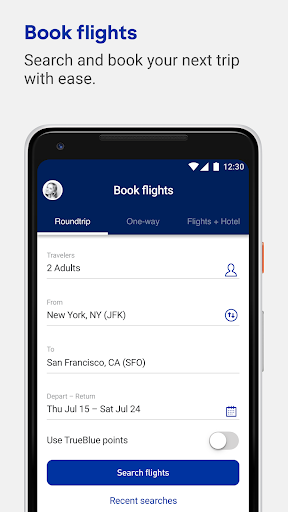
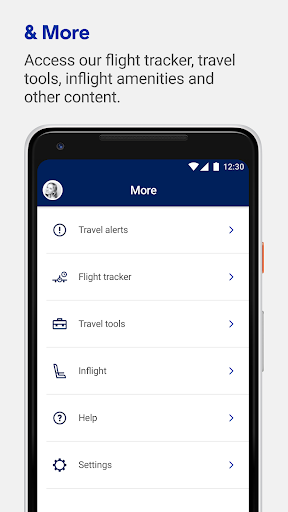
App Intro
JetBlue's official app aims to be your all-in-one travel companion, putting the airline's services right at your fingertips. Whether you're planning your next getaway or are already on your way, this app simplifies the entire travel process. It's designed for anyone who flies with JetBlue, offering a seamless experience from booking to arrival. You can easily search for and book flights, manage your existing reservations by updating seats or adding extras, and check in without the need for paper tickets. The app also serves as a hub for all your travel details, storing upcoming and past itineraries. For frequent flyers, integrating your TrueBlue account provides easy access to points and balances, enhancing personalization. It's a worthwhile download for JetBlue customers seeking convenience and efficiency in managing their journeys.
Pros
- Seamless flight booking and management.
- Digital boarding pass for easy airport access.
- Integrated TrueBlue points tracking.
- Convenient trip management and itinerary storage.
- Helpful live chat support.
Feature Guides
- Effortlessly book your next flight directly through the app, with a streamlined search and booking process designed for speed and ease.
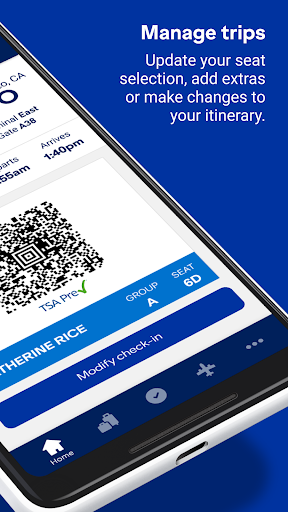
- Manage your trips on the go: easily update seat selections, add desired extras, or make modifications to your itinerary with just a few taps.
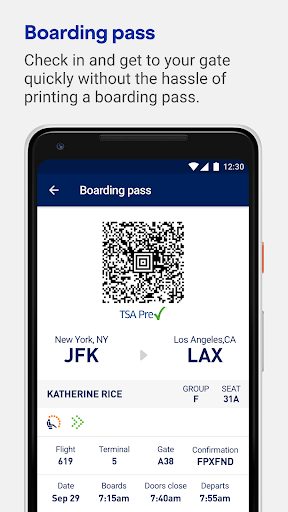
- Access your digital boarding pass directly on your phone, allowing for quick check-ins at the airport and eliminating the need to carry printed documents.
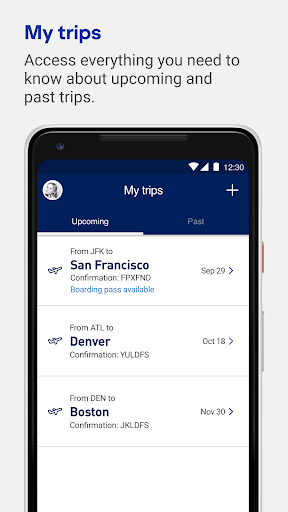
- Keep all your travel information organized by adding upcoming and past itineraries to the 'My Trips' section for easy reference.
- Connect with customer support through live chat for quick answers to your questions or to speak with a JetBlue crewmember.
Recent Improvements
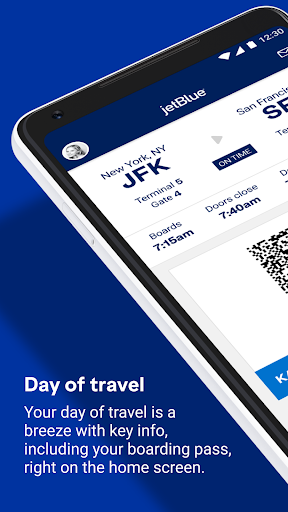
Recent updates have focused on refining the day-of-travel experience, ensuring that crucial information like your boarding pass is readily available on the home screen for immediate access. Enhancements have also been made to the 'Manage Trips' functionality, offering a smoother interface for modifying flight details and adding ancillary services. The integration with TrueBlue has seen improvements, providing a more stable and intuitive way to track your points and benefits. These refinements aim to reduce friction points in the travel journey, making interactions with the app more fluid and helpful.
User reviews
This app has made my JetBlue travel so much easier! Boarding pass is always right there, and managing my trip is a breeze. Love it! 👍
Great app for booking flights and keeping track of my TrueBlue points. The chat feature is also surprisingly helpful when I have quick questions. Highly recommend! 😊
 Flight Centre: Cheap FlightsTravel & Local
 Opal TravelTravel & Local
 Qantas AirwaysTravel & Local
 Public Transport Victoria appTravel & Local
 Bird — Ride ElectricTravel & Local
 Air Canada + AeroplanTravel & Local
 Booking.com: Hotels & TravelTravel & Local
 Fly BonzaTravel & Local
 Fly DeltaTravel & Local
 Frontier AirlinesTravel & Local
 Google Maps GoTravel & Local
 JetstarTravel & Local
 Lime - #RideGreenTravel & Local
 Cruise Norwegian – NCLTravel & Local
 Segway-NinebotTravel & Local
 RandonauticaTravel & Local
 Turo - Find your driveTravel & Local
 Saily: An eSIM for travelTravel & Local
 Six FlagsTravel & Local
 US Public LandsTravel & Local