
Segway-Ninebot✓
- Name :
- Segway-Ninebot
- Category:
- Travel & Local
- Safety :
- 100% Safe
- Price:
- free
- Developer:
- Ninebot(Beijing) Tech Co., Ltd.
- Download :
- 1M+
Screenshot


App Intro
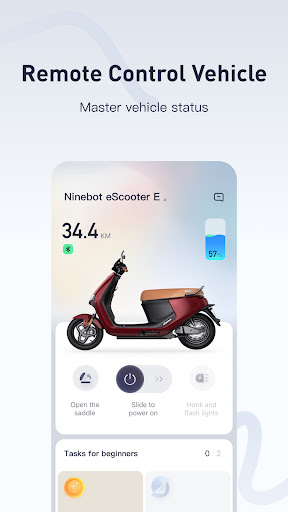
The Segway-Ninebot App, especially with its latest 6.0 version, acts as your central hub for managing and interacting with your Segway-Ninebot electric scooters and other compatible devices. It's designed to offer a seamless and intelligent riding experience, going beyond basic control to provide a comprehensive platform for owners. Whether you're a daily commuter looking to optimize your ride, a leisure rider exploring new routes, or a tech enthusiast eager to fine-tune performance, this app is tailored for you. It allows for remote locking/unlocking, firmware updates, ride statistics tracking, and even diagnostic checks, making it an indispensable tool for anyone who owns a Segway-Ninebot product. The recent overhaul promises a more intuitive interface and enhanced functionality, aiming to elevate your ownership experience.
Pros
- Intuitive and modern user interface.
- Comprehensive ride statistics and tracking.
- Easy and reliable firmware updates.
- Customizable riding performance settings.
- Integrated vehicle diagnostics and maintenance.
Feature Guides
- Unlock the full potential of your Segway-Ninebot device with a completely redesigned interface in version 6.0, offering a more interactive and user-friendly experience.
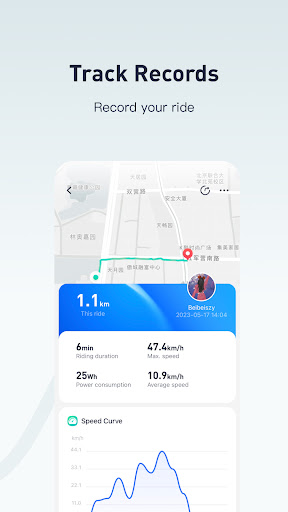
- Stay informed with detailed ride statistics, including distance traveled, speed history, and battery consumption, helping you understand your riding habits better.
- Receive over-the-air firmware updates directly through the app to ensure your device is always running with the latest features and security enhancements.
- Customize your ride settings, such as acceleration and braking sensitivity, to personalize your experience and adapt it to different riding conditions.
- Access comprehensive vehicle diagnostics and maintenance reminders, empowering you to keep your Segway-Ninebot in top condition with ease.
Recent Improvements
Version 6.0 introduces a significant leap forward with a completely reimagined user interface and a streamlined interactive process. Users will find navigating through the app's extensive features more intuitive, with a focus on providing quick access to essential controls and information. The development team has concentrated on enhancing the overall responsiveness and stability, ensuring a smoother connection between the app and your Segway-Ninebot device. Expect a more engaging experience as you monitor your ride data, update firmware, and manage your vehicle settings, all presented in a fresh, modern design.
User reviews
This app has really transformed how I use my Ninebot scooter! The new interface is super clean and easy to navigate. I love checking my ride stats after each trip 🤩.
Finally, a stable app for my electric scooter! Firmware updates used to be a pain, but it’s seamless now. Great job on version 6.0! 👍
 Flight Centre: Cheap FlightsTravel & Local
 Opal TravelTravel & Local
 Qantas AirwaysTravel & Local
 Public Transport Victoria appTravel & Local
 Bird — Ride ElectricTravel & Local
 Air Canada + AeroplanTravel & Local
 Booking.com: Hotels & TravelTravel & Local
 Fly BonzaTravel & Local
 Fly DeltaTravel & Local
 Frontier AirlinesTravel & Local
 Google Maps GoTravel & Local
 JetstarTravel & Local
 JetBlue - Book & manage tripsTravel & Local
 Lime - #RideGreenTravel & Local
 Cruise Norwegian – NCLTravel & Local
 RandonauticaTravel & Local
 Turo - Find your driveTravel & Local
 Saily: An eSIM for travelTravel & Local
 Six FlagsTravel & Local
 US Public LandsTravel & Local