

Regions Bank✓
- Name :
- Regions Bank
- Category:
- Finance
- Safety :
- 100% Safe
- Price:
- free
- Developer:
- Regions Bank
- Download :
- 1M+
Screenshot

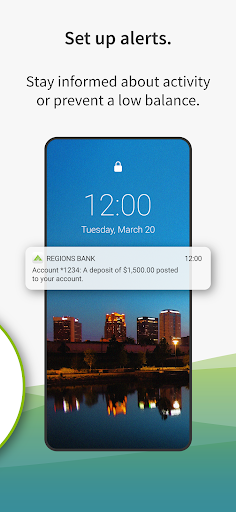
App Intro
The Regions mobile banking app is designed to simplify your everyday banking needs, offering a robust suite of features for managing your finances conveniently and securely on the go. Whether you're looking to quickly check your account balances, transfer funds between accounts, deposit checks remotely, or pay bills, this app puts essential banking services right at your fingertips. It's an ideal tool for existing Regions Bank customers who value accessibility and efficiency, allowing them to bank from virtually anywhere, at any time. With features like biometric login, transaction history up to 18 months, and tools for financial health management, it aims to be a comprehensive solution for modern banking. For those who frequently bank on the move or prefer digital over in-person interactions, this app streamlines processes, making banking less of a chore and more of an integrated part of your daily routine. It’s worth downloading for anyone seeking a reliable and feature-rich mobile banking experience from a well-established institution.
Pros
- Secure and convenient biometric login options.
- Comprehensive transaction history available.
- Integrated financial health tools.
- Easy mobile check deposit feature.
- Zelle® integration for quick payments.
Feature Guides
- Securely access your accounts using fingerprint or facial recognition, ensuring your financial information remains protected while allowing for quick logins.
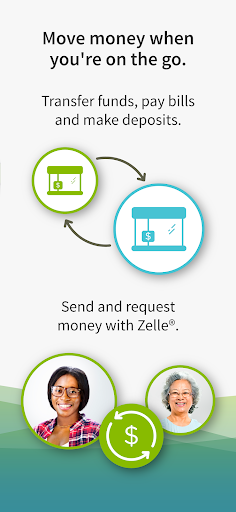
- Effortlessly manage your money by transferring funds between accounts, depositing checks using your phone's camera, and paying bills with ease.
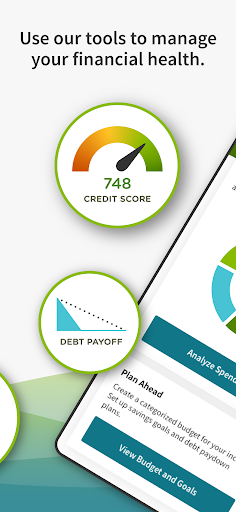
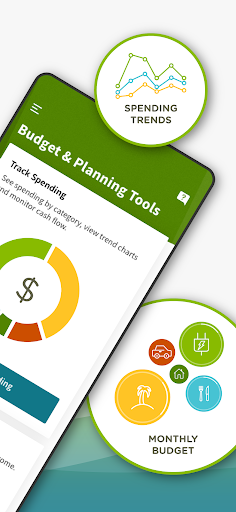
- Gain insights into your financial health with tools for budgeting and planning, plus access to your FICO® Score, helping you make informed decisions about your money.
- Send money to friends and family quickly and securely using Zelle®, directly from the app, making peer-to-peer payments a breeze.
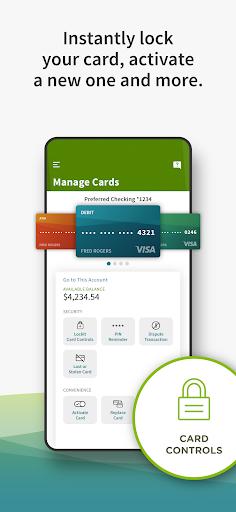
- Take control of your card activity with Regions LockIt®, allowing you to manage settings and monitor usage for enhanced security and peace of mind.
Recent Improvements
Recent updates to the Regions mobile banking app have focused on enhancing user experience and security. The introduction of more intuitive navigation makes it simpler to find and utilize the app's extensive features, from mobile deposits to financial planning tools. We've also refined the security protocols, ensuring your sensitive data is even better protected while maintaining the convenience of quick logins. Performance enhancements mean faster loading times and smoother transitions between different sections of the app, making your banking sessions more efficient. These improvements are geared towards providing a seamless and reliable mobile banking platform that adapts to your needs.
User reviews
This app makes banking so much easier! I love being able to deposit checks from my couch 🛋️. The interface is clean and easy to navigate.
Finally, an app that doesn't make me want to pull my hair out! Sending money with Zelle® is super quick, and I appreciate the FICO score access. 👍
 SquareOne - Youth MoneyFinance
 IBKR MobileFinance
 Deferit: Pay bills in 4Finance
 HSBC AustraliaFinance
 NAB Mobile BankingFinance
 HostplusFinance
 Suncorp Insurance AppFinance
 Up — Easy MoneyFinance
 Australian Taxation OfficeFinance
 VestibleFinance
 ZOOMEX - Trade&Invest BitcoinFinance
 SplitwiseFinance
 RaizFinance
 Allstate MobileFinance
 Amex New ZealandFinance
 Bendigo BankFinance
 Booster NZFinance
 JPayFinance
 BTCC - Trade Bitcoin & CryptoFinance
 BTCC Lite: Trade Crypto & BTCFinance