

MyAMP NZ✓
- Name :
- MyAMP NZ
- Category:
- Finance
- Safety :
- 100% Safe
- Price:
- free
- Developer:
- AMP Services (NZ) Limited
- Download :
- 50K+
Screenshot

App Intro
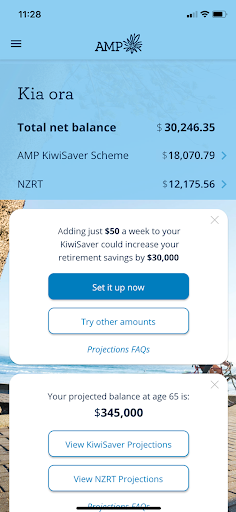
The MyAMP app offers a streamlined way to manage your AMP investment accounts directly from your smartphone. It consolidates all your financial information into a single, accessible platform, allowing for round-the-clock management of your investments. Whether you're tracking performance, reviewing transactions, or making payment adjustments, this app aims to simplify your financial oversight. It's particularly useful for existing AMP customers who want convenient, on-the-go access to their accounts. The registration process is straightforward, and once set up, you can quickly log in using a PIN or biometric authentication for enhanced security and ease of use. For anyone invested with AMP, this application is a valuable tool for staying informed and in control of their financial future.
Pros
- Consolidated view of all AMP accounts.
- 24/7 access to investment information.
- Easy transaction and payment management.
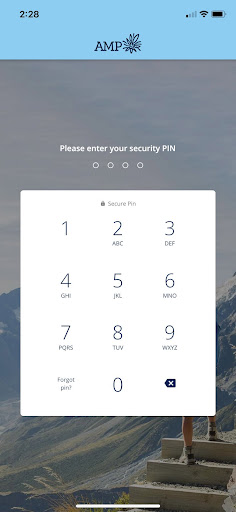
- Secure login with PIN and biometrics.
- Track investment performance effectively.
Feature Guides
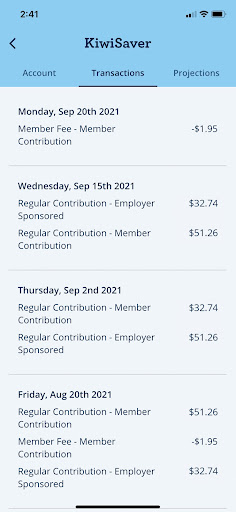
- Effortlessly monitor your account balances and review your transaction history to stay on top of your finances.
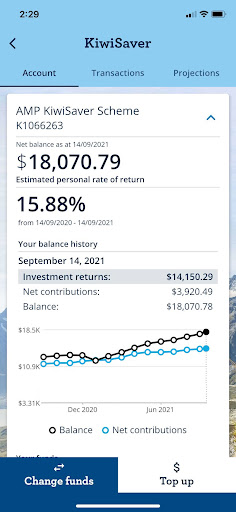
- Gain clear insights into how your investments are performing with easy-to-understand performance tracking.
- Access important documents like statements and notifications anytime, ensuring you're always up-to-date.
- Initiate one-off or set up recurring payments directly through the app, offering flexibility in managing your contributions.
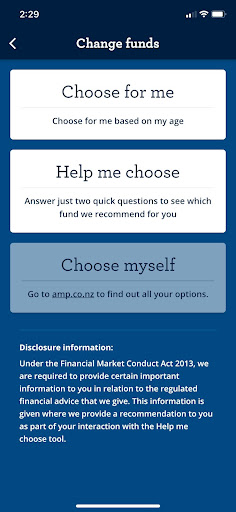
- Easily switch between different investment funds to better align with your financial goals and market conditions.
Recent Improvements
Recent updates have focused on refining the user experience, making navigation more intuitive and speeding up key functions like transaction lookups and fund performance displays. We've also enhanced the security protocols to provide greater peace of mind, including smoother integration of biometric login options. Feedback regarding payment processing has been addressed, leading to more reliable and faster transaction confirmations. The goal is to ensure that managing your AMP investments is not just easy, but also secure and efficient, reflecting our commitment to continuous improvement based on user needs.
User reviews
Love how easy it is to check my investments on the go! The Face ID login is super convenient 👍.
Finally, an app that lets me see all my AMP accounts in one place. The performance graphs are really helpful for understanding my portfolio. Great job! 😊
 SquareOne - Youth MoneyFinance
 IBKR MobileFinance
 Deferit: Pay bills in 4Finance
 HSBC AustraliaFinance
 NAB Mobile BankingFinance
 HostplusFinance
 Suncorp Insurance AppFinance
 Up — Easy MoneyFinance
 Australian Taxation OfficeFinance
 VestibleFinance
 ZOOMEX - Trade&Invest BitcoinFinance
 SplitwiseFinance
 RaizFinance
 Allstate MobileFinance
 Amex New ZealandFinance
 Bendigo BankFinance
 Booster NZFinance
 JPayFinance
 BTCC - Trade Bitcoin & CryptoFinance
 BTCC Lite: Trade Crypto & BTCFinance