

Phoner 2nd Phone Number + Text✓
- Name :
- Phoner 2nd Phone Number + Text
- Category:
- Communication
- Safety :
- 100% Safe
- Price:
- free
- Developer:
- Appsverse, Inc.
- Download :
- 1M+
Screenshot

App Intro
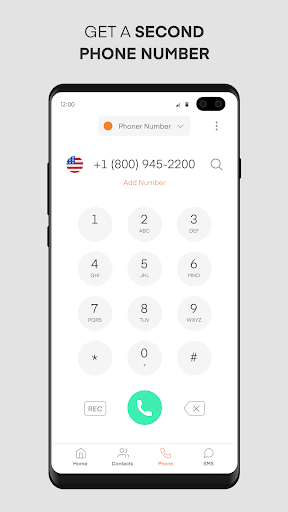
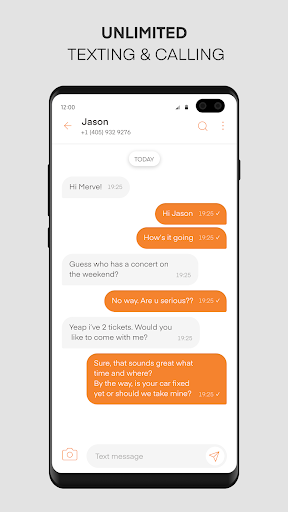
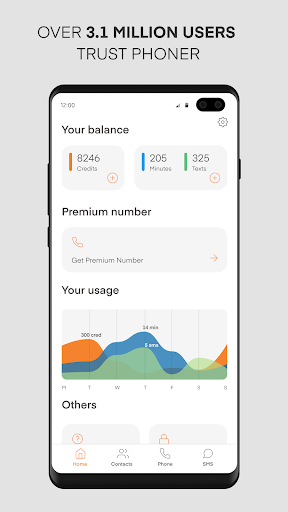
Phoner is a versatile communication app that provides users with the ability to obtain and manage multiple phone numbers, all within a single application. Its primary function is to offer disposable or secondary phone numbers, allowing individuals to maintain privacy by not sharing their primary personal number. This is particularly useful for a wide range of scenarios, from online transactions and dating apps to professional use cases where a separate line for business is beneficial. Phoner supports both calling and texting, and even offers features like call recording and caller ID lookup, enhancing security and user control over their communications. It’s a practical solution for anyone looking to compartmentalize their digital interactions or simply protect their main contact details.
Pros
- Obtain multiple, disposable phone numbers easily.
- Protects your primary personal phone number.
- Useful for online transactions and dating apps.
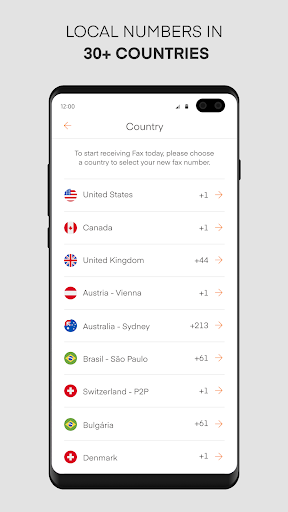
- Supports international calling and texting.
- Call recording and number lookup features.
Feature Guides
- Obtain new, temporary or permanent phone numbers with custom area codes, perfect for separating personal, business, or online-specific communications.
- Safeguard your primary phone number by using Phoner for online registrations, e-commerce transactions, and interactions on platforms like Craigslist or dating apps.
- Enhance call security with reverse number lookup to identify unknown callers and detect potential spam or robocalls before you answer.
- Record incoming and outgoing calls for later reference, ensuring you have a record of important conversations (always use responsibly and in compliance with local laws).
Recent Improvements
Recent updates to Phoner have focused on refining the user experience, particularly around the acquisition and management of secondary phone numbers. The app now offers a smoother process for selecting and activating new numbers, along with improved stability for call recording features. Users will also notice enhancements in the caller ID lookup functionality, providing more accurate and timely information about incoming calls. These refinements aim to make Phoner an even more reliable and secure tool for managing your diverse communication needs without compromising privacy.
User reviews
This app is a lifesaver! I needed a separate number for online selling and Phoner made it so easy. No more cluttering my personal line with buyer inquiries. 💯
Finally, a way to keep my main number private when I'm out dating. The burner numbers are perfect for Tinder and other apps. Plus, the call recording is a neat bonus for security. 👍
 ThreemaCommunication
 moboCommunication
 Burner: Second Phone NumberCommunication
 ZangiCommunication
 MessagesCommunication
 CC200Communication
 BoostOneCommunication
 Portable WiFi - Mobile HotspotCommunication
 EtherMailCommunication
 Ding Top-up: Mobile RechargeCommunication
 Messenger Kids – The MessagingCommunication
 MyFrontierCommunication
 Glide - Video Chat MessengerCommunication
 Google VoiceCommunication
 Messages by GoogleCommunication
 Google MeetCommunication
 GmailCommunication
 GroupMeCommunication
 Kogan Mobile New ZealandCommunication
 Ooredoo SuperApp: Do it all!Communication