

GroupMe✓
- Name :
- GroupMe
- Category:
- Communication
- Safety :
- 100% Safe
- Price:
- free
- Developer:
- GroupMe
- Download :
- 10M+
Screenshot
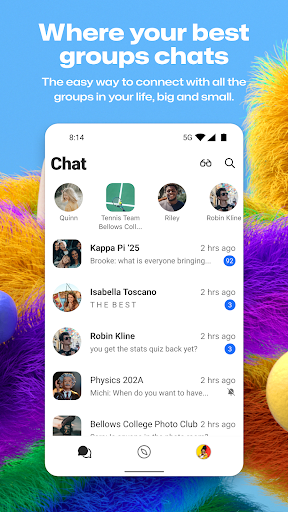
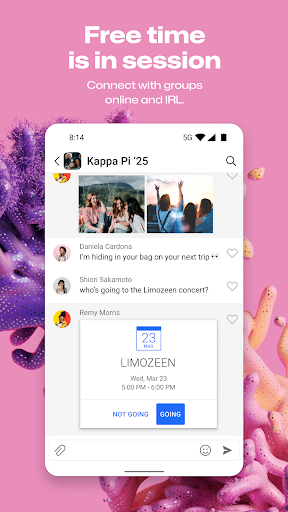
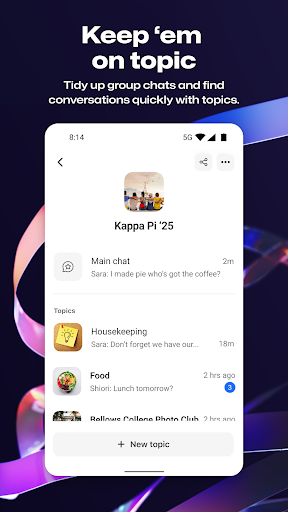
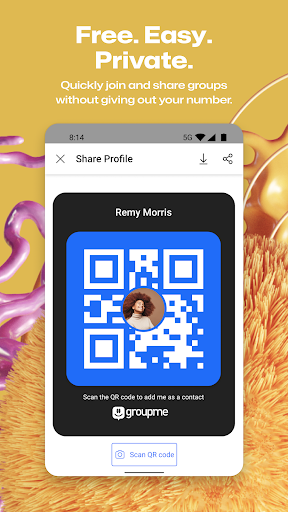
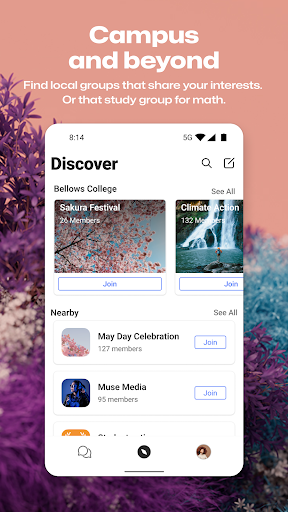
App Intro
GroupMe is a free and straightforward communication app designed to keep you connected with your most important groups, whether they're family, friends, colleagues, or part of a shared activity. It simplifies group messaging, allowing you to create and manage conversations effortlessly. With GroupMe, you can easily add members using just their phone number or email, and for those not yet on the app, they can participate via SMS. The app aims to be an indispensable tool for coordinating events, sharing daily life updates, or simply maintaining close ties with your various social circles. If you're looking for a no-fuss way to keep multiple conversations organized and engaging, GroupMe is definitely worth considering, especially for those who juggle several distinct groups in their lives.
Pros
- Free and easy to use for group communication.
- Flexible notification controls for user convenience.
- Supports rich media sharing like GIFs and photos.
- Cross-platform availability including web access.
- Simple user onboarding via phone or email.
Feature Guides
- Seamlessly add anyone to a group using just their phone number or email; new users can join the conversation instantly via SMS (US only).
- Take full control of your notifications by muting specific chats, the entire app, or even leaving or ending group conversations when needed.
- Express yourself with a wide range of exclusive emojis, share memes, search and send GIFs, and see rich content previews from shared URLs.
- Never lose a shared moment; the integrated gallery saves all photos and videos exchanged in your group for easy viewing now or later.
- Enjoy one-on-one conversations with direct messages, bringing all the rich features of group chat to your private interactions.
Recent Improvements
The app has seen recent refinements focused on enhancing user control and content sharing. Notification management has been further optimized, giving users even more granular options to tailor their experience and avoid unwanted interruptions. The integration of rich media content, including GIFs and URL previews, has been smoothed out, making the sharing experience more visually engaging and informative. These updates aim to make staying connected feel more seamless and less intrusive, ensuring that GroupMe remains a preferred platform for group communication.
User reviews
GroupMe has been a lifesaver for keeping up with my college friends scattered across different cities. The group chat is so easy to use, and I love that I can mute notifications when I need to focus 🔇.
This app is great for coordinating with my D&D group for sessions and planning. Sharing maps and character art is a breeze, and the group gallery is perfect for saving campaign memories! 🎨
 ThreemaCommunication
 moboCommunication
 Burner: Second Phone NumberCommunication
 Phoner 2nd Phone Number + TextCommunication
 ZangiCommunication
 MessagesCommunication
 CC200Communication
 BoostOneCommunication
 Portable WiFi - Mobile HotspotCommunication
 EtherMailCommunication
 Ding Top-up: Mobile RechargeCommunication
 Messenger Kids – The MessagingCommunication
 MyFrontierCommunication
 Glide - Video Chat MessengerCommunication
 Google VoiceCommunication
 Messages by GoogleCommunication
 Google MeetCommunication
 GmailCommunication
 Kogan Mobile New ZealandCommunication
 Ooredoo SuperApp: Do it all!Communication