
Infinite Design✓
- Name :
- Infinite Design
- Category:
- Art & Design
- Safety :
- 100% Safe
- Price:
- free
- Developer:
- Infinite Studio LLC
- Download :
- 10M+
Screenshot

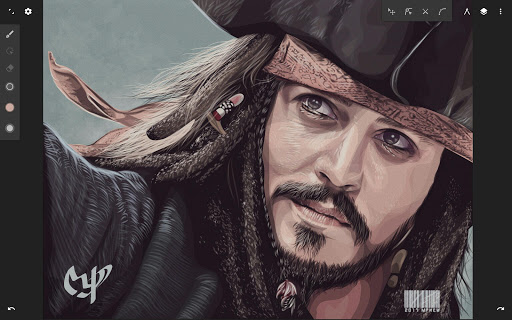
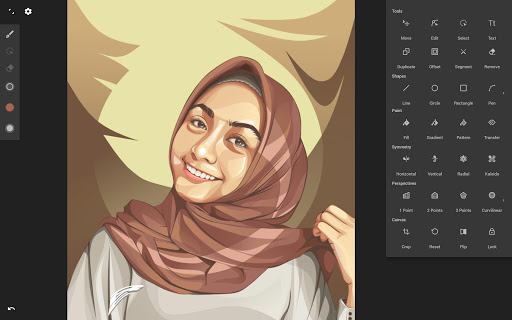
App Intro
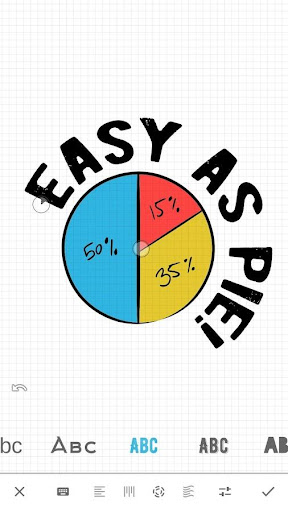
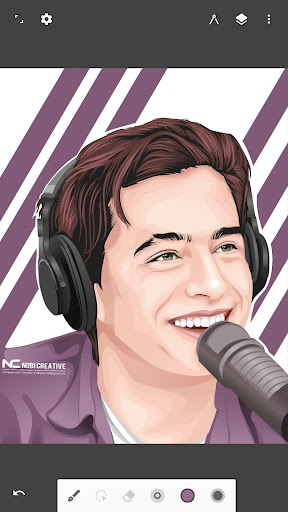
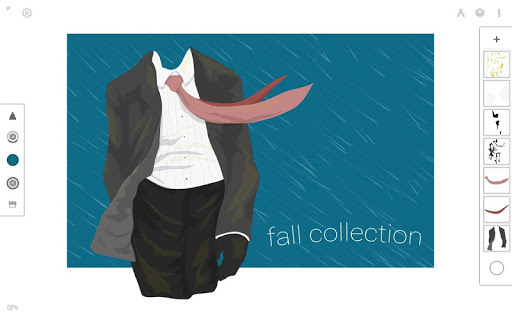
This app offers a professional-grade vector design experience on your mobile device, reimagined from the ground up for speed and stability. Its core strength lies in an infinite canvas, allowing users to pan, zoom, and rotate freely, providing an unparalleled workspace for creative endeavors. Whether you're a seasoned digital artist or a budding designer, this tool equips you with sophisticated features like intuitive path editing, powerful boolean operations, and precise alignment tools. It's an ideal choice for anyone looking to create detailed illustrations, logos, or complex graphics on the go, offering a robust alternative to desktop software without compromising on functionality. The streamlined interface ensures your creative flow remains uninterrupted, making it a compelling download for serious mobile creators.
Pros
- Infinite canvas for boundless creativity.
- Robust set of professional vector editing tools.
- Fast, stable, and streamlined user interface.
- Versatile import and export options.
- Advanced features like symmetry and perspective guides.
Feature Guides
- Explore an infinite canvas that adapts to your creative process, letting you zoom, pan, and rotate without limits for ultimate freedom in design.
- Leverage advanced tools including four types of symmetry, unlimited layers, and a history slider for unlimited undo/redo, ensuring a seamless and forgiving workflow.
- Construct intricate shapes with a versatile pen tool, add text in various orientations, and even create 3D cityscapes using five perspective guides.
- Transform objects with a comprehensive suite of options: Translate, Scale, Rotate, Flip, Distort, and Skew, giving you granular control over every element.
Recent Improvements
The latest iteration of this design app has been meticulously rebuilt, focusing on enhancing both performance and user experience. Expect a notably faster and more stable application, allowing for smoother operation even with complex projects. The interface has undergone significant refinement, becoming more intuitive and less intrusive, ensuring your creative focus remains on your artwork. These updates contribute to a more professional and enjoyable design process, making it easier than ever to bring your visual ideas to life with precision and efficiency. Minor adjustments have also been made to tool responsiveness and import/export functionalities.
User reviews
This app is a game-changer for mobile vector art! The infinite canvas is truly liberating, and the tools are incredibly powerful. I love how responsive it is, even with layered designs. Finally, a professional design tool I can carry in my pocket! 🚀
I've tried many drawing apps, but this one stands out. The rebuild made it so much faster and stable. The interface is clean and doesn't get in the way. Vectorizing images is a breeze, and the text tools are surprisingly robust. Highly recommend for illustrators! ✨
 AI Image Generator - CreArtArt & Design
 ArtRage Vitae Mobile PaintingArt & Design
 Infinite PainterArt & Design
 Pixelcut AI Photo EditorArt & Design
 Symposia: Creative DiscourseArt & Design
 Desygner: Graphic Design MakerArt & Design
 VistaCreate: Graphic DesignArt & Design
 Photoleap: Photo Editor/AI ArtArt & Design
 Pixilart - Make Pixel ArtArt & Design
 PENUP - Share your drawingsArt & Design
 starryai - AI Art GeneratorArt & Design
 Genie: Anime AI Art GeneratorArt & Design
 Bazaart Photo Editor & DesignArt & Design