
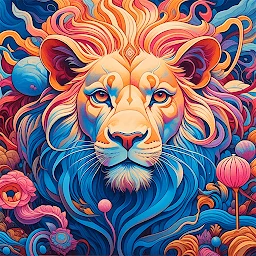
AI Image Generator - CreArt✓
- Name :
- AI Image Generator - CreArt
- Category:
- Art & Design
- Safety :
- 100% Safe
- Price:
- free
- Developer:
- Yawai
- Download :
- 1M+
Screenshot


App Intro
CreArt AI Art Generator is a versatile mobile application that seamlessly blends the capabilities of an AI image generator with a powerful AI photo editor. It empowers users to create original digital art from text prompts, transform existing photos with sophisticated AI tools, and explore creative possibilities in a user-friendly interface. Whether you're an artist seeking to visualize concepts, a photographer needing quick edits, or a business looking to produce marketing visuals, CreArt offers a comprehensive solution. Its ability to generate unique images from simple text descriptions, combined with robust editing features like object manipulation and background removal, makes it a valuable tool for both professional and casual users. This app is a fantastic choice for anyone looking to harness the power of AI for image creation and enhancement without needing extensive technical skills.
Pros
- Generates unique AI art from text prompts.
- Powerful AI photo editing tools included.
- Offers over 50 artistic styles.
- Intuitive and user-friendly interface.
- Versatile for personal and business use.
Feature Guides
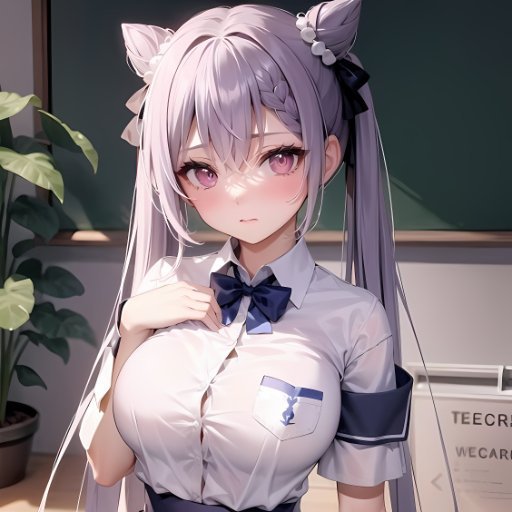
- Transform your imagination into reality by typing a text prompt and letting CreArt's AI generate unique images in seconds, drawing inspiration from leading AI art models.
- Elevate your photos with an intelligent AI Photo Editor: realistically add or remove objects using the magic eraser, instantly remove backgrounds, and refine portraits with context-aware editing.
- Explore a vast library of over 50 artistic styles, from hyperrealistic and anime to watercolor and pencil sketches, allowing for endless creative expression in your AI-generated art.
- Effortlessly edit existing text within images, preserving font, color, and perspective, making it perfect for updating signs, posters, or labels with precision.
Recent Improvements
Recent updates to CreArt have focused on refining the user experience and expanding the AI's creative potential. The context-aware editing tools have seen significant enhancements, allowing for more seamless object integration and removal, making photo manipulations look even more natural. Performance optimizations have also been implemented, leading to faster image generation and smoother editing workflows, especially for complex edits. The introduction of subtle style variations within existing artistic presets further broadens the creative palette available to users, encouraging deeper exploration and unique artistic outcomes.
User reviews
This app is a game-changer for my creative projects! The text-to-image feature is incredibly fun and surprisingly accurate 🤩. Editing photos has never been this easy or powerful.
I'm blown away by the quality of the AI-generated art and the smart editing tools. Removing backgrounds is a breeze, and the results look so professional. Definitely recommend! 👍
 ArtRage Vitae Mobile PaintingArt & Design
 Infinite DesignArt & Design
 Infinite PainterArt & Design
 Pixelcut AI Photo EditorArt & Design
 Symposia: Creative DiscourseArt & Design
 Desygner: Graphic Design MakerArt & Design
 VistaCreate: Graphic DesignArt & Design
 Photoleap: Photo Editor/AI ArtArt & Design
 Pixilart - Make Pixel ArtArt & Design
 PENUP - Share your drawingsArt & Design
 starryai - AI Art GeneratorArt & Design
 Genie: Anime AI Art GeneratorArt & Design
 Bazaart Photo Editor & DesignArt & Design