

Pixelcut AI Photo Editor✓
- Name :
- Pixelcut AI Photo Editor
- Category:
- Art & Design
- Safety :
- 100% Safe
- Price:
- free
- Developer:
- Pixelcut Inc
- Download :
- 1M+
Screenshot
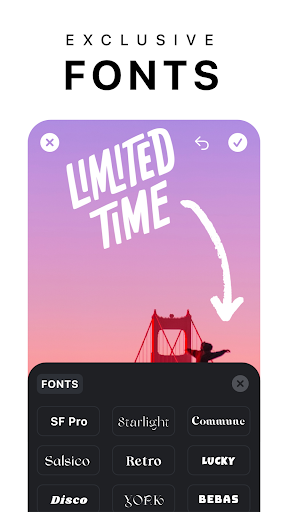

App Intro
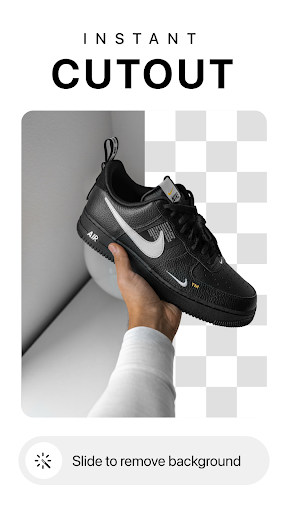
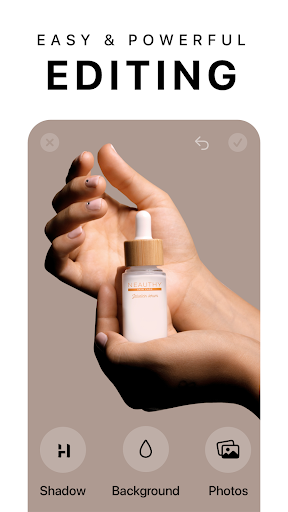
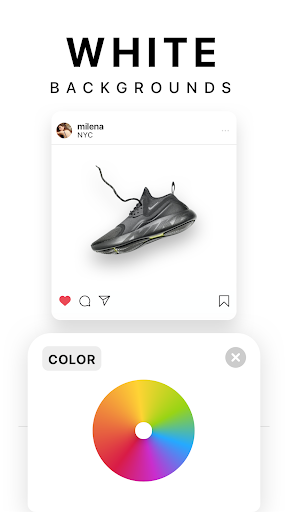
Pixelcut is an all-in-one AI-powered photo editor and graphic design tool designed to help users create professional-looking visuals with remarkable ease. Whether you're an e-commerce seller needing product photos, a social media manager crafting engaging content, or an individual looking to enhance personal images, Pixelcut offers a comprehensive suite of features. Its standout capability is the AI-driven background removal, which instantly isolates subjects with precision. Beyond that, it excels in object removal, generating unique AI avatars and art, and even acting as an AI copywriter to craft compelling descriptions and captions. The app is ideal for anyone looking to elevate their visual branding and save significant time on image creation, making it a valuable download for creators, marketers, and small business owners alike.
Pros
- AI-powered background removal and object erasing.
- Generate unlimited product photos with AI.
- Create unique AI art and avatars easily.
- AI copywriting for descriptions and captions.
- User-friendly interface for quick edits.
Feature Guides
- Effortlessly remove backgrounds from any image with a single tap, ensuring a clean and professional look for your photos.
- Generate infinite, high-quality product photos with the AI Photo Shoot feature, perfect for boosting your e-commerce sales.
- Transform your text prompts into unique AI art or leverage the Magic Writer to create engaging product descriptions and social media copy.
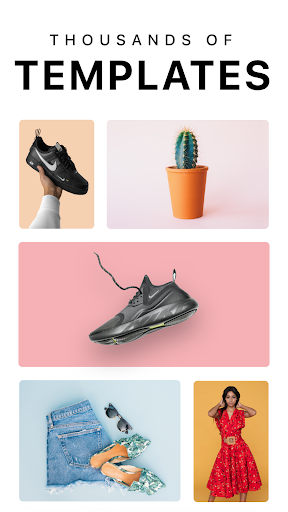
- Create stunning collages and videos for your business using a variety of templates and layouts, enhancing your social media presence.
Recent Improvements
The latest updates to Pixelcut focus on enhancing the AI capabilities and user experience, making content creation even more seamless. Improvements to the background remover ensure even more precise cutouts, while the AI Photo Shoot now offers more diverse and realistic product photography options. Users will also appreciate the refined Magic Eraser tool for cleaner object removal. The integration of OpenAI's GPT technology in Magic Writer has been further optimized for more relevant and creative copy generation. These refinements collectively aim to provide a more powerful and intuitive platform for all your visual design needs.
User reviews
This app is a lifesaver for my small business! The background remover is incredibly accurate, and I love the AI photo shoot feature for creating product shots. 🤩 Definitely worth the Pro subscription!
Pixelcut has made my Instagram content creation so much faster. The templates are amazing, and the AI art generator is super fun to play with. Highly recommend! ✨
 AI Image Generator - CreArtArt & Design
 ArtRage Vitae Mobile PaintingArt & Design
 Infinite DesignArt & Design
 Infinite PainterArt & Design
 Symposia: Creative DiscourseArt & Design
 Desygner: Graphic Design MakerArt & Design
 VistaCreate: Graphic DesignArt & Design
 Photoleap: Photo Editor/AI ArtArt & Design
 Pixilart - Make Pixel ArtArt & Design
 PENUP - Share your drawingsArt & Design
 starryai - AI Art GeneratorArt & Design
 Genie: Anime AI Art GeneratorArt & Design
 Bazaart Photo Editor & DesignArt & Design