

Adobe Capture: Illustrator,Ps✓
- Name :
- Adobe Capture: Illustrator,Ps
- Category:
- Art & Design
- Safety :
- 100% Safe
- Price:
- free
- Developer:
- Adobe
- Download :
- 5M+
Screenshot
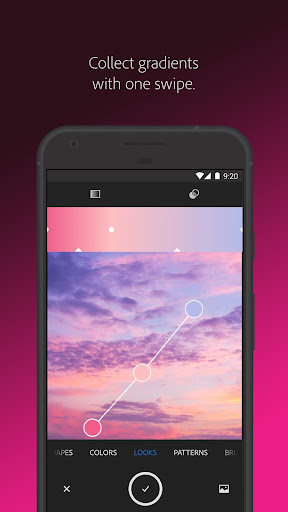
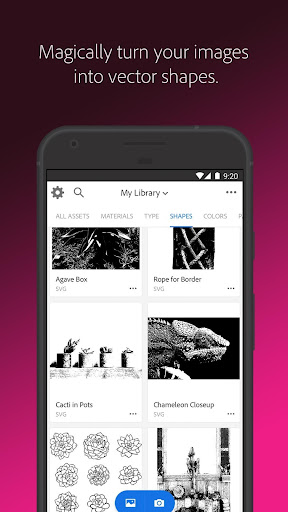

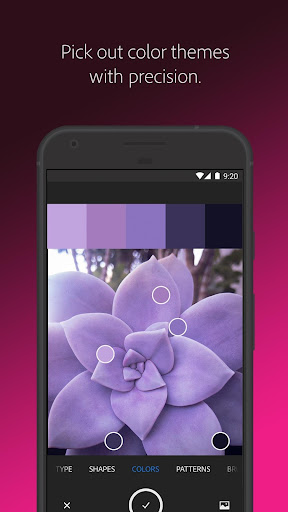
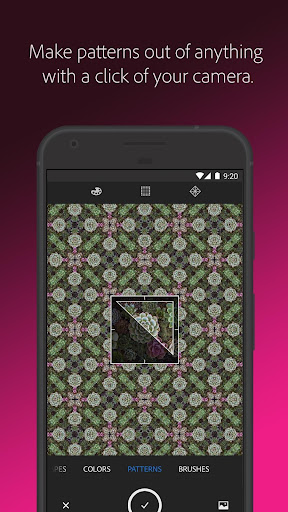
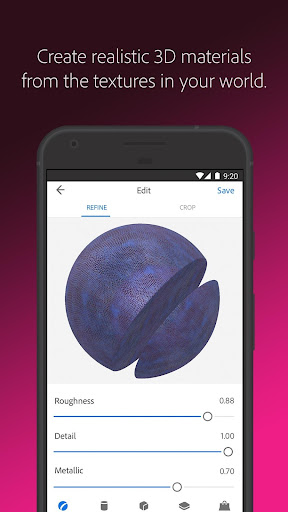
App Intro
Adobe Capture is a powerful mobile application designed to transform your Android device into a versatile graphic design tool. It allows users to extract creative assets directly from their camera or existing photos, turning everyday objects and scenes into usable design elements. Whether you're looking to vectorize shapes, identify fonts, create custom color palettes, design unique brushes, generate patterns, or even craft 3D textures, Adobe Capture streamlines the process. This app is an invaluable asset for graphic designers, illustrators, photographers, and hobbyists seeking to seamlessly integrate real-world inspiration into their digital projects across various Adobe Creative Cloud applications like Photoshop and Illustrator. It's a compelling download for anyone wanting to enhance their creative workflow with readily accessible, powerful tools.
Pros
- Extracts design assets directly from your camera.
- Seamless integration with Adobe Creative Cloud.
- Versatile tools for vectors, colors, brushes, and patterns.
- Identifies fonts quickly from images.
- Free to use with generous basic features.
Feature Guides
- Instantly convert images into scalable vector graphics with up to 32 colors, perfect for logos and illustrations.
- Identify typography by simply taking a photo of text, and the app will suggest similar Adobe Fonts.
- Generate custom color themes and gradients by pointing your camera at any scene, ideal for matching palettes.
- Create unique digital brushes and intricate patterns from photos or existing images for use in Photoshop, Illustrator, and Fresco.
- Produce realistic PBR materials for 3D design directly from your camera, with options to modify textures and ensure seamless tiling.
Recent Improvements
Recent updates have focused on refining the user experience, making asset creation more intuitive and efficient. Improvements to the vectorization engine now offer even cleaner lines and more precise color separation, especially useful for complex illustrations. The font identification feature has been enhanced with a larger database, increasing accuracy in suggesting matching Adobe Fonts. Additionally, the app's performance when generating patterns and 3D textures has seen optimization, leading to quicker results and smoother editing. These refinements ensure that Adobe Capture continues to be a reliable tool for extracting and integrating creative elements on the go.
User reviews
This app is a lifesaver for quick design inspiration! I love being able to grab colors and patterns from my surroundings and instantly use them in my projects. The vector tool is surprisingly powerful for mobile. 🤩
Adobe Capture has become an essential part of my workflow. Identifying fonts on the fly is a game-changer, and the ability to create custom brushes is fantastic for my digital painting. Seamless integration with Creative Cloud makes everything so easy. ✨
 AI Image Generator - CreArtArt & Design
 ArtRage Vitae Mobile PaintingArt & Design
 Infinite DesignArt & Design
 Infinite PainterArt & Design
 Pixelcut AI Photo EditorArt & Design
 Symposia: Creative DiscourseArt & Design
 Desygner: Graphic Design MakerArt & Design
 VistaCreate: Graphic DesignArt & Design
 Photoleap: Photo Editor/AI ArtArt & Design
 Pixilart - Make Pixel ArtArt & Design
 PENUP - Share your drawingsArt & Design
 starryai - AI Art GeneratorArt & Design
 Genie: Anime AI Art GeneratorArt & Design
 Bazaart Photo Editor & DesignArt & Design