

My Optus✓
- Name :
- My Optus
- Category:
- Tools
- Safety :
- 100% Safe
- Price:
- free
- Developer:
- Optus Mobile Pty Ltd
- Download :
- 5M+
Screenshot

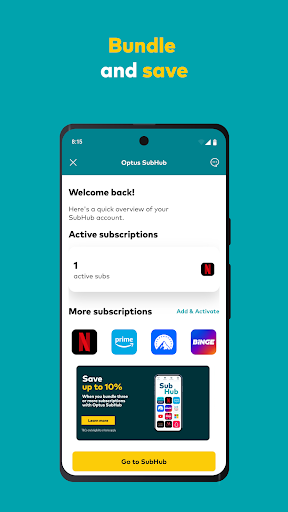
App Intro
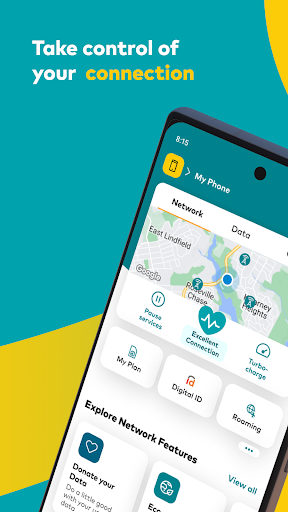
The My Optus App is designed as a comprehensive digital hub for Optus customers, offering a streamlined way to manage their mobile, home internet, and other Optus services directly from their smartphone. It empowers users to take control of their network performance, offering features like pausing internet access, purchasing temporary data boosts, or even enhancing home internet speeds with a few simple taps. Beyond service management, the app integrates with SubHub, allowing users to view their active subscriptions and explore potential savings by bundling with Optus services. For those not yet with Optus, the app still provides a gateway to explore the Optus network and discover the latest deals, making it a versatile tool for both existing and prospective customers. Its intuitive interface and focus on self-service make it a valuable download for anyone looking to simplify their telecommunications management.
Pros
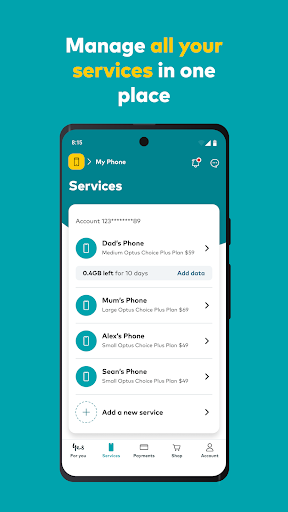
- Effortlessly manage all your Optus services.
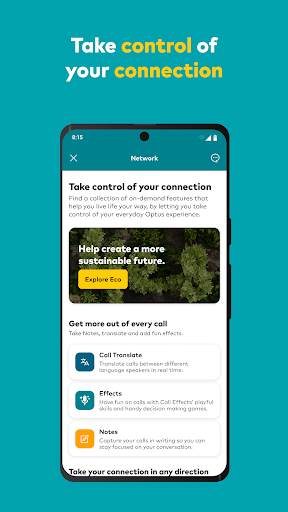
- Take control of your network performance.
- View and manage subscriptions with SubHub.
- Access 24/7 customer support easily.
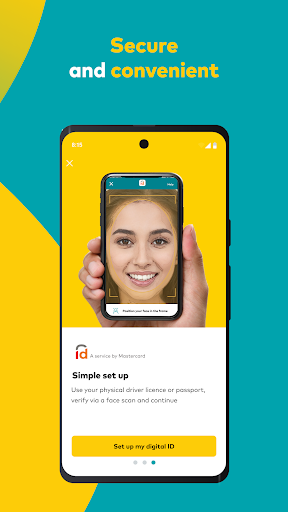
- Secure and convenient payment options.
Feature Guides
- Manage your Optus services with ease, including real-time network performance monitoring and the ability to pause your internet connection or boost your data when needed.
- Discover and manage your subscriptions through SubHub, view active plans, and find opportunities to save money by consolidating your services with Optus.
- Shop for new Optus products and services directly within the app, simplifying the buying process.
- Access instant customer support anytime, anywhere through the integrated messaging feature, ensuring you get help precisely when you need it.
- Make secure and convenient payments for your Optus services directly through the app, offering a quick and hassle-free transaction experience.
Recent Improvements
Recent updates to the My Optus App have focused on enhancing user experience and introducing more robust self-service capabilities. The app now offers more intuitive navigation, making it even simpler to find and manage your various Optus services. Improvements to the network management tools provide clearer insights into your connection status and more responsive controls. Additionally, the integration with SubHub has been refined, providing a more seamless overview of your subscriptions and potential bundled savings. Customer support access has also seen refinements, ensuring quicker responses and a more efficient resolution process for any queries you may have.
User reviews
This app has made managing my internet so much easier! I love being able to check my data usage and pause Wi-Fi when the kids are supposed to be doing homework. Great job Optus! 👍
Finally, an app where I can see all my subscriptions in one place. The SubHub feature is a lifesaver for tracking what I'm paying for. Also, the support chat is surprisingly quick. 😊
 AppLock LiteTools
 Fires Near Me AustraliaTools
 Service NSWTools
 Authenticator App - SafeAuthTools
 fitproTools
 AVG AntiVirus & SecurityTools
 Google Play StoreTools
 System Update for AndroidTools
 Move to iOSTools
 AZIP Master: ZIP / RAR, UnzipTools
 My SpectrumTools
 Cast for Chromecast & TV CastTools
 CoinSnap - Coin IdentifierTools
 DuckDuckGo Private BrowserTools
 TeraBox: Cloud Storage SpaceTools
 Fatic PlusTools
 MyRogersTools
 Voice AccessTools
 Google Find My DeviceTools
 Google TranslateTools