

AZIP Master: ZIP / RAR, Unzip✓
- Name :
- AZIP Master: ZIP / RAR, Unzip
- Category:
- Tools
- Safety :
- 100% Safe
- Price:
- free
- Developer:
- WELLY GLOBAL PUBLISHING
- Download :
- 5M+
Screenshot


App Intro
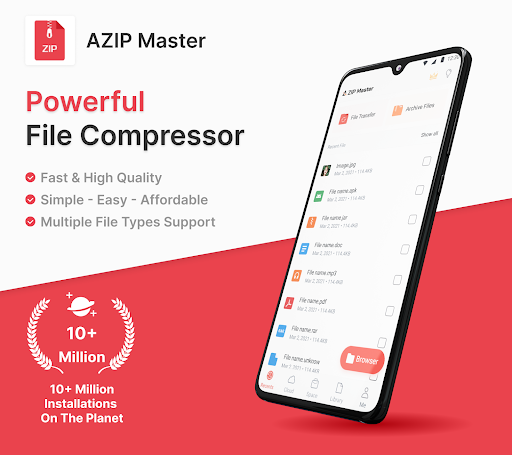
AZIP Master is a powerful and versatile file management tool designed to handle all your compression and decompression needs. Whether you're dealing with documents, photos, or videos, this app makes it simple to create ZIP, 7Z, or RAR archives, and extract a wide array of formats including the aforementioned, plus others like TAR, ISO, and many more. It's an ideal solution for anyone looking to save storage space on their device, easily share large files, or organize their digital life more efficiently. With its integration with cloud storage services like Google Drive, managing your files across devices becomes seamless. This app is particularly useful for students, professionals, and everyday users who frequently download or exchange files and need a reliable way to manage them.
Pros
- Supports a vast range of archive formats.
- Integrates seamlessly with Google Drive.
- Efficiently handles large files and documents.
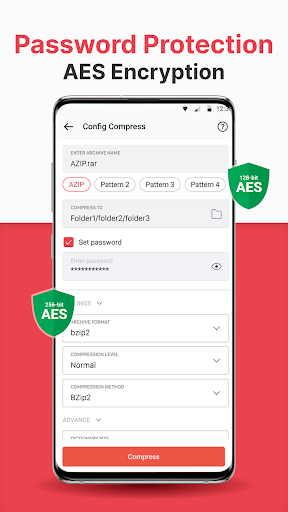
- Offers password protection for archives.
- Fast and reliable compression/decompression speed.
Feature Guides
- Effortlessly create compressed files in popular formats like ZIP, 7Z, and RAR, with options to customize format and size, perfect for efficient storage and sharing.
- Extract a vast range of archive formats, including ZIP, RAR, 7Z, TAR, ISO, and many more, ensuring compatibility with nearly any compressed file you encounter.
- Seamlessly integrate with cloud storage services like Google Drive for easy backup and extraction of files directly from the cloud, freeing up valuable device space.
- Secure your sensitive archives by creating password-protected ZIP files, ensuring your data remains confidential.
- Transfer files quickly and efficiently over Hotspot or Wi-Fi, making it easy to share compressed archives with nearby devices without needing an internet connection.
Recent Improvements
Recent updates to AZIP Master have focused on enhancing user experience and performance. The file management interface has been refined for greater intuitiveness, making it easier than ever to locate and organize your archives. Background decompression capabilities have been optimized to consume fewer resources, allowing you to multitask more smoothly. Furthermore, the app's compatibility with newer archive formats and improvements in multi-threaded extraction ensure that even very large files are handled with remarkable speed and reliability. Connectivity with cloud services has also seen enhancements for more stable syncing.
User reviews
This app is a lifesaver for managing all my downloaded files! 🤩 It handles everything I throw at it, from ZIPs to RARs, and the cloud integration is super handy for freeing up my phone's storage. Highly recommend!
Finally, an app that can unpack almost any format I need. It's fast, efficient, and the interface is clean. The ability to password-protect archives is a great security feature too. 👍
 AppLock LiteTools
 My OptusTools
 Fires Near Me AustraliaTools
 Service NSWTools
 Authenticator App - SafeAuthTools
 fitproTools
 AVG AntiVirus & SecurityTools
 Google Play StoreTools
 System Update for AndroidTools
 Move to iOSTools
 My SpectrumTools
 Cast for Chromecast & TV CastTools
 CoinSnap - Coin IdentifierTools
 DuckDuckGo Private BrowserTools
 TeraBox: Cloud Storage SpaceTools
 Fatic PlusTools
 MyRogersTools
 Voice AccessTools
 Google Find My DeviceTools
 Google TranslateTools