

Move to iOS✓
- Name :
- Move to iOS
- Category:
- Tools
- Safety :
- 100% Safe
- Price:
- free
- Developer:
- Apple
- Download :
- 100M+
Screenshot

App Intro
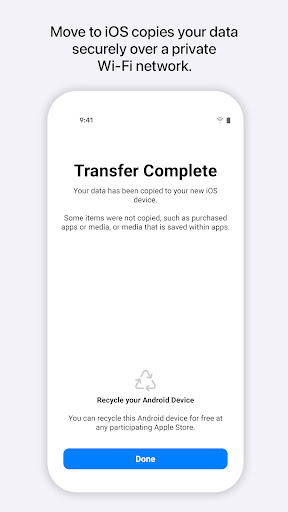
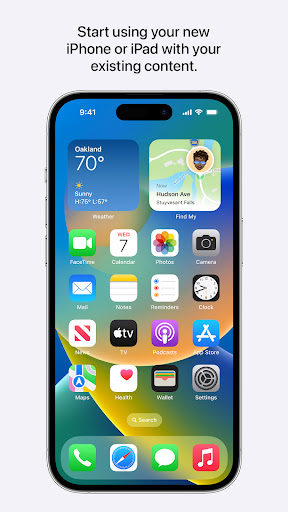
Switching from Android to iOS can feel like a big leap, but the 'Move to iOS' app is designed to make this transition as seamless and secure as possible. Developed by Apple, this application acts as a bridge, securely transferring your essential data from your old Android device to your new iPhone or iPad. It automates the migration of contacts, message history, photos, videos, mail accounts, calendars, and even WhatsApp content, eliminating the need for manual backups or saving your information elsewhere. The process is straightforward: keep your devices close and powered up, and the app creates a private Wi-Fi network to connect your devices. After a quick security code verification, your data is transferred and organized correctly on your new Apple device. It's an invaluable tool for anyone looking to embrace the Apple ecosystem without the usual hassle of data migration, ensuring you can start enjoying your new device's capabilities right away.
Pros
- Securely transfers contacts, messages, photos, and videos.
- Migrates WhatsApp content seamlessly.
- Automates data transfer with a private Wi-Fi network.
- Simplifies the switch to iOS.
- Free and easy to use.
Feature Guides
- Effortlessly transfer contacts, message history, photos, videos, mail accounts, and calendars from your Android device to your new iPhone or iPad.
- Securely migrate your WhatsApp content, ensuring your conversations and media move with you.
- Automated setup process creates a private Wi-Fi network for a direct and secure data transfer.
- Requires devices to be nearby and connected to power for uninterrupted migration, ensuring all your data arrives safely.
Recent Improvements
The app has seen recent refinements focused on enhancing the stability and security of the data transfer process. Users have reported a smoother experience with larger data sets, indicating improvements in how content is managed during migration. Connectivity between devices has also been optimized, reducing instances of transfer interruptions. These subtle yet impactful updates ensure that moving your digital life to a new iPhone or iPad remains a secure and reliable experience, reflecting Apple's commitment to user convenience and data integrity.
User reviews
This app made switching from my old Android phone to my new iPhone incredibly easy! I was worried about losing my photos and contacts, but everything transferred over perfectly and quickly. Definitely a must-have if you're moving to iOS. 👍
I was skeptical about how smoothly this would work, but 'Move to iOS' did not disappoint. It handled my message history and even my WhatsApp chats without a hitch. The whole process took less time than I expected. Highly recommend! 😊
 AppLock LiteTools
 My OptusTools
 Fires Near Me AustraliaTools
 Service NSWTools
 Authenticator App - SafeAuthTools
 fitproTools
 AVG AntiVirus & SecurityTools
 Google Play StoreTools
 System Update for AndroidTools
 AZIP Master: ZIP / RAR, UnzipTools
 My SpectrumTools
 Cast for Chromecast & TV CastTools
 CoinSnap - Coin IdentifierTools
 DuckDuckGo Private BrowserTools
 TeraBox: Cloud Storage SpaceTools
 Fatic PlusTools
 MyRogersTools
 Voice AccessTools
 Google Find My DeviceTools
 Google TranslateTools