
Easy Voice Recorder Pro✓
- Name :
- Easy Voice Recorder Pro
- Category:
- Productivity
- Safety :
- 100% Safe
- Price:
- 4.99
- Developer:
- Digipom
- Download :
- 500K+
Screenshot
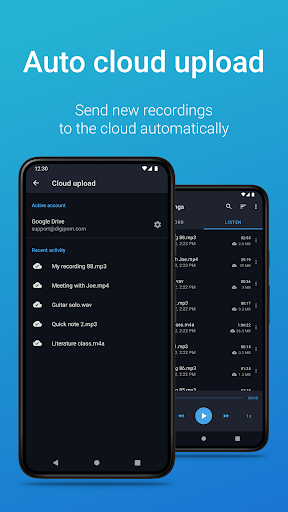
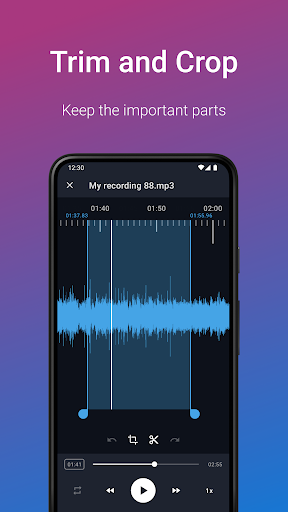
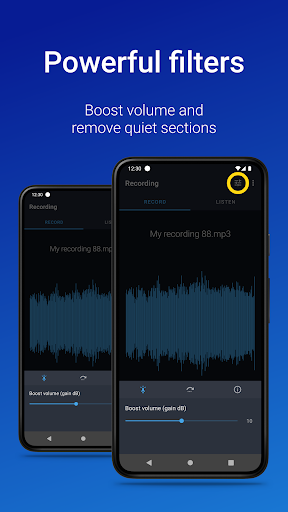
App Intro
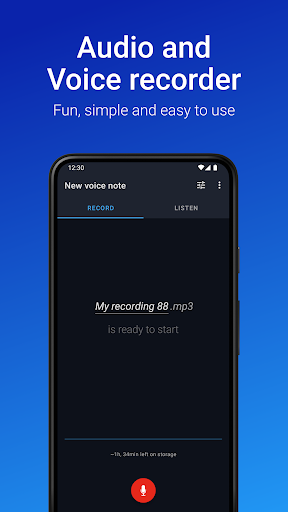
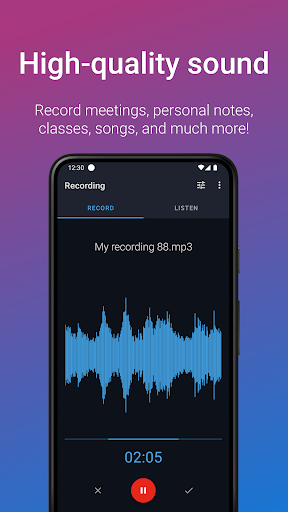
Easy Voice Recorder Pro is an incredibly versatile and user-friendly application designed for capturing audio in various scenarios. Whether you're a student needing to record lectures for later study, a business professional wanting to capture meeting minutes or interviews, or a musician looking to jot down melodic ideas, this app has you covered. It offers an ad-free experience with unlimited recording time, making it a reliable tool for preserving important moments. The Pro version enhances this core functionality with advanced features like cloud backup, multiple high-quality audio formats, and editing capabilities, making it a powerful yet accessible solution for anyone who needs to record sound on their Android device. Its intuitive design ensures that users of all technical levels can quickly get started, making it a highly recommended download for a wide audience.
Pros
- Unlimited recording time, no ads.
- Supports multiple high-quality audio formats.
- Automatic cloud backup options available.
- User-friendly interface with helpful widgets.
- Editing and organization features included.
Feature Guides
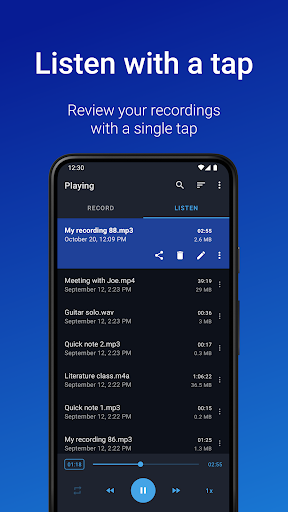
- Students can record entire lectures without worrying about time limits, thanks to the app's unhindered recording capability. The ability to adjust playback speed helps in reviewing complex topics at a comfortable pace, aiding comprehension and exam preparation.
- Business users benefit from seamless recording of interviews and meetings, with easy sharing options via email or messaging apps. Widgets and shortcuts offer quick access to start recordings from the home screen, ensuring no crucial information is missed.
- Musicians and creators can fine-tune recordings with various options, perfect for capturing rehearsals or spontaneous melodic inspirations. The app supports different presets for voice notes, meetings, and music, allowing for quick adjustments and creative exploration.
- Exclusive Pro features like automatic cloud uploads to Google Drive, Dropbox, or OneDrive, and the ability to record in formats such as MP3, FLAC, and AAC, provide enhanced flexibility and data security for all your recordings.
Recent Improvements
Recent updates have focused on refining the user experience and expanding the app's utility. Enhanced background recording performance ensures that your audio capture continues uninterrupted, even when multitasking. The addition of more granular control over audio bitrates and custom settings allows for greater flexibility in managing file size and quality, catering to both space-conscious users and audiophiles. Furthermore, improvements to widget responsiveness and notification bar controls provide quicker access to recording functions, streamlining the overall workflow for busy users.
User reviews
This app is a lifesaver for my lectures! Crystal clear audio and I love being able to speed up playback when reviewing notes. The Pro features like cloud backup are totally worth it too! 💯
Finally, a recorder that doesn't interrupt me! I use it for work meetings and the widget makes starting a recording super fast. The folder organization is also a great addition. Highly recommend! 👍
 Perplexity - Ask AnythingProductivity
 DAVx⁵ – CalDAV CardDAV WebDAVProductivity
 myGovProductivity
 Express Plus CentrelinkProductivity
 myGovIDProductivity
 AI Speech Chatbot Text & VoiceProductivity
 CompanyCamProductivity
 AOL: Email News Weather VideoProductivity
 Email - Fast & Secure MailProductivity
 Lookout - Assisted visionProductivity
 Google AssistantProductivity
 Google DriveProductivity
 Google CalendarProductivity
 Instabridge: WiFi MapProductivity
 ChatAI:AI Chatbot PlusProductivity
 LiveChat - Customer serviceProductivity
 Link to WindowsProductivity
 MiXplorer Silver File ManagerProductivity
 Penly: Digital Planner & NotesProductivity
 Pushbullet: SMS on PC and moreProductivity