

Lookout - Assisted vision✓
- Name :
- Lookout - Assisted vision
- Category:
- Productivity
- Safety :
- 100% Safe
- Price:
- free
- Developer:
- Google LLC
- Download :
- 100K+
Screenshot
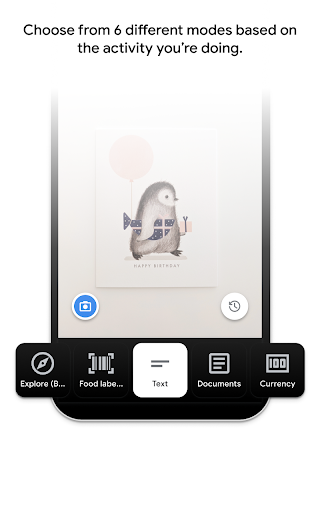

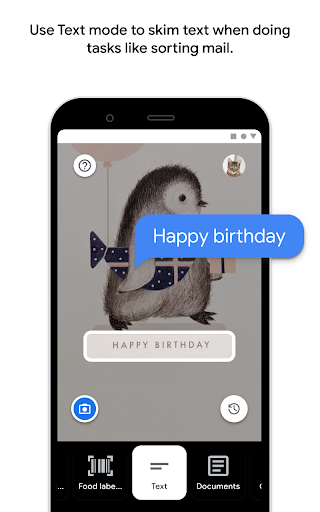
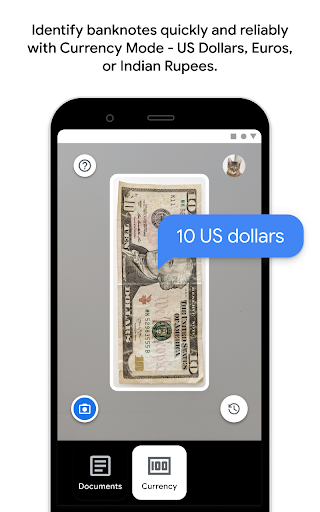


App Intro
Lookout is a powerful accessibility tool designed to assist individuals with low vision or blindness in their daily lives. Leveraging your smartphone's camera and advanced computer vision technology, Lookout offers real-time information about your surroundings, significantly simplifying everyday tasks. Whether you need to sort through mail, organize your groceries, or simply understand what's in front of you, Lookout provides a streamlined and efficient solution. Developed in collaboration with the blind and low-vision community, this app embodies Google's commitment to making information universally accessible. It's an invaluable download for anyone seeking greater independence and ease in navigating their environment.
Pros
- Assists with daily tasks for low-vision users.
- Multiple modes for diverse needs.
- Leverages advanced computer vision technology.
- Developed with community input.
- Supports over 20 languages.
Feature Guides
- Explore the world around you with the 'Explore' mode, which provides information about nearby objects, helping you to better understand your environment. 🌍
- Effortlessly read text from various sources, from mail to documents, with 'Text' and 'Documents' modes, which can even read handwriting aloud.
- Quickly identify packaged food items using their labels or barcodes with the 'Food labels' mode, available in over 20 countries. 🍎
- Identify different currencies with the 'Currency' mode, which reliably recognizes banknotes for US Dollars, Euros, and Indian Rupees, making transactions simpler.
- Get descriptive summaries of images with the new 'Images' mode (beta), offering both a general overview and detailed explanations of the visual content.
Recent Improvements
Recent updates have focused on refining the core functionalities of Lookout, particularly enhancing the accuracy and speed of text recognition across various lighting conditions. The beta Images mode has seen significant improvements, offering more nuanced descriptions and better object identification. Feedback from the user community has been instrumental in these refinements, ensuring the app remains a practical and reliable aid for daily tasks. Performance optimizations have also been implemented to ensure smoother operation on a wider range of devices, making the app more accessible to everyone.
User reviews
This app has been a game-changer for me! Sorting my mail is so much faster now. The text mode reads everything clearly, and I love how it can handle different fonts. Definitely recommend it! 👍
The new Images mode is amazing! It described a picture on my wall so accurately. It really helps me understand my surroundings better and makes me feel more independent. So grateful for this tool! 😊
 Perplexity - Ask AnythingProductivity
 DAVx⁵ – CalDAV CardDAV WebDAVProductivity
 myGovProductivity
 Express Plus CentrelinkProductivity
 myGovIDProductivity
 AI Speech Chatbot Text & VoiceProductivity
 CompanyCamProductivity
 AOL: Email News Weather VideoProductivity
 Easy Voice Recorder ProProductivity
 Email - Fast & Secure MailProductivity
 Google AssistantProductivity
 Google DriveProductivity
 Google CalendarProductivity
 Instabridge: WiFi MapProductivity
 ChatAI:AI Chatbot PlusProductivity
 LiveChat - Customer serviceProductivity
 Link to WindowsProductivity
 MiXplorer Silver File ManagerProductivity
 Penly: Digital Planner & NotesProductivity
 Pushbullet: SMS on PC and moreProductivity