
Penly: Digital Planner & Notes✓
- Name :
- Penly: Digital Planner & Notes
- Category:
- Productivity
- Safety :
- 100% Safe
- Price:
- 5.49
- Developer:
- Penly
- Download :
- 100K+
Screenshot
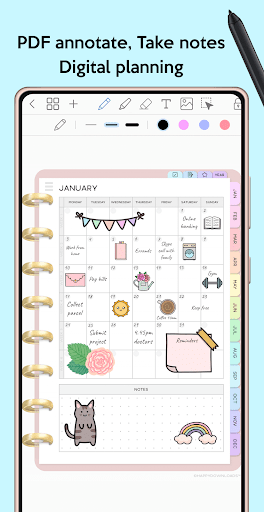
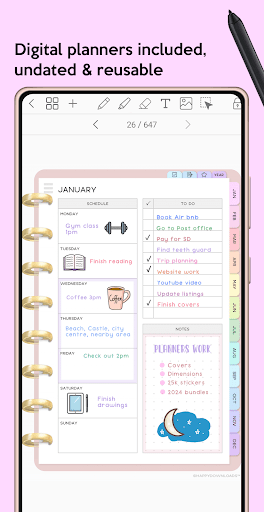
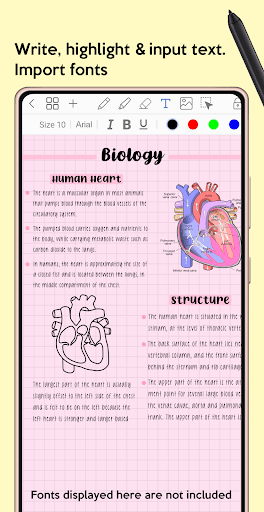
App Intro
Penly is a versatile digital notebook and PDF annotation tool designed for anyone looking to enhance their productivity and creativity on their Android device. Whether you're a student wanting to take notes, a professional annotating documents, or a planner enthusiast seeking a digital space for organization, Penly offers a robust set of features. Its core strength lies in its smooth handwriting experience, especially when paired with a Bluetooth stylus like the S Pen or Xiaomi Smart Pen, allowing for natural note-taking and drawing. You can import any PDF, add your own digital planners, and even create custom hyperlinks, making it an ideal all-in-one solution for managing your digital life. The app also supports importing custom fonts and converting handwriting to text, further streamlining your workflow. If you're seeking a powerful yet user-friendly app for digital planning, journaling, and PDF interaction, Penly is definitely worth considering.
Pros
- Smooth, customizable handwriting experience.
- Import any PDF and create custom hyperlinks.
- Includes versatile digital planners.
- Efficient document organization and management.
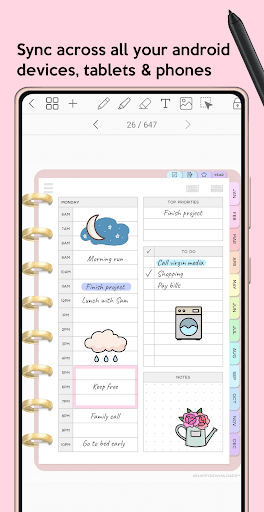
- Cross-device syncing via Google Drive.
Feature Guides
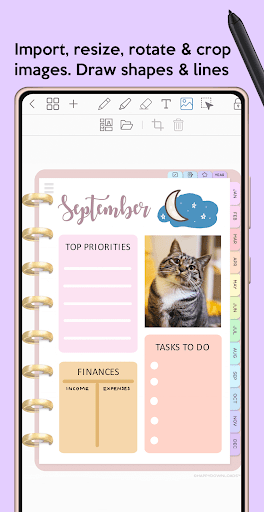
- Experience fluid digital note-taking and planning with customizable pen styles, colors, and thicknesses, complemented by a precise highlighter tool for easy annotation. You can also seamlessly integrate photos and images into your documents, with options to crop and resize them as needed.
- Import any PDF document into Penly and navigate it with existing hyperlinks. The app allows you to add your own custom hyperlinks to objects or pages within any document, and even to external websites, enhancing document interactivity.
- Organize your digital life with included undated and reusable digital planners in both landscape and portrait orientations. Choose from various styles, including blush with rainbow templates or a minimalist black theme, each featuring hyperlinked pages and space for daily notes and to-do lists.
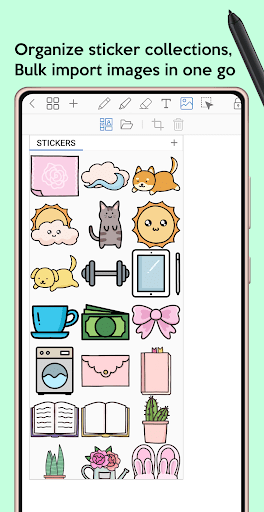
- Utilize the powerful stickers functionality to import images in bulk, organize them into collections, and easily add them to any document. This feature is perfect for creative journaling and detailed note-taking, allowing for quick visual enhancements.
- Manage your documents efficiently with a folder and subfolder system. Duplicate, move, rename, or delete files with ease, and pick up right where you left off thanks to documents automatically opening to the last visited page.
Recent Improvements
Recent updates have focused on refining the user experience, particularly around document management and annotation tools. The app now offers more robust options for organizing files with nested folders, ensuring that your important documents are always easily accessible. Enhancements to the smart eraser tool provide greater precision when removing elements, and the handwriting-to-text conversion has seen improvements for better accuracy. We've also worked on improving the stability when working with larger files, although extensive PDF exports can still present challenges.
User reviews
This app has transformed my digital planning! The handwriting is so smooth, and I love being able to import my own planners. The sticker feature is also a game-changer for making my notes visually appealing. Highly recommend! 😍
Penly is my go-to for annotating PDFs for work. It's incredibly intuitive, and the ability to create custom hyperlinks saves me so much time. Syncing across my devices is also seamless. A truly fantastic tool. 👍
 Perplexity - Ask AnythingProductivity
 DAVx⁵ – CalDAV CardDAV WebDAVProductivity
 myGovProductivity
 Express Plus CentrelinkProductivity
 myGovIDProductivity
 AI Speech Chatbot Text & VoiceProductivity
 CompanyCamProductivity
 AOL: Email News Weather VideoProductivity
 Easy Voice Recorder ProProductivity
 Email - Fast & Secure MailProductivity
 Lookout - Assisted visionProductivity
 Google AssistantProductivity
 Google DriveProductivity
 Google CalendarProductivity
 Instabridge: WiFi MapProductivity
 ChatAI:AI Chatbot PlusProductivity
 LiveChat - Customer serviceProductivity
 Link to WindowsProductivity
 MiXplorer Silver File ManagerProductivity
 Pushbullet: SMS on PC and moreProductivity