
Email - Fast & Secure Mail✓
- Name :
- Email - Fast & Secure Mail
- Category:
- Productivity
- Safety :
- 100% Safe
- Price:
- free
- Developer:
- Edison Software
- Download :
- 5M+
Screenshot

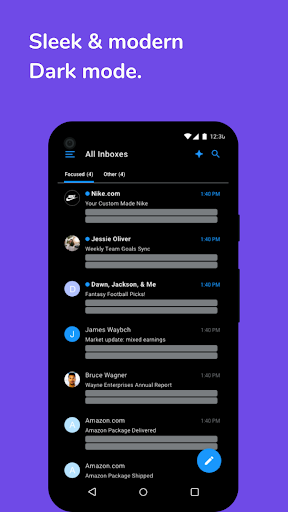
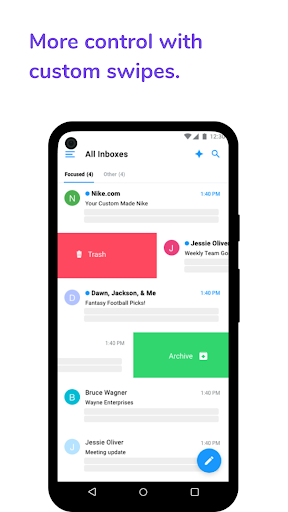
App Intro
Tired of drowning in a sea of emails? Edison Mail is designed to be your ultimate solution for managing a cluttered inbox, whether you're dealing with one account or a multitude. This app aims to significantly cut down the time you spend on email, allowing you to focus on more important tasks and activities. Praised for its speed and user-friendly interface, Edison Mail simplifies email management, making it a worthy download for anyone looking to reduce stress and reclaim their time. It's particularly beneficial for users who juggle multiple email addresses and find it challenging to keep track of everything. The app promises a streamlined experience right from the start, making it accessible even for those who aren't tech-savvy.
Pros
- Combines all email accounts into one unified inbox.
- Effortlessly unsubscribe from unwanted emails with one tap.
- Quickly sorts and categorizes important email types.
- Offers robust customization for a personalized experience.
- Enhanced security features protect against spam and phishing.
Feature Guides
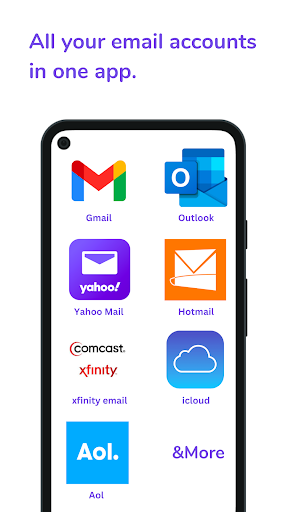
- Unified Inbox: Consolidate all your email accounts, including Gmail, Outlook, Yahoo, iCloud, and more, into a single, easy-to-navigate view. No more switching between apps to check different inboxes.
- One-Tap Unsubscribe: Easily opt-out of unwanted newsletters and promotional emails with a single tap, helping you declutter your inbox and reduce spam.
- Smart Assistant Features: Automatically categorizes important emails like bills, receipts, travel plans, and package deliveries, making it simpler to find what you need quickly. (Note: These features are primarily available in the US and UK).
- Customization Options: Personalize your email experience by adjusting swipe actions, creating custom email templates, and modifying display settings to suit your workflow.
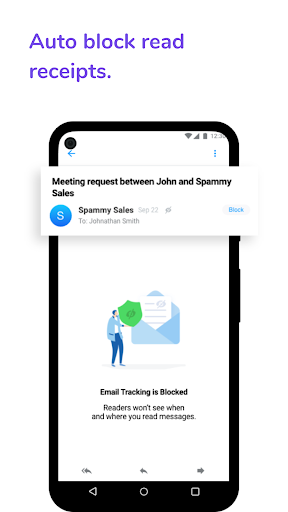
- Advanced Security: Offers features like sender blocking and protection against phishing scams to help secure your inbox and personal information.
Recent Improvements
Recent updates to Edison Mail have focused on enhancing the core experience by refining the speed and responsiveness of its email fetching and searching capabilities. Users will notice a smoother navigation through their unified inbox, with improvements made to the categorization of smart assistant features for quicker access to important information. The app continues to prioritize a clean and distraction-free environment, ensuring that managing multiple accounts remains a seamless process. Further optimizations have been made to enhance the stability and security protocols, providing a more reliable and protected email management tool.
User reviews
This app is a lifesaver! My inbox used to be a complete mess, but Edison Mail has made it so easy to organize everything. The one-tap unsubscribe is pure genius! ✨
Finally, an email app that actually works as advertised. It's fast, clean, and handles all my different email accounts without any fuss. Highly recommend for anyone drowning in emails. 👍
 Perplexity - Ask AnythingProductivity
 DAVx⁵ – CalDAV CardDAV WebDAVProductivity
 myGovProductivity
 Express Plus CentrelinkProductivity
 myGovIDProductivity
 AI Speech Chatbot Text & VoiceProductivity
 CompanyCamProductivity
 AOL: Email News Weather VideoProductivity
 Easy Voice Recorder ProProductivity
 Lookout - Assisted visionProductivity
 Google AssistantProductivity
 Google DriveProductivity
 Google CalendarProductivity
 Instabridge: WiFi MapProductivity
 ChatAI:AI Chatbot PlusProductivity
 LiveChat - Customer serviceProductivity
 Link to WindowsProductivity
 MiXplorer Silver File ManagerProductivity
 Penly: Digital Planner & NotesProductivity
 Pushbullet: SMS on PC and moreProductivity