

CCleaner – Phone Cleaner✓
- Name :
- CCleaner – Phone Cleaner
- Category:
- Tools
- Safety :
- 100% Safe
- Price:
- free
- Developer:
- Piriform
- Download :
- 100M+
Screenshot



App Intro
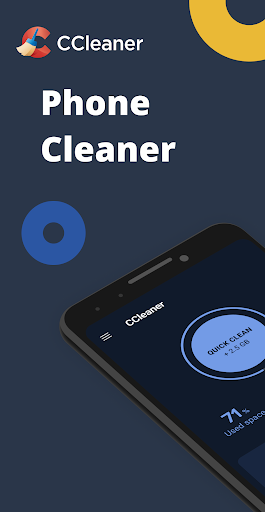
CCleaner for Android is your go-to solution for decluttering your mobile device and optimizing its performance. Brought to you by the creators of the renowned PC and Mac cleaning software, this app aims to be the ultimate Android cleaner. It helps you swiftly remove unwanted junk files, free up valuable storage space, and keep a watchful eye on your system's health. If you're looking to regain control of your device, boost its speed, and ensure it runs smoothly, CCleaner offers a comprehensive suite of tools to achieve just that. It's particularly useful for users who find their phones bogged down by accumulated temporary files, duplicate photos, or resource-hungry apps, making it a worthy download for anyone seeking a cleaner, more efficient Android experience.
Pros
- Effectively removes junk files and frees up storage.
- Identifies and helps manage resource-hungry apps.
- Streamlines photo library management and compression.
- Provides system monitoring for CPU, RAM, and battery.
- User-friendly interface with simple one-click cleaning.
Feature Guides
- Safely remove junk files and obsolete data, including cached app data, download folders, and browser history, to reclaim significant storage space.
- Analyze the impact of your installed applications on device performance, data consumption, battery life, and storage, allowing for informed uninstallation decisions with the App Manager.
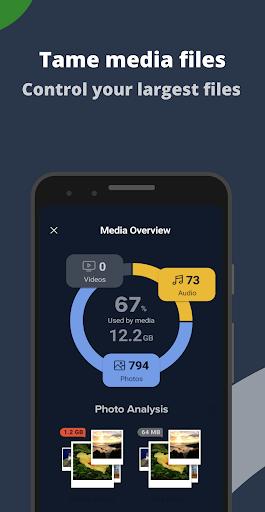
- Optimize your photo library by identifying and removing similar, old, or low-quality images. You can also compress photos to save space or move them to cloud storage.
- Monitor your device's core functions in real-time, including CPU usage, RAM and internal storage levels, and battery temperature and status, all from an intuitive dashboard.
Recent Improvements
Recent updates to CCleaner for Android have focused on refining the user experience and enhancing the accuracy of its cleaning algorithms. The app now offers more precise identification of junk files, ensuring that essential data is never compromised. Improvements have also been made to the application analysis tools, providing clearer insights into which apps are impacting your device's performance and battery life. Furthermore, the photo cleaning feature has been enhanced with more robust duplicate detection and compression options, making it easier than ever to manage your media library and free up space.
User reviews
This app is a lifesaver! My phone was so slow, but after using CCleaner, it runs like new again. The photo cleaner is amazing! ✨
Finally, an app that actually works. It cleared up so much space I didn't even know I had. Super easy to use too. 👍
 AppLock LiteTools
 My OptusTools
 Fires Near Me AustraliaTools
 Service NSWTools
 Authenticator App - SafeAuthTools
 fitproTools
 AVG AntiVirus & SecurityTools
 Google Play StoreTools
 System Update for AndroidTools
 Move to iOSTools
 AZIP Master: ZIP / RAR, UnzipTools
 My SpectrumTools
 Cast for Chromecast & TV CastTools
 CoinSnap - Coin IdentifierTools
 DuckDuckGo Private BrowserTools
 TeraBox: Cloud Storage SpaceTools
 Fatic PlusTools
 MyRogersTools
 Voice AccessTools
 Google Find My DeviceTools