

Password Manager SafeInCloud ℗✓
- Name :
- Password Manager SafeInCloud ℗
- Category:
- Productivity
- Safety :
- 100% Safe
- Price:
- 12.99
- Developer:
- Safe In Cloud
- Download :
- 100K+
Screenshot
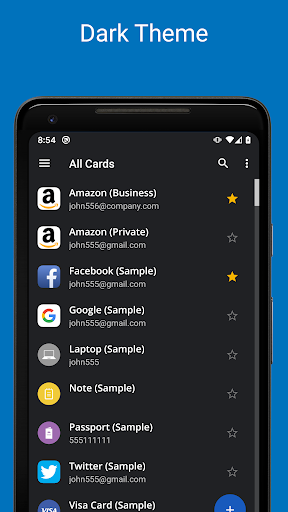
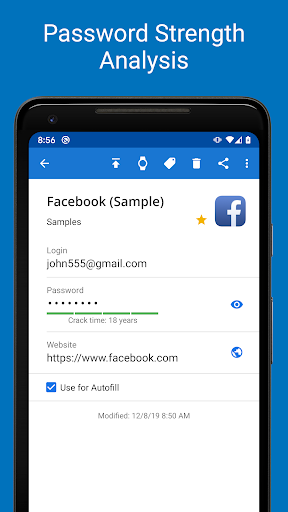
App Intro
SafeInCloud Password Manager is a robust solution for safeguarding your sensitive digital information, including logins, passwords, and personal notes, within a highly encrypted database. Its primary utility lies in its ability to provide a secure, centralized vault for all your critical credentials. The app excels at cross-platform synchronization, allowing seamless data access across your Android devices, smartphones, tablets, Macs, and PCs by leveraging your personal cloud storage accounts like Google Drive or Dropbox. This eliminates the need for multiple subscriptions, as a one-time purchase grants access across all your Android devices, and it's even shareable with family members via Google Play Family Library. Whether you're a digital minimalist or someone with hundreds of online accounts, SafeInCloud offers peace of mind by keeping your digital life secure and accessible.
Pros
- One-time purchase, no subscriptions.
- Strong 256-bit AES encryption.
- Cross-platform compatibility (Android, iOS, Windows, Mac).
- User-friendly Material Design interface.
- Multiple cloud sync options available.
Feature Guides
- Secure your digital life with advanced 256-bit AES encryption, ensuring your data remains protected both on your device and in the cloud. This is the same standard used by governments for top-secret information.
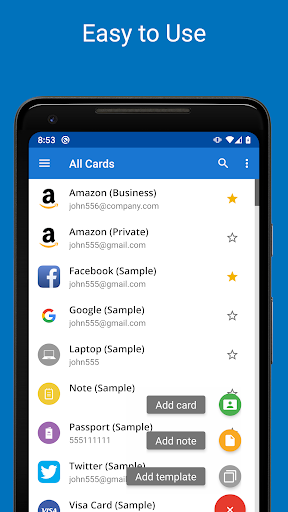
- Enjoy effortless access and data management with a clean Material Design interface, complete with Light and Dark theme options for enhanced user experience and battery saving.
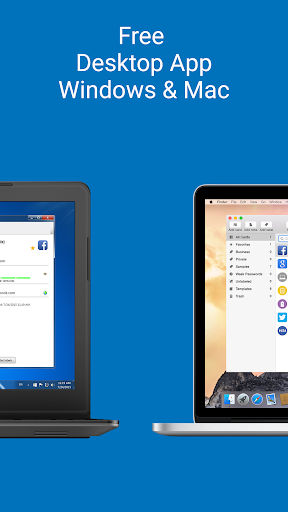
- Synchronize your encrypted database across all your devices—Android, iOS, Windows, and Mac—using your preferred cloud service (Google Drive, Dropbox, OneDrive, NAS, WebDAV), ensuring your information is always up-to-date wherever you are.
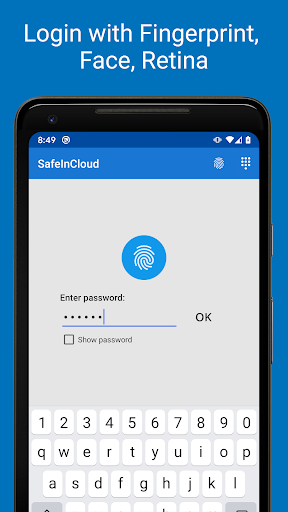
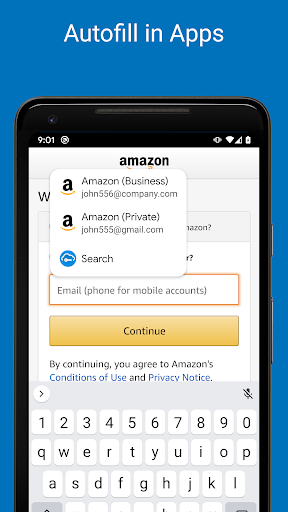
- Streamline your online experience with autofill capabilities for apps and the Chrome browser, alongside convenient fingerprint or facial recognition login for quick and secure access.
- Benefit from a comprehensive suite of security tools including a password strength analyzer to identify weak passwords and a versatile password generator to create strong, unique credentials for all your accounts.
Recent Improvements
Recent updates have focused on refining the user experience and enhancing the app's utility. Performance enhancements mean faster access to your encrypted vault, even with a large number of entries. Integration with Chrome has been smoothed out, making autofill more reliable across various websites. The password generator now offers more customization options, allowing for the creation of highly specific and secure passwords tailored to individual needs. Additionally, the cross-platform sync has seen stability improvements, ensuring your data remains consistent across all your devices with greater dependability.
User reviews
Finally, a password manager that's actually easy to use and doesn't cost a fortune! The sync feature works flawlessly between my phone and laptop. Love the fingerprint unlock! 👍
This app is a lifesaver for anyone managing multiple accounts. The encryption feels rock-solid, and I appreciate the one-time purchase. The desktop app is also a great companion. Highly recommend! 😊
 Perplexity - Ask AnythingProductivity
 DAVx⁵ – CalDAV CardDAV WebDAVProductivity
 myGovProductivity
 Express Plus CentrelinkProductivity
 myGovIDProductivity
 AI Speech Chatbot Text & VoiceProductivity
 CompanyCamProductivity
 AOL: Email News Weather VideoProductivity
 Easy Voice Recorder ProProductivity
 Email - Fast & Secure MailProductivity
 Lookout - Assisted visionProductivity
 Google AssistantProductivity
 Google DriveProductivity
 Google CalendarProductivity
 Instabridge: WiFi MapProductivity
 ChatAI:AI Chatbot PlusProductivity
 LiveChat - Customer serviceProductivity
 Link to WindowsProductivity
 MiXplorer Silver File ManagerProductivity
 Penly: Digital Planner & NotesProductivity