
Galaxy Wearable (Samsung Gear)✓
- Name :
- Galaxy Wearable (Samsung Gear)
- Category:
- Tools
- Safety :
- 100% Safe
- Price:
- free
- Developer:
- Samsung Electronics Co., Ltd.
- Download :
- 500M+
Screenshot
App Intro
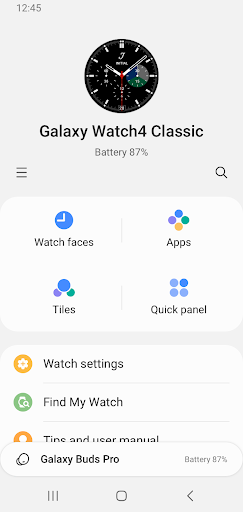
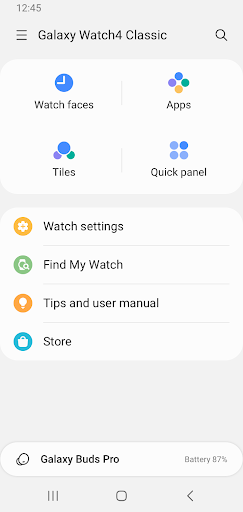
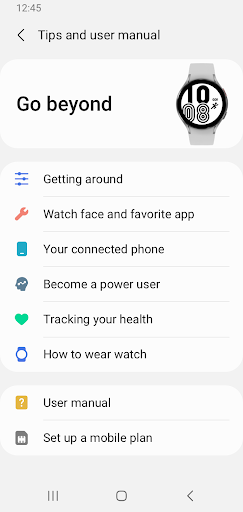
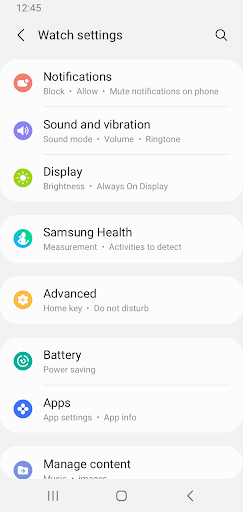
Galaxy Wearable is your central hub for managing Samsung's range of smartwatches, fitness trackers, and earbuds. This app acts as the bridge between your mobile device and your wearable, unlocking the full potential of your accessories. Whether you're setting up a new Galaxy Watch, customizing your Buds' sound, or simply checking your fitness stats, Wearable streamlines the process. It's essential for anyone invested in the Samsung ecosystem, offering a comprehensive suite of tools for device setup, software updates, and feature customization. From managing notifications to finding a misplaced device, this app ensures your wearable experience is seamless and personalized. If you own a Samsung wearable, this app is a must-have for unlocking its complete functionality and keeping it running smoothly.
Pros
- Centralized management for all Samsung wearables.
- Easy setup and connection process.
- Extensive customization options for watches and earbuds.
- Reliable software update delivery.
- Helpful device locator feature.
Feature Guides
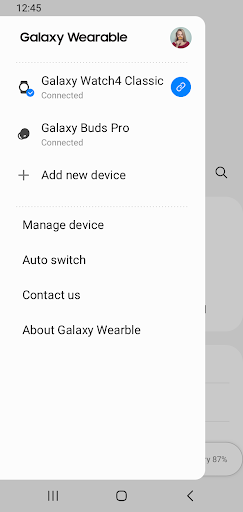
- Seamlessly connect and disconnect your wearable devices, ensuring a stable link for all features.
- Keep your device up-to-date with the latest software, bringing new features and performance improvements.
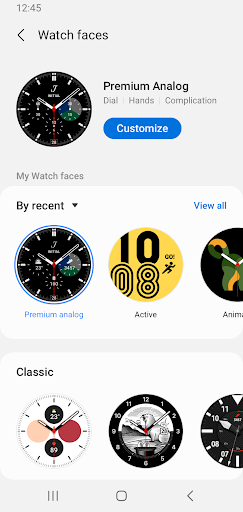
- Personalize your watch face, manage installed applications, and fine-tune notification settings for a tailored experience.
- Utilize the 'Find my Watch' feature to easily locate your misplaced device.
- Control specific settings for Galaxy Buds, like ambient sound and touch controls, directly from your phone.
Recent Improvements
Recent updates have focused on enhancing the overall stability and user experience of the Galaxy Wearable app. Connection reliability between mobile and wearable devices has seen noticeable improvements, reducing instances of dropped pairings. The interface has been refined for smoother navigation, making it easier to access device settings and manage applications. Additionally, performance optimizations ensure that managing your wearable's features, from software updates to notification preferences, is quicker and more responsive. These refinements contribute to a more cohesive and dependable ecosystem for Samsung wearable users.
User reviews
This app is essential for managing my Galaxy Watch! It's super easy to customize watch faces and check my workouts. The connection is usually stable, which is great. 👍
Finally, an app that makes controlling my Galaxy Buds a breeze. I love being able to tweak the EQ and ambient sound settings. Finding my earbuds was a lifesaver too! 🎧
 AppLock LiteTools
 My OptusTools
 Fires Near Me AustraliaTools
 Service NSWTools
 Authenticator App - SafeAuthTools
 fitproTools
 AVG AntiVirus & SecurityTools
 Google Play StoreTools
 System Update for AndroidTools
 Move to iOSTools
 AZIP Master: ZIP / RAR, UnzipTools
 My SpectrumTools
 Cast for Chromecast & TV CastTools
 CoinSnap - Coin IdentifierTools
 DuckDuckGo Private BrowserTools
 TeraBox: Cloud Storage SpaceTools
 Fatic PlusTools
 MyRogersTools
 Voice AccessTools
 Google Find My DeviceTools