
Notepad - Notes and Notebook✓
- Name :
- Notepad - Notes and Notebook
- Category:
- Tools
- Safety :
- 100% Safe
- Price:
- free
- Developer:
- notes
- Download :
- 1M+
Screenshot

App Intro
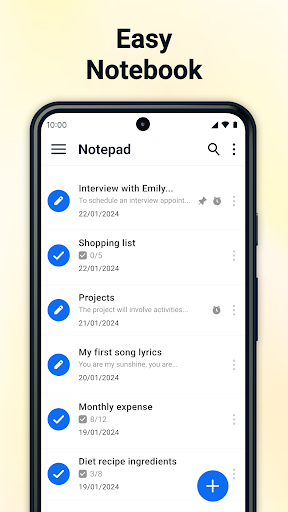
Notepad is a straightforward yet powerful notetaking application designed for users who value simplicity and efficiency in managing their thoughts, tasks, and important information. Whether you need to jot down quick memos, create detailed to-do lists, or simply edit plain text files, this app offers a clean and intuitive interface. Its core strength lies in its no-frills approach, allowing you to focus on capturing your ideas without unnecessary clutter. The integration with call features, enabling note creation immediately after a call, is a particularly useful addition for professionals or anyone who needs to log details from conversations on the go. For those seeking an organized digital space that mimics the familiar feel of a traditional notepad, this app is a strong contender, suitable for students, busy professionals, and everyday users aiming to streamline their note-taking habits.
Pros
- Quick note creation with after-call integration.
- Unlimited plain text notes and checklists.
- Simple, clean, and user-friendly interface.
- Useful reminders and note pinning.
- Efficient note management with trash recovery.
Feature Guides
- Effortlessly create and manage an unlimited number of plain text notes, perfect for everything from grocery lists to brainstorming sessions. The app ensures your notes are always available with auto-save and synchronization capabilities.
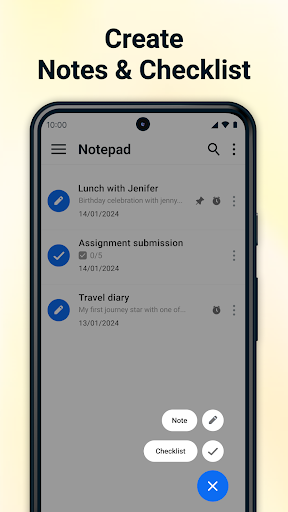
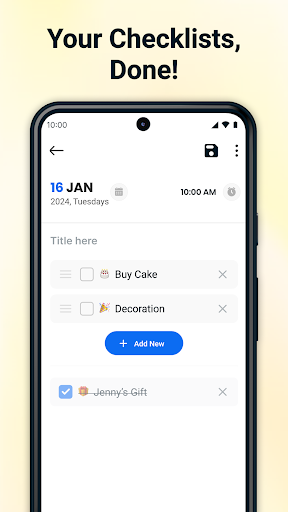
- Organize your life with versatile checklist functionality. Easily craft to-do lists, shopping lists, or any task breakdown with simple checkboxes to mark completion.
- Leverage unique after-call note features to instantly capture details or action items right after a phone conversation, keeping crucial information readily accessible without switching apps.
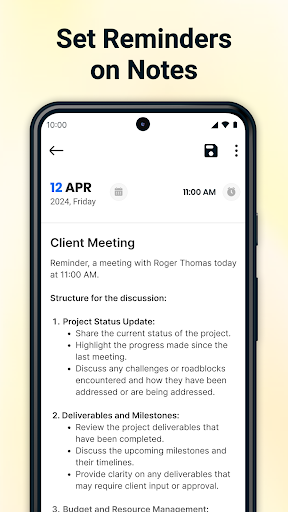
- Pin important notes and checklists to the top of your list for quick access, ensuring your most critical information is always in sight. You can also schedule reminders to never miss an important task or appointment.
Recent Improvements
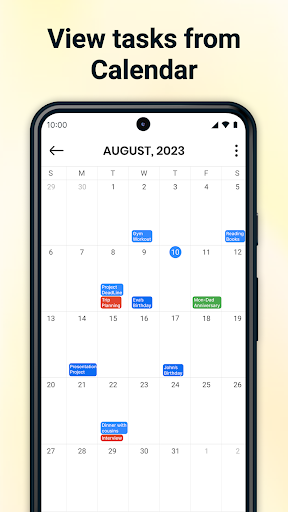
Recent updates to Notepad have focused on refining the user experience, particularly around the integration of its core notetaking functions with everyday mobile use. Enhancements to the after-call menu and the ability to add notes directly to your calendar view offer more seamless workflow integration. The developers have also paid attention to user feedback regarding stability and performance, ensuring a smoother and more reliable experience for creating, editing, and managing notes and checklists. These refinements aim to make the app an even more indispensable tool for quick capture and organization.
User reviews
This app is fantastic for quickly jotting down thoughts after a call! The after-call note feature is a lifesaver for my work. 💯
I love how simple and clean the interface is. It's exactly what I needed for my to-do lists and random memos. Easy to use and reliable. 👍
 AppLock LiteTools
 My OptusTools
 Fires Near Me AustraliaTools
 Service NSWTools
 Authenticator App - SafeAuthTools
 fitproTools
 AVG AntiVirus & SecurityTools
 Google Play StoreTools
 System Update for AndroidTools
 Move to iOSTools
 AZIP Master: ZIP / RAR, UnzipTools
 My SpectrumTools
 Cast for Chromecast & TV CastTools
 CoinSnap - Coin IdentifierTools
 DuckDuckGo Private BrowserTools
 TeraBox: Cloud Storage SpaceTools
 Fatic PlusTools
 MyRogersTools
 Voice AccessTools
 Google Find My DeviceTools