
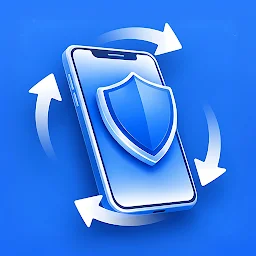
Privacy Display: Hide Screen✓
- Name :
- Privacy Display: Hide Screen
- Category:
- Tools
- Safety :
- 100% Safe
- Price:
- free
- Developer:
- MAA FOR APPS
- Download :
- 100K+
Screenshot


App Intro
Privacy Display offers a unique and practical solution for those seeking enhanced privacy in public spaces. The app functions by applying a customizable dark overlay to your device's screen, triggered by the device's motion sensors. This innovative approach allows you to reduce screen visibility beyond the standard brightness settings, making it perfect for commuting, crowded areas, or simply wanting a bit more personal screen space. If you’ve ever felt self-conscious about your screen being too bright or visible to others nearby, Privacy Display provides an immediate and effective way to mitigate that concern. Its core utility lies in its simplicity and its ability to react to your natural device movements, making it an intuitive tool for anyone prioritizing discreet screen use.
Pros
- Quickly dims screen beyond minimum brightness.
- Activated by device tilt for convenience.
- Customizable dim level and sensitivity.
- Low battery consumption.
- Simple and intuitive interface.
Feature Guides
- Automatically dims your screen with a dark overlay when you tilt your device left or right, offering instant visual privacy.
- Allows granular control over the darkness of the overlay, so you can achieve your desired level of screen dimming.
- Provides sensitivity adjustments for the tilt detection, ensuring the feature works seamlessly with your typical handling of the phone.
- Includes a quick toggle via a persistent notification, enabling rapid activation or deactivation of the dimming feature without needing to open the app.
- Designed with a lightweight footprint to ensure minimal impact on battery life, even when running in the background.
Recent Improvements
Recent updates have focused on refining the tilt detection algorithm for more consistent and responsive dimming. Users will notice improved accuracy in distinguishing between intentional tilts for privacy and accidental movements. We've also enhanced the notification shortcut for quicker access and added more robust background process management to further minimize battery consumption. The overall user experience has been smoothed out with subtle performance tweaks, ensuring Privacy Display remains a seamless and unobtrusive tool for managing screen visibility on the go.
User reviews
This app is a lifesaver on my commute! 🙌 No more worrying about strangers peeking at my screen during train rides. The tilt feature is surprisingly accurate and easy to get used to. Highly recommend for anyone who values their screen privacy!
Finally, a simple way to dim my phone below the minimum setting! Love that it's motion-activated – it feels very natural. The customization options are great too. Battery drain is practically non-existent. 👍
 AppLock LiteTools
 My OptusTools
 Fires Near Me AustraliaTools
 Service NSWTools
 Authenticator App - SafeAuthTools
 fitproTools
 AVG AntiVirus & SecurityTools
 Google Play StoreTools
 System Update for AndroidTools
 Move to iOSTools
 AZIP Master: ZIP / RAR, UnzipTools
 My SpectrumTools
 Cast for Chromecast & TV CastTools
 CoinSnap - Coin IdentifierTools
 DuckDuckGo Private BrowserTools
 TeraBox: Cloud Storage SpaceTools
 Fatic PlusTools
 MyRogersTools
 Voice AccessTools
 Google Find My DeviceTools