
Tasker✓
- Name :
- Tasker
- Category:
- Tools
- Safety :
- 100% Safe
- Price:
- 3.49
- Developer:
- joaomgcd
- Download :
- 1M+
Screenshot

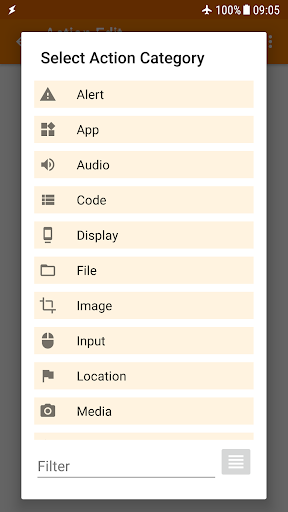
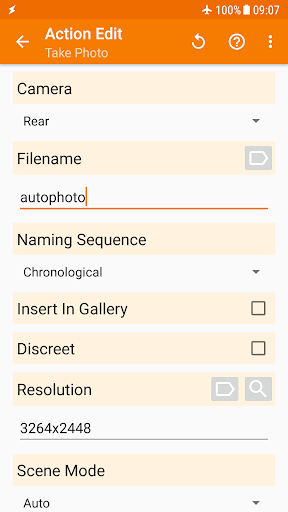
App Intro
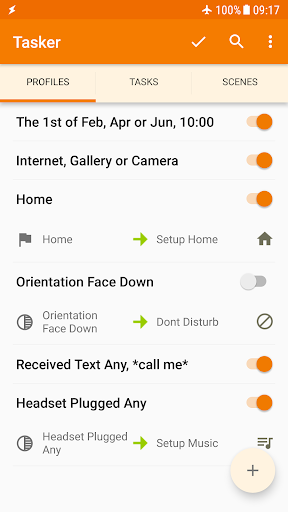
Tasker is a powerful Android application designed to automate almost any task on your device, transforming your smartphone into a truly smart assistant. It allows users to create custom profiles that trigger actions based on a wide array of contexts, such as location, time, app usage, or even incoming SMS messages. This level of control means you can automate anything from changing system settings like Wi-Fi or Dark Mode to sending messages or manipulating files, all without requiring root access for most functions. Whether you're looking to streamline daily routines, manage your device more efficiently, or build complex automated workflows, Tasker offers unparalleled flexibility. It's an ideal tool for power users, tinkerers, and anyone who wants to get the most out of their Android device.
Pros
- Unmatched flexibility for Android automation.
- Automates tasks based on numerous triggers.
- No root required for most functions.
- Supports creating custom user interfaces.
- Active and helpful community support.
Feature Guides
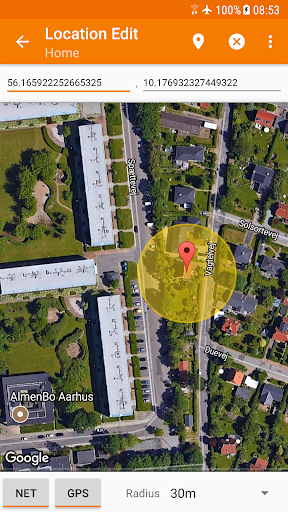
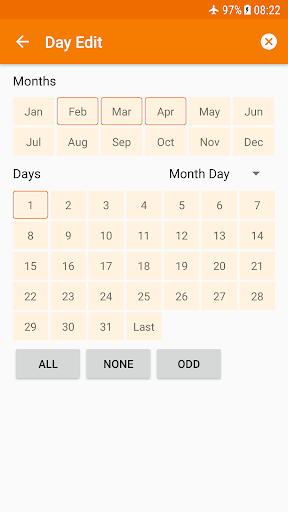
- Automate actions based on over 130 states and events, including location, time, app, Wi-Fi network, received SMS, calls, and even music playback. Imagine your phone automatically switching to silent mode when you arrive at work or turning on Wi-Fi when you get home.
- With over 350 actions available, Tasker lets you customize your phone extensively. Send SMS, create custom notifications, toggle system settings like Dark Mode or Always On Display, control media playback, manage files, and much more. Root is not required for the vast majority of these actions.
- Tasker can automatically back up your files to specified locations, including Google Drive, ensuring your important data is safe even if your device is lost or damaged.
- Design your own custom user interfaces (Scenes) to display information or trigger tasks, creating personalized dashboards or on-screen controls tailored to your needs.
- Create and export your own standalone Android apps using the Tasker App Factory, allowing you to share or even sell your custom automations to others.
Recent Improvements
Recent updates have focused on refining the user experience and expanding the app's compatibility with the latest Android versions. Developers have continued to enhance the stability of existing automations and introduce new triggers and actions that offer even greater control. For instance, improved integration with system features allows for smoother toggling of settings and more responsive event detection. The overall performance has been optimized, ensuring that complex profiles run efficiently without draining excessive battery. The team is committed to maintaining Tasker's position as the most robust automation tool available for Android.
User reviews
Tasker is an absolute game-changer! I've automated so many little annoyances, like my phone automatically connecting to my car's Bluetooth and launching Spotify when I get in. It's incredibly powerful, though it took a little time to figure out all the options. Worth every penny! 👍
I've been using Tasker for years and it just keeps getting better. The latest updates have made things even smoother. Being able to create custom profiles for different situations, like silencing my phone at night or adjusting screen brightness based on location, is amazing. Highly recommended for anyone who loves tinkering with their phone. 🤩
 AppLock LiteTools
 My OptusTools
 Fires Near Me AustraliaTools
 Service NSWTools
 Authenticator App - SafeAuthTools
 fitproTools
 AVG AntiVirus & SecurityTools
 Google Play StoreTools
 System Update for AndroidTools
 Move to iOSTools
 AZIP Master: ZIP / RAR, UnzipTools
 My SpectrumTools
 Cast for Chromecast & TV CastTools
 CoinSnap - Coin IdentifierTools
 DuckDuckGo Private BrowserTools
 TeraBox: Cloud Storage SpaceTools
 Fatic PlusTools
 MyRogersTools
 Voice AccessTools
 Google Find My DeviceTools