
Pocket Paint: draw and edit!✓
- Name :
- Pocket Paint: draw and edit!
- Category:
- Tools
- Safety :
- 100% Safe
- Price:
- free
- Developer:
- Catrobat
- Download :
- 1M+
Screenshot




App Intro
Pocket Paint is a versatile drawing and image editing application designed for mobile devices, offering a surprisingly robust set of tools for both casual users and aspiring digital artists. Beyond simple photo manipulation, it excels at graphic design tasks, allowing for the creation of transparent PNGs and detailed edits down to the pixel level. Its integration with Catrobat's Pocket Code opens up exciting possibilities for creating animations, apps, and games directly on your phone, making it a powerful tool for creative coding and digital storytelling. Whether you're looking to enhance your photos, design custom graphics, or dive into game development, Pocket Paint provides a feature-rich, accessible platform that's well worth exploring.
Pros
- Supports transparent PNG exports.
- Advanced layer management features.
- Precise editing with zoom to pixel.
- Integrates with Pocket Code for animations.
- Multiple useful save formats available.
Feature Guides
- Edit images with precision, including features like layers that can be rearranged, merged, or manipulated, and zoom capabilities down to the individual pixel for fine-tuning your artwork.
- Save your creations in multiple formats, including JPEG for general use, PNG with support for transparency for web graphics, and ORA to preserve layer information for further editing in desktop applications.
- Utilize a comprehensive suite of tools such as brushes, an eyedropper for color selection, stamp tools, shape creators, cropping, flipping, line tools, fill, and much more, providing flexibility for diverse artistic needs.
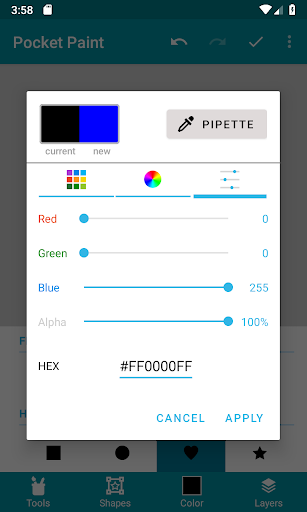
- Seamlessly import existing images and graphics into your projects, and work in a full-screen drawing mode that maximizes your canvas space, complemented by a flexible color palette and RGBa value input.
Recent Improvements
Recent updates have focused on enhancing the stability and user experience of Pocket Paint. Performance optimizations have been implemented to ensure smoother drawing and editing, especially when working with larger files or complex layers. The interface has seen subtle refinements, making commonly used tools more accessible. Additionally, feedback from the community has led to minor adjustments in tool behavior and responsiveness, aiming to provide a more intuitive and efficient workflow for all users, whether they are creating simple edits or intricate designs.
User reviews
This app is fantastic for quick edits and even more detailed drawings on the go! I love the layer support and the ability to export with transparency. 🎨
Really impressed with the range of tools available for a mobile app. It's surprisingly powerful for being free and open source. Great job! 👍
 AppLock LiteTools
 My OptusTools
 Fires Near Me AustraliaTools
 Service NSWTools
 Authenticator App - SafeAuthTools
 fitproTools
 AVG AntiVirus & SecurityTools
 Google Play StoreTools
 System Update for AndroidTools
 Move to iOSTools
 AZIP Master: ZIP / RAR, UnzipTools
 My SpectrumTools
 Cast for Chromecast & TV CastTools
 CoinSnap - Coin IdentifierTools
 DuckDuckGo Private BrowserTools
 TeraBox: Cloud Storage SpaceTools
 Fatic PlusTools
 MyRogersTools
 Voice AccessTools
 Google Find My DeviceTools