

Riverside: Record podcasts✓
- Name :
- Riverside: Record podcasts
- Category:
- Tools
- Safety :
- 100% Safe
- Price:
- free
- Developer:
- Riverside.fm
- Download :
- 50K+
Screenshot


App Intro
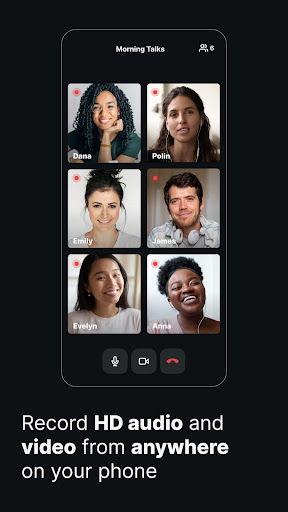
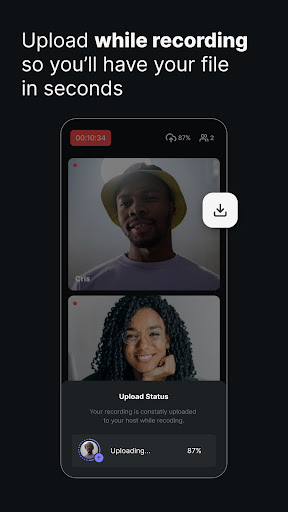
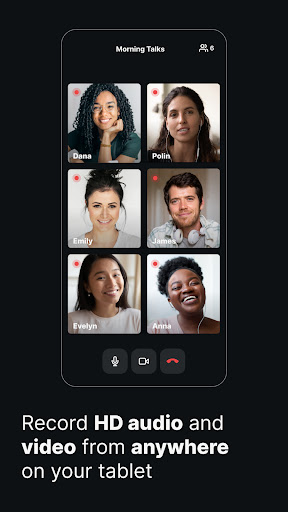
Riverside.fm is a robust platform designed for high-quality podcast and video recording, catering to creators who refuse to compromise on quality, even when recording remotely. It's an indispensable tool for podcasters, media companies, and content creators looking to produce professional-grade audio and video. The core strength lies in its local recording feature, which captures up to 4K video and 48kHz WAV audio directly onto each participant's device, bypassing unreliable internet connections. This ensures pristine quality irrespective of network stability. After recording, all files are seamlessly uploaded to the cloud, providing easy access for editing. With support for up to eight participants per session and the ability to download individual audio and video tracks, Riverside.fm offers unparalleled editing flexibility. The Multicam mode even transforms your smartphone into a high-definition secondary webcam, significantly improving video quality over standard laptop cameras. It's the ideal solution for dynamic webinars, engaging talking-head videos for social media, or professional podcasting on the go.
Pros
- High-quality local audio and video recording.
- Records independent of internet connection stability.
- Separate audio/video tracks for maximum editing control.
- Supports up to 8 participants per session.
- User-friendly interface with powerful editing tools.
Feature Guides
- Experience studio-quality recordings regardless of your internet connection thanks to local audio and video capture directly on your device.
- Record up to 8 participants in a single session, receiving separate, high-resolution audio and video tracks for each person to maximize editing control.
- Transform your smartphone into a professional secondary webcam using the innovative Multicam mode, enhancing your video setup with superior mobile camera quality.
- Leverage AI-powered transcriptions and a text-based editor to make precise edits to your audio and video content simply by editing text.
- Effortlessly create engaging short-form content for platforms like TikTok and Instagram Reels with the dedicated clip creation tool.
Recent Improvements
Recent updates to Riverside.fm have focused on refining the user experience, making the already intuitive interface even more accessible for new and seasoned creators alike. The introduction of AI-powered transcription and a text-based editor has streamlined the post-production workflow significantly, allowing for rapid content refinement. Furthermore, enhancements to the Multicam feature and cloud upload stability ensure a more reliable and high-quality recording experience, even under challenging network conditions. These improvements reinforce Riverside's position as a go-to solution for professional remote content creation.
User reviews
This app is a game-changer for remote podcasting! The local recording feature means I never worry about dropped internet connections ruining a session. The separate tracks are a lifesaver for editing. Definitely worth the download if quality is your priority. 👍
I was skeptical about recording video interviews remotely, but Riverside.fm exceeded my expectations. The 4K video and crisp audio are incredible, and the Multicam feature really elevates the production value. So easy to use, even for beginners. Highly recommend! ✨
 AppLock LiteTools
 My OptusTools
 Fires Near Me AustraliaTools
 Service NSWTools
 Authenticator App - SafeAuthTools
 fitproTools
 AVG AntiVirus & SecurityTools
 Google Play StoreTools
 System Update for AndroidTools
 Move to iOSTools
 AZIP Master: ZIP / RAR, UnzipTools
 My SpectrumTools
 Cast for Chromecast & TV CastTools
 CoinSnap - Coin IdentifierTools
 DuckDuckGo Private BrowserTools
 TeraBox: Cloud Storage SpaceTools
 Fatic PlusTools
 MyRogersTools
 Voice AccessTools
 Google Find My DeviceTools