
ezPDF Reader PDF Annotate Form✓
- Name :
- ezPDF Reader PDF Annotate Form
- Category:
- Productivity
- Safety :
- 100% Safe
- Price:
- 3.99
- Developer:
- Unidocs Inc.
- Download :
- 500K+
Screenshot
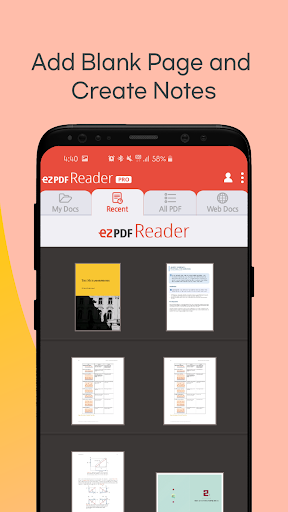
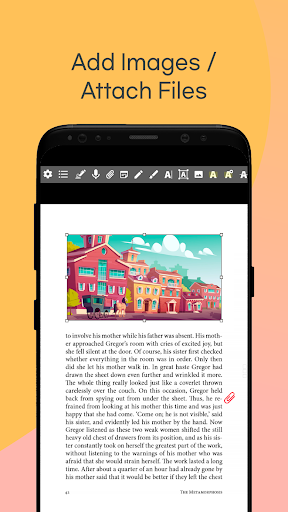

App Intro
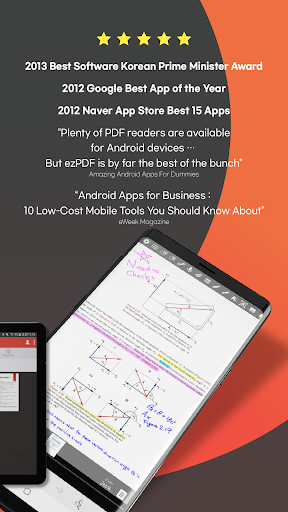
ezPDF Reader stands out in the crowded Android PDF viewer market, offering a robust set of features that go beyond basic document viewing. As noted by Daniel A. Begun, author of 'Amazing Android Apps for Dummies,' it's a top-tier choice. This app is ideal for anyone who frequently interacts with PDF documents on their mobile device and requires more than just static reading. Whether you're a student annotating textbooks, a professional reviewing contracts, or a casual user wanting to read documents with multimedia content, ezPDF Reader offers a comprehensive solution. Its ability to play embedded videos and audio, coupled with TTS functionality and document protection via DRM, makes it a versatile tool for both personal and professional use. The app's accolades, including Google's Best App award in 2012, underscore its quality and utility, making it a worthwhile download for power users seeking advanced PDF management capabilities.
Pros
- Plays embedded multimedia content like video and audio.
- Secure document sharing with ezPDF DRM Service.
- Robust annotation tools for notes and highlights.
- Text-to-Speech (TTS) functionality for listening.
- Fillable PDF form support for easy data entry.
Feature Guides
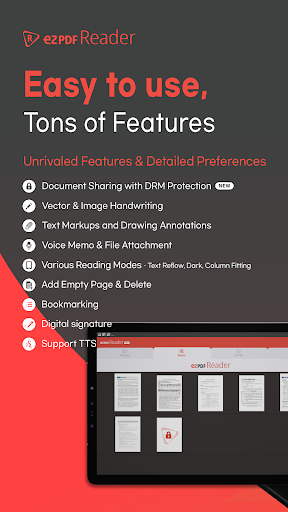
- Beyond static text, ezPDF Reader allows you to interact with multimedia content embedded within your PDFs, including audio, video, and even animated GIFs, offering a richer document experience. It also boasts a Text-to-Speech (TTS) feature that can read documents aloud, even with the screen off.
- Secure your sensitive documents like contracts and literary works with the ezPDF DRM Service. This feature allows you to apply Digital Rights Management, control distribution, and track access histories, providing peace of mind when sharing important files.
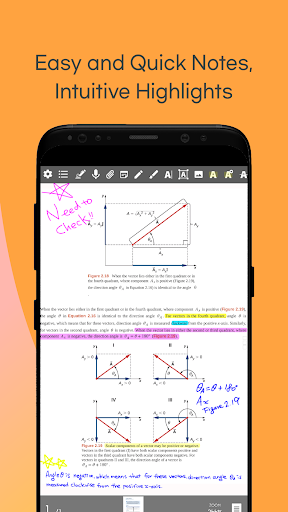
- Annotate your PDFs with ease using a variety of tools. You can add text, drawings, voice recordings, highlights, underlines, and strikethroughs. These annotations can be easily imported, exported, or shared with others.
- Fillable PDF forms are no problem for ezPDF Reader. You can input data directly into form fields, and even import or export form data separately from the PDF document, streamlining data collection and sharing.
Recent Improvements
Recent updates have focused on enhancing the user experience with refined annotation tools and improved multimedia playback. The integration of the ezPDF DRM Service provides a much-needed layer of security for document sharing, allowing users to protect sensitive files and monitor their usage. Furthermore, performance optimizations ensure smoother navigation and faster loading times for even the largest PDF documents. The added gesture controls also contribute to a more intuitive and efficient workflow, making complex tasks feel more accessible.
User reviews
This app is a lifesaver for my studies! The annotation tools are fantastic, and I love that I can highlight and add notes directly to my PDFs. The TTS feature is a game-changer for reviewing material on the go 🎧.
Finally, a PDF reader that handles multimedia! I was skeptical, but it actually plays embedded videos smoothly. The DRM feature is also a great addition for securely sharing work documents. Definitely worth the download 👍.
 Perplexity - Ask AnythingProductivity
 DAVx⁵ – CalDAV CardDAV WebDAVProductivity
 myGovProductivity
 Express Plus CentrelinkProductivity
 myGovIDProductivity
 AI Speech Chatbot Text & VoiceProductivity
 CompanyCamProductivity
 AOL: Email News Weather VideoProductivity
 Easy Voice Recorder ProProductivity
 Email - Fast & Secure MailProductivity
 Lookout - Assisted visionProductivity
 Google AssistantProductivity
 Google DriveProductivity
 Google CalendarProductivity
 Instabridge: WiFi MapProductivity
 ChatAI:AI Chatbot PlusProductivity
 LiveChat - Customer serviceProductivity
 Link to WindowsProductivity
 MiXplorer Silver File ManagerProductivity
 Penly: Digital Planner & NotesProductivity