

iScanner - PDF Scanner App✓
- Name :
- iScanner - PDF Scanner App
- Category:
- Business
- Safety :
- 100% Safe
- Price:
- free
- Developer:
- BP Mobile LLC
- Download :
- 10M+
Screenshot

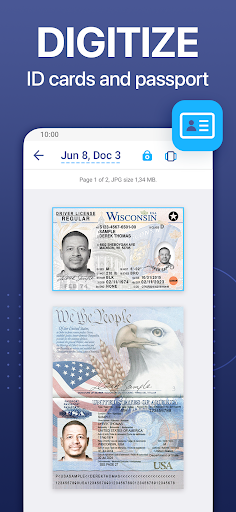
App Intro
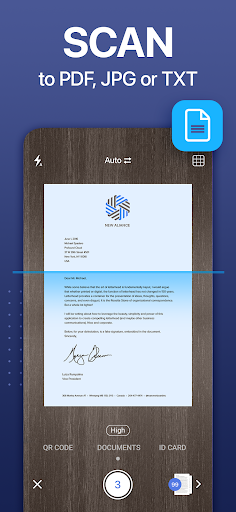
iScanner positions itself as a top-tier mobile scanning solution designed for users needing to digitize documents on the go. It's particularly beneficial for remote workers, students, and entrepreneurs who may not always have access to traditional scanning equipment. The app excels at transforming physical papers into clean, professional-looking digital files, supporting various export formats like PDF, making it incredibly versatile for everyday tasks. Its ad-free and secure nature further enhances its appeal for those handling sensitive information. Whether you're capturing contracts, receipts, or handwritten notes, iScanner aims to streamline document management, making it a compelling download for anyone seeking efficiency and convenience in their digital workflow.
Pros
- Scan, edit, and organize documents on the go.
- Powerful AI for text recognition and border detection.
- Ad-free experience with robust security features.
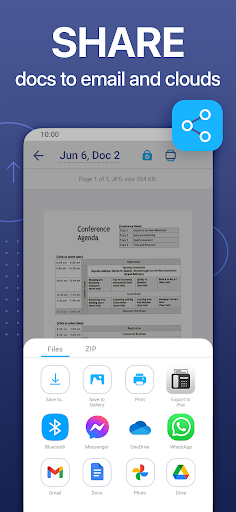
- Cross-device syncing with cloud storage integration.
- Versatile scanning modes for various needs.
Feature Guides
- Digitize any document with ease using your phone's camera, and let the app automatically detect borders and adjust them for a perfect scan. It’s like having a portable office in your pocket!
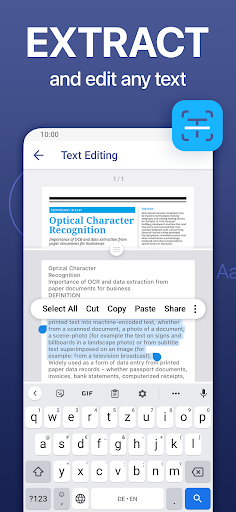
- Leverage powerful AI tools to recognize text in over 20 languages, allowing you to quickly extract information from scanned documents and make them searchable.
- Edit your scanned documents like a pro with color correction, manual or image-based signature additions, redaction of sensitive information, and the ability to add text or autofill forms.
- Organize your digital files with a robust file manager that supports folders, drag-and-drop functionality, and PIN protection for enhanced security of your confidential documents.
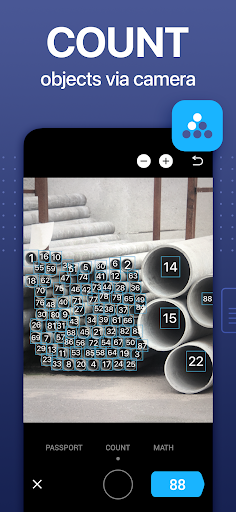
- Go beyond basic scanning with specialized modes for ID cards, passports, precise area measurements, solving math problems, counting objects, and reading QR codes, all within a single app.
Recent Improvements
Recent updates to iScanner have focused on refining the user experience, particularly enhancing the AI-driven text recognition for improved accuracy across its supported languages. The app's PDF editing capabilities have also seen subtle but impactful enhancements, offering more intuitive tools for annotation and redaction. File management has been optimized for smoother navigation and quicker access to documents, ensuring that users can find and process their scans efficiently. The overall stability and performance have been tuned, providing a more reliable and seamless scanning experience for all users, reinforcing its position as a leading mobile scanner.
User reviews
This app is a lifesaver for my studies! I can scan all my assignments and notes quickly, and the PDF export is perfect. Love that it's ad-free! 🤩
Finally, a scanner app that actually works well. The AI features are impressive, especially the text recognition. Makes organizing receipts so much easier. Highly recommend! 👍
 SlackBusiness
 Amazon ChimeBusiness
 Amazon SellerBusiness
 AnyDesk Remote DesktopBusiness
 Wabi - Virtual Phone NumberBusiness
 Asana: Work in one placeBusiness
 BlueJeans Video ConferencingBusiness
 RemindersBusiness
 Cloud Cover MusicBusiness
 Crew Messaging and SchedulingBusiness
 CES 2024Business
 Duo MobileBusiness
 Free Conference CallBusiness
 Indeed Job SearchBusiness
 JetSign: Fill & Sign PDF FormsBusiness
 Microsoft TeamsBusiness
 OfficeSuite Pro + PDFBusiness
 PDF Extra: Scan, Edit & OCRBusiness
 Shipt Shopper: Shop for PayBusiness
 SiriusXM DealerBusiness