

Microsoft Teams✓
- Name :
- Microsoft Teams
- Category:
- Business
- Safety :
- 100% Safe
- Price:
- free
- Developer:
- Microsoft Corporation
- Download :
- 100M+
Screenshot





App Intro
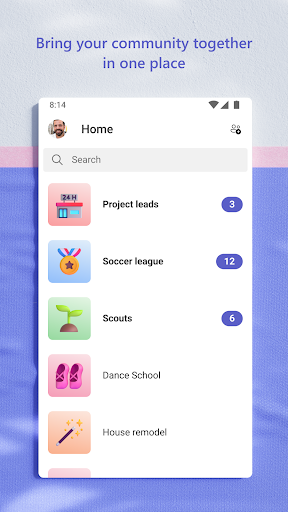
Microsoft Teams is a comprehensive collaboration hub designed to bring people together for both community engagement and professional project work. It consolidates various communication and organizational tools into a single platform, making it an ideal solution for anyone needing to manage group activities, from casual get-togethers with friends and family to complex team projects. With features like secure video and audio calls, integrated cloud storage for file sharing, and task management capabilities, Teams streamlines communication and workflow. Whether you're organizing an event, collaborating on documents, or simply staying in touch, this app aims to be your all-in-one digital meeting space, ensuring that essential information and collaborative efforts are easily accessible and manageable for all participants.
Pros
- All-in-one platform for communication and collaboration.
- Secure video and audio conferencing capabilities.
- Integrated cloud storage for easy file access.
- Robust task management features for project organization.
- Seamless integration with other Microsoft 365 services.
Feature Guides
- Connect securely with anyone through 1-on-1 chats or group conversations, easily setting up meetings with a simple link or calendar invite. Express yourself with a range of emojis and animations to liven up your messages.
- Collaborate effectively on projects by organizing discussions within teams and channels, allowing for focused conversations on specific topics. Share photos, videos, and documents, keeping all related content accessible via built-in cloud storage.
- Enhance meetings with interactive tools like screen sharing and virtual whiteboards. Manage project tasks efficiently with assignable task lists, due dates, and progress tracking, ensuring everyone stays aligned.
- Maintain control over your data and ensure secure collaboration with enterprise-level security features and compliance standards, providing peace of mind for both personal and professional use.
Recent Improvements
Recent updates to Microsoft Teams have focused on refining the user experience for community and project management. Enhancements to channel organization make it even simpler to keep conversations and shared content neatly sorted. We've also seen improvements in meeting functionalities, including more robust controls for presenters and participants, aiming to make virtual interactions smoother. The app continues to evolve, prioritizing a stable and secure environment for all users, whether they are managing a neighborhood watch group or coordinating a large-scale business initiative. The focus remains on providing a seamless, integrated platform for all your collaborative needs.
User reviews
This app has become my go-to for organizing everything from family events to work projects. The integration of chat, calls, and file sharing is seamless. Love the task management feature! 👍
Teams is a lifesaver for remote work. Being able to host secure meetings and share documents instantly makes collaboration so much easier. Definitely recommend it for teams of all sizes. 🚀
 SlackBusiness
 Amazon ChimeBusiness
 Amazon SellerBusiness
 AnyDesk Remote DesktopBusiness
 Wabi - Virtual Phone NumberBusiness
 Asana: Work in one placeBusiness
 BlueJeans Video ConferencingBusiness
 iScanner - PDF Scanner AppBusiness
 RemindersBusiness
 Cloud Cover MusicBusiness
 Crew Messaging and SchedulingBusiness
 CES 2024Business
 Duo MobileBusiness
 Free Conference CallBusiness
 Indeed Job SearchBusiness
 JetSign: Fill & Sign PDF FormsBusiness
 OfficeSuite Pro + PDFBusiness
 PDF Extra: Scan, Edit & OCRBusiness
 Shipt Shopper: Shop for PayBusiness
 SiriusXM DealerBusiness