
PDF Extra: Scan, Edit & OCR✓
- Name :
- PDF Extra: Scan, Edit & OCR
- Category:
- Business
- Safety :
- 100% Safe
- Price:
- free
- Developer:
- MobiSystems
- Download :
- 10M+
Screenshot

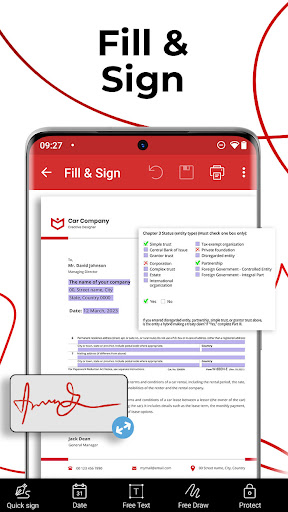
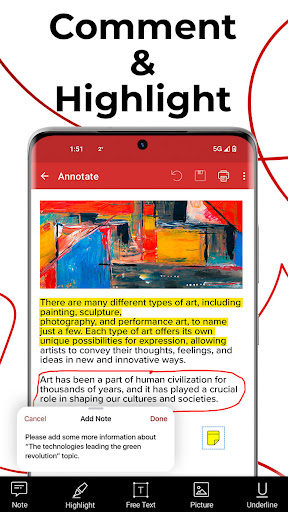
App Intro
PDF Extra is a comprehensive mobile application designed to be your go-to tool for all things PDF. Whether you need to quickly scan documents with your phone's camera, edit existing PDF files, fill out and sign forms, or even convert PDFs to other formats like Word or Excel, this app has you covered. It's particularly useful for professionals, students, and anyone who frequently handles digital documents and needs a reliable PDF editor and scanner on the go. With features ranging from text recognition (OCR) to robust security options like password protection, PDF Extra aims to provide a complete PDF management experience directly from your smartphone, making it a worthwhile download for those seeking efficiency and versatility in document handling.
Pros
- All-in-one PDF scanner and editor.
- Accurate text recognition (OCR) technology.
- Easy-to-use form filling and signing.
- Secure PDF protection with passwords.
- Convenient PDF to Word/Excel conversion.
Feature Guides
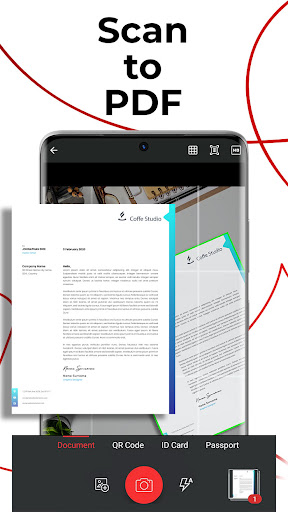
- Transform your smartphone into a powerful scanner to digitize paper documents, receipts, and even IDs into editable PDF files with ease.
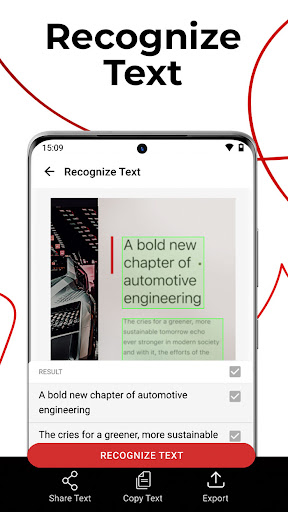
- Leverage advanced OCR technology to extract and recognize text from scanned documents and images, allowing you to easily share or edit the content.
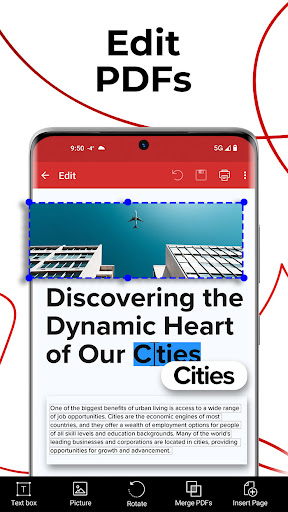
- Edit PDFs like a pro with tools to modify text, insert images, add comments, drawings, and signatures, or create blank PDF documents from scratch.
- Seamlessly fill out and sign PDF forms directly on your device, supporting both drawn and saved digital signatures for quick approvals.
- Convert your PDF files into editable Word, Excel, or ePub formats while preserving the original layout, or convert images and other documents into PDFs.
Recent Improvements
The app has seen recent refinements focusing on enhancing the user experience and expanding its core functionalities. Users will notice smoother performance when scanning and converting documents, particularly with complex layouts. The OCR engine has been fine-tuned for improved accuracy in text recognition across various fonts and image qualities. Additionally, improvements have been made to the document editing suite, offering more intuitive controls for text and image manipulation. The integration with cloud storage has also been optimized for faster uploads and downloads, ensuring your important documents are always accessible and secure.
User reviews
This app is a lifesaver! I can scan all my important papers and edit them right on my phone. The OCR is surprisingly accurate, and filling out forms is a breeze. Highly recommend! 👍
I love how versatile PDF Extra is. It handles scanning, editing, and converting PDFs with ease. The cloud storage is a great bonus for keeping my files backed up. Definitely worth the premium features!
 SlackBusiness
 Amazon ChimeBusiness
 Amazon SellerBusiness
 AnyDesk Remote DesktopBusiness
 Wabi - Virtual Phone NumberBusiness
 Asana: Work in one placeBusiness
 BlueJeans Video ConferencingBusiness
 iScanner - PDF Scanner AppBusiness
 RemindersBusiness
 Cloud Cover MusicBusiness
 Crew Messaging and SchedulingBusiness
 CES 2024Business
 Duo MobileBusiness
 Free Conference CallBusiness
 Indeed Job SearchBusiness
 JetSign: Fill & Sign PDF FormsBusiness
 Microsoft TeamsBusiness
 OfficeSuite Pro + PDFBusiness
 Shipt Shopper: Shop for PayBusiness
 SiriusXM DealerBusiness