
Free Conference Call✓
- Name :
- Free Conference Call
- Category:
- Business
- Safety :
- 100% Safe
- Price:
- free
- Developer:
- FreeConferenceCall.com
- Download :
- 10M+
Screenshot


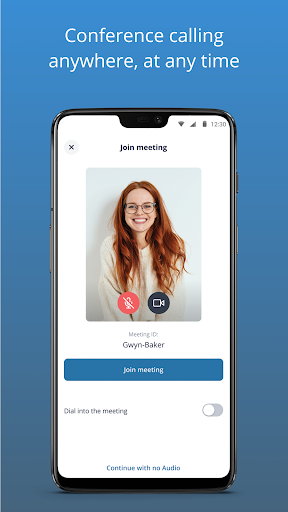
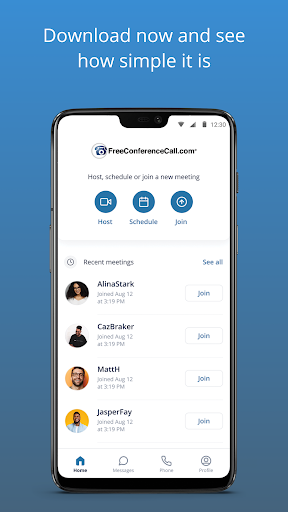
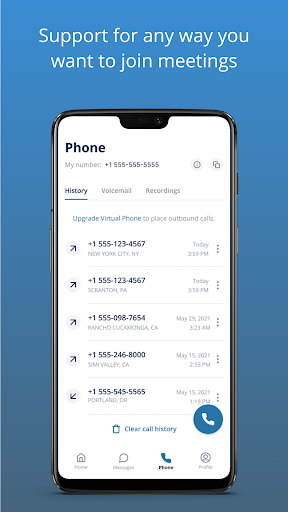
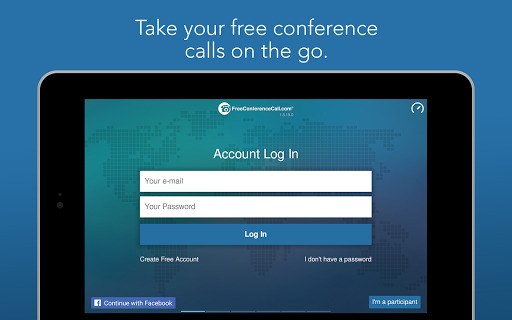
App Intro
The FreeConferenceCall.com app is a robust and surprisingly capable tool for anyone needing to conduct audio and video conferences. It offers a generous free tier that supports up to 1,000 participants, making it suitable for large webinars, team meetings, or even educational lectures. Beyond basic audio, it includes HD video conferencing and screen sharing, features often locked behind premium subscriptions elsewhere. The app also provides international dial-in numbers for over 75 countries, broadening its accessibility. Its pay-what-you-think-is-fair model is unique, aiming to fund free access for non-profits and students, which is a commendable mission. If you're looking for a free, scalable, and feature-rich conferencing solution, this app is definitely worth considering, especially for businesses, educators, and organizations managing multiple remote participants.
Pros
- Generous free tier for up to 1,000 participants.
- Includes HD video conferencing and screen sharing.
- Offers international dial-in numbers for global access.
- Unique pay-what-you-think-is-fair model supports free access for non-profits.
- Reliable and stable performance for large meetings.
Feature Guides
- Host high-definition audio and video conferences with up to 1,000 participants simultaneously, ensuring clear communication for large groups.
- Share your screen during meetings to present documents, slides, or live demonstrations, enhancing collaboration and engagement.
- Utilize international dial-in numbers across more than 75 countries, making it easy for global attendees to join calls without incurring long-distance charges.
- Record your meetings for later review or distribution, providing a valuable resource for absent participants or for documentation purposes.
- Manage your conferences with intuitive web controls, including options to mute participants, lock the meeting, view attendees, and utilize a Q&A feature.
Recent Improvements
Recent updates have focused on refining the user experience, particularly around call management and participant controls. The app now offers more streamlined options for muting and unmuting participants, which is crucial for maintaining order during large calls. We've also noticed improvements in the stability of screen sharing, making presentations smoother and less prone to interruptions. The interface for managing meeting invitations and attendee lists has also seen subtle but effective enhancements, leading to a more efficient workflow for hosts.
User reviews
This app is a lifesaver for our remote team! Hosting calls with 50+ people is seamless, and the screen sharing is a huge plus. Highly recommend! 👍
I was skeptical about a free service being this good, but FreeConferenceCall.com delivers. Crystal clear audio, easy to use, and no annoying time limits. Fantastic! ✨
 SlackBusiness
 Amazon ChimeBusiness
 Amazon SellerBusiness
 AnyDesk Remote DesktopBusiness
 Wabi - Virtual Phone NumberBusiness
 Asana: Work in one placeBusiness
 BlueJeans Video ConferencingBusiness
 iScanner - PDF Scanner AppBusiness
 RemindersBusiness
 Cloud Cover MusicBusiness
 Crew Messaging and SchedulingBusiness
 CES 2024Business
 Duo MobileBusiness
 Indeed Job SearchBusiness
 JetSign: Fill & Sign PDF FormsBusiness
 Microsoft TeamsBusiness
 OfficeSuite Pro + PDFBusiness
 PDF Extra: Scan, Edit & OCRBusiness
 Shipt Shopper: Shop for PayBusiness
 SiriusXM DealerBusiness