

JetSign: Fill & Sign PDF Forms✓
- Name :
- JetSign: Fill & Sign PDF Forms
- Category:
- Business
- Safety :
- 100% Safe
- Price:
- free
- Developer:
- JetSign
- Download :
- 1M+
Screenshot


App Intro
JetSign streamlines the often cumbersome process of electronic document signing, making it incredibly accessible for individuals and businesses alike. Forget the hassle of printing, scanning, or wrestling with complicated e-signature software. This app allows you to sign any document in mere seconds, right from your device. Its core functionality revolves around a super-simple interface where you can tap or click anywhere to add your signature, dates, and text, instantly generating a signed PDF. Beyond just signing, JetSign excels at helping you fill and sign forms directly by editing text within the document itself, eliminating the need for awkward pop-ups. For those who frequently deal with external parties, the ability to send documents for e-signature via email or a shareable link is a game-changer, complete with audit trails and notifications. Whether you're handling NDAs, contracts, or job offers, JetSign offers a secure, efficient, and user-friendly solution.
Pros
- Extremely simple and intuitive signing process.
- Direct form filling without pop-ups.
- Efficient template creation for recurring documents.
- Supports a vast array of file formats.
- Strong security with audit trails.
Feature Guides
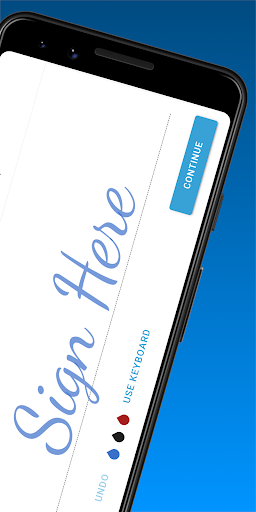
- Effortlessly sign documents by simply tapping or clicking on the desired area. You can add your e-signature, dates, and custom text, then save the result as a PDF.
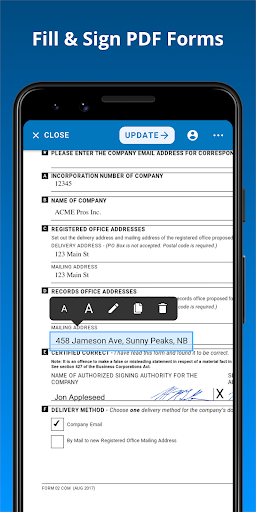
- Fill out forms directly within the document by editing text fields and adding elements like checkmarks and X's. This feature also allows for resizing text and cloning fields for efficiency.
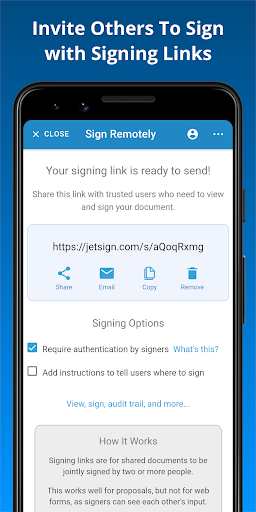
- Send documents to others for their e-signature using email or a shareable link. The app provides a comprehensive audit trail and notifies you once all parties have signed.
- Create reusable document templates, pre-defining signer roles and fields. This saves considerable time when dealing with recurring documents like client agreements or applications.
- Convert a wide array of file types, including Word documents, PDFs, and images, into signed PDFs, simplifying your workflow.
Recent Improvements
Recent updates to JetSign have focused on refining the user experience, particularly in form filling and template management. The ability to edit text directly within forms without disruptive pop-ups has been enhanced, making data entry more fluid. Template creation and management have also seen improvements, allowing for more precise pre-configuration of signer roles and fields, which speeds up the process for frequently used documents. These refinements aim to make the app even more intuitive and efficient for everyday use, ensuring your documents are signed quickly and accurately while maintaining robust security protocols.
User reviews
This app is a lifesaver! So easy to sign contracts on the go. Seriously saved me so much time 🚀.
Finally, an e-signature app that's actually intuitive. I love how I can fill forms directly. Highly recommend! 👍
 SlackBusiness
 Amazon ChimeBusiness
 Amazon SellerBusiness
 AnyDesk Remote DesktopBusiness
 Wabi - Virtual Phone NumberBusiness
 Asana: Work in one placeBusiness
 BlueJeans Video ConferencingBusiness
 iScanner - PDF Scanner AppBusiness
 RemindersBusiness
 Cloud Cover MusicBusiness
 Crew Messaging and SchedulingBusiness
 CES 2024Business
 Duo MobileBusiness
 Free Conference CallBusiness
 Indeed Job SearchBusiness
 Microsoft TeamsBusiness
 OfficeSuite Pro + PDFBusiness
 PDF Extra: Scan, Edit & OCRBusiness
 Shipt Shopper: Shop for PayBusiness
 SiriusXM DealerBusiness