

Microsoft OneDrive✓
- Name :
- Microsoft OneDrive
- Category:
- Productivity
- Safety :
- 100% Safe
- Price:
- free
- Developer:
- Microsoft Corporation
- Download :
- 1B+
Screenshot




App Intro
Microsoft OneDrive offers a robust cloud storage solution, making it an indispensable tool for anyone looking to safeguard and access their digital life across multiple devices. Whether you're a student with crucial assignments, a professional managing important documents, or simply someone who cherishes photos and videos, OneDrive provides a secure haven. It acts as a digital vault, ensuring your precious memories and vital work files are protected from loss due to device failure or accidental deletion. The app's seamless synchronization means your latest edits or new photos are instantly available on your phone, tablet, and computer. With a generous free tier and scalable subscription options, it caters to a wide range of users, from casual users needing basic backup to power users requiring extensive storage and advanced collaboration features.
Feature Guides
- Effortlessly back up your precious photos and videos automatically by enabling Camera Upload, ensuring your memories are safe from the moment they're captured. You can even set up Bedtime Backup for uninterrupted protection while you sleep.
- Share your files, photos, and videos securely with friends and family using customizable sharing links, including options for password protection and expiration dates for added privacy and control.
- Collaborate in real-time with colleagues or classmates on Microsoft Office documents like Word, Excel, and PowerPoint directly within the app, streamlining teamwork and productivity.
- Scan, sign, and mark up documents directly from your mobile device, keeping important paperwork organized and accessible in your secure digital folder.
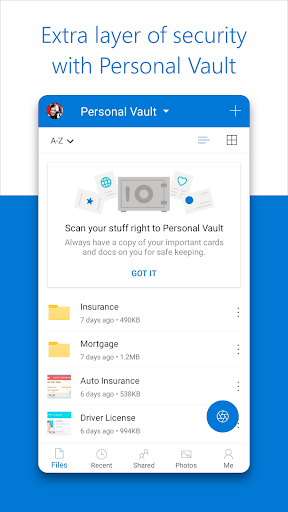
- Benefit from advanced security features, including encryption for data at rest and in transit, a Personal Vault for highly sensitive files requiring extra verification, and ransomware detection with recovery capabilities to keep your data safe.
Recent Improvements
Recent updates to OneDrive have focused on enhancing user experience and security. We've seen refinements in the document scanning feature, making it even more intuitive to capture, annotate, and share important papers on the go. The collaboration tools have also received attention, with improved real-time editing capabilities for Office documents, ensuring smoother teamwork. Additionally, the integration with other Microsoft services has been optimized, offering a more cohesive workflow. Security remains a top priority, with ongoing enhancements to protect user data against emerging threats, providing peace of mind.
User reviews
This app has been a lifesaver for organizing my photos! 📸 The automatic backup feature is seamless, and I love being able to access my memories from anywhere. Definitely worth it for the peace of mind it provides.
I use OneDrive for both personal and work files, and it handles everything flawlessly. Sharing documents with my team is so much easier now, and the real-time collaboration on Office docs is a game-changer. Highly recommend! 👍
 Perplexity - Ask AnythingProductivity
 DAVx⁵ – CalDAV CardDAV WebDAVProductivity
 myGovProductivity
 Express Plus CentrelinkProductivity
 myGovIDProductivity
 AI Speech Chatbot Text & VoiceProductivity
 CompanyCamProductivity
 AOL: Email News Weather VideoProductivity
 Easy Voice Recorder ProProductivity
 Email - Fast & Secure MailProductivity
 Lookout - Assisted visionProductivity
 Google AssistantProductivity
 Google DriveProductivity
 Google CalendarProductivity
 Instabridge: WiFi MapProductivity
 ChatAI:AI Chatbot PlusProductivity
 LiveChat - Customer serviceProductivity
 Link to WindowsProductivity
 MiXplorer Silver File ManagerProductivity
 Penly: Digital Planner & NotesProductivity