

PDF Pro - Reader & Maker✓
- Name :
- PDF Pro - Reader & Maker
- Category:
- Tools
- Safety :
- 100% Safe
- Price:
- free
- Developer:
- super teacher
- Download :
- 100K+
Screenshot

App Intro
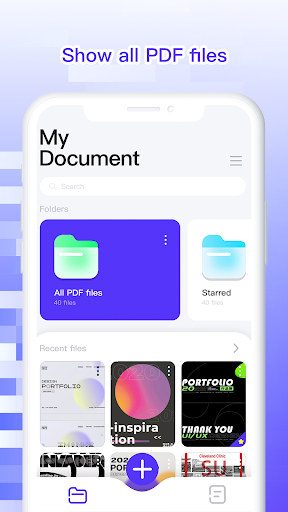
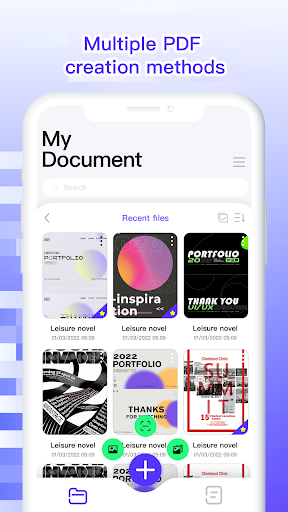
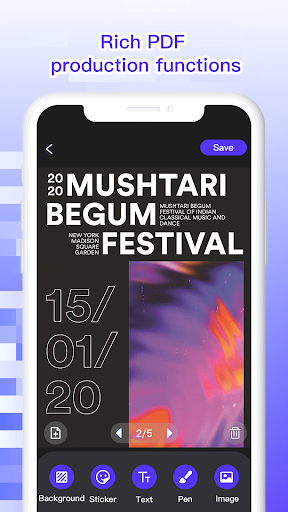
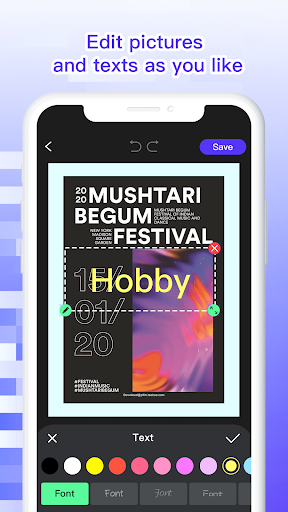
PDF Pro is a versatile mobile application designed to be your go-to tool for all things PDF. Whether you need to digitize physical documents, compile visual content into a portable format, or create structured documents with custom text and images, this app has you covered. Its core functionality revolves around transforming various inputs into professional-looking PDF files. You can effortlessly scan paper documents using your phone's camera, with options to edit the resulting images before saving them as secure, encrypted PDFs. For those who work with photos, the app allows you to select images from your gallery, arrange them, and convert them into a single PDF document, also offering encryption for added privacy. Beyond simple conversions, PDF Pro empowers you to create sophisticated PDF documents by combining images and text, even letting you add page numbers for better organization. For readers, the app provides a robust PDF viewing experience, complete with keyword search, bookmarking, and directory navigation, making it easy to find and manage your documents. It's a practical solution for students, professionals, and anyone who frequently handles digital documents on the go.
Feature Guides
- Effortlessly scan physical documents using your device's camera, with built-in editing tools for the captured images. Export your scans as encrypted PDF files for secure sharing and storage.
- Convert your existing photos and images into PDF documents. Select multiple images, arrange their order, and apply edits before generating a secure PDF, perfect for visual portfolios or presentations.
- Create custom PDF documents by integrating both images and text. This feature allows for creative content arrangement, supports the addition of page numbers, and offers encrypted export options for your finalized documents.
- Read your PDF files with ease. The app includes essential reading tools such as keyword search to quickly locate information, bookmarking to save important pages, and a directory view for navigating document structure.
Recent Improvements
The latest updates to PDF Pro have focused on refining the user experience and enhancing the core functionalities. Users will notice smoother performance when scanning and converting documents, with improved image processing for clearer results. We've also paid close attention to the PDF reading experience, making navigation more intuitive and search results more accurate. Additionally, enhancements have been made to the encryption process, ensuring your documents are better protected when exported. These adjustments aim to make everyday document management tasks quicker and more efficient for all users.
FAQ
Can I edit scanned documents after they are converted to PDF?
Yes, PDF Pro allows you to edit scanned images before they are converted into a PDF file. Once the PDF is created, you can use the app's reading features to search, bookmark, or navigate through the document, but direct editing of the text content within the converted PDF is not a primary feature.
Is it possible to protect my PDF files with a password?
Absolutely. PDF Pro supports encrypted export for all PDF files you create, whether from scans, images, or combined text and images. This means you can set a password to protect sensitive documents from unauthorized access.
What kind of files can I convert into a PDF?
PDF Pro primarily converts image files (like JPG, PNG) and scanned documents directly into PDF format. You can also create PDFs by combining text and images within the app itself.
Editor Security Review
Reviewed by the editorial team for
basic security, integrity, and package consistency checks.
- No known malware detected
- Signature verified
- File integrity checked
User reviews
This app is a lifesaver for organizing my notes and receipts! Scanning is super fast and the PDFs look great. Love that I can add passwords too 🔒.
Finally, a PDF app that does it all! From scanning to creating documents with text and images, it's incredibly useful. The reading features are also top-notch 👍.
 AppLock LiteTools
 My OptusTools
 Fires Near Me AustraliaTools
 Service NSWTools
 Authenticator App - SafeAuthTools
 fitproTools
 AVG AntiVirus & SecurityTools
 Google Play StoreTools
 System Update for AndroidTools
 Move to iOSTools
 AZIP Master: ZIP / RAR, UnzipTools
 My SpectrumTools
 Cast for Chromecast & TV CastTools
 CoinSnap - Coin IdentifierTools
 DuckDuckGo Private BrowserTools
 TeraBox: Cloud Storage SpaceTools
 Fatic PlusTools
 MyRogersTools
 Voice AccessTools
 Google Find My DeviceTools