

Samsung Smart Switch Mobile✓
- Name :
- Samsung Smart Switch Mobile
- Category:
- Tools
- Safety :
- 100% Safe
- Price:
- free
- Developer:
- Samsung Electronics Co., Ltd.
- Download :
- 100M+
Screenshot
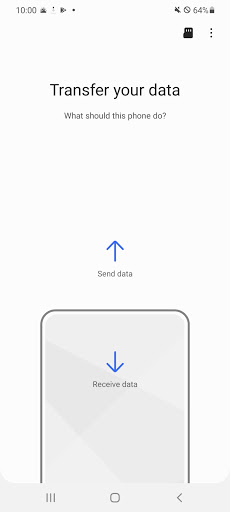

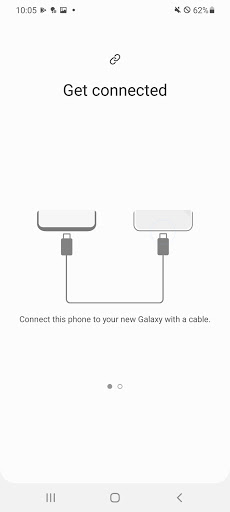
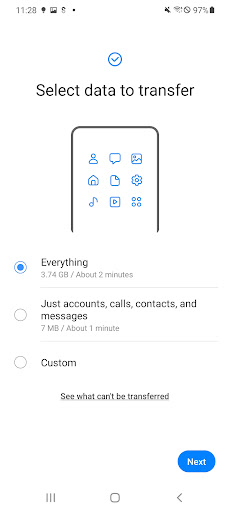
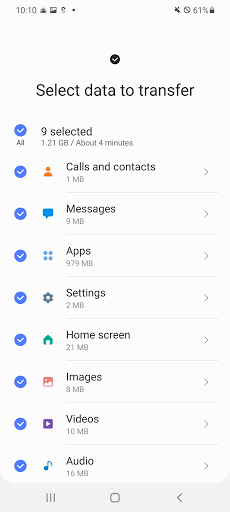
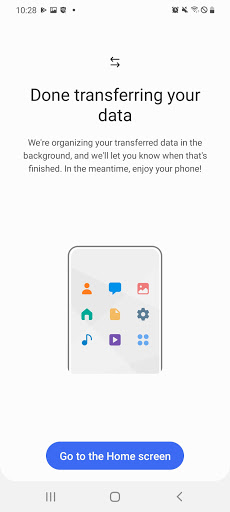
App Intro
Samsung's Smart Switch is an indispensable tool for anyone upgrading to a new Galaxy device, simplifying the often daunting process of transferring personal data. Whether you're moving from an Android phone, an iPhone, or even a Windows phone, Smart Switch offers a robust solution to ensure your digital life comes along for the ride. It supports a wide array of content, including contacts, photos, music, messages, and even app data, making the transition seamless. The app prioritizes user-friendliness with both wireless and wired transfer options, catering to different user preferences and device capabilities. It's an essential download for new Galaxy owners looking to minimize downtime and maximize their new device experience right from the start.
Pros
- Seamlessly transfers a wide variety of data types.
- Supports wireless and wired transfer methods.
- Compatible with Android, iOS, and Windows phones.
- Helps discover and install similar apps.
- Easy-to-use interface for data migration.
Feature Guides
- Effortlessly migrate your contacts, music, photos, calendar entries, text messages, device settings, and more to your new Galaxy phone. Smart Switch even helps you discover your favorite apps or suggests similar ones available on Google Play.
- Supports a variety of transfer methods: wireless transfers for Android (4.0+) and Windows (10), wired transfers for Android (4.3+) and iOS (5.0+), and iCloud import for iOS users (4.2.1+). A PC/Mac transfer option via iTunes is also available.
- Transfers a comprehensive range of data, including call logs, memos, alarms, Wi-Fi settings, wallpapers, and documents. For newer Galaxy devices (M OS and above), it can even transfer app data and home screen layouts.
- Compatible with a vast range of devices, including recent Galaxy models (from S2 onwards) and numerous other Android manufacturers like HTC, LG, Sony, and Huawei. Specific compatibility notes are provided for older devices and operating systems.
Recent Improvements
Recent updates have focused on refining the stability of wireless transfers, particularly addressing potential disconnections on non-Samsung devices by offering clearer guidance on Wi-Fi settings. The app's ability to suggest alternative apps has also been improved, providing more relevant recommendations based on user data. Furthermore, enhancements have been made to the transfer speed and reliability for certain file types, ensuring a smoother and quicker migration process for users switching to newer Galaxy models. These refinements aim to make the already powerful Smart Switch even more dependable.
User reviews
This app is a lifesaver! I switched from an iPhone to a new Samsung Galaxy and was dreading the data transfer. Smart Switch made it incredibly easy, and almost everything transferred perfectly. My contacts, photos, and messages were all there in minutes. Highly recommend! 👍
I was skeptical about transferring data wirelessly, but Smart Switch worked like a charm. It was straightforward to set up, and I didn't lose a single photo or contact. Moving from my old Android to my new Galaxy was much smoother than I expected. Great job, Samsung! 😊
 AppLock LiteTools
 My OptusTools
 Fires Near Me AustraliaTools
 Service NSWTools
 Authenticator App - SafeAuthTools
 fitproTools
 AVG AntiVirus & SecurityTools
 Google Play StoreTools
 System Update for AndroidTools
 Move to iOSTools
 AZIP Master: ZIP / RAR, UnzipTools
 My SpectrumTools
 Cast for Chromecast & TV CastTools
 CoinSnap - Coin IdentifierTools
 DuckDuckGo Private BrowserTools
 TeraBox: Cloud Storage SpaceTools
 Fatic PlusTools
 MyRogersTools
 Voice AccessTools
 Google Find My DeviceTools