

Genius Scan - PDF Scanner✓
- Name :
- Genius Scan - PDF Scanner
- Category:
- Business
- Safety :
- 100% Safe
- Price:
- free
- Developer:
- The Grizzly Labs
- Download :
- 5M+
Screenshot
App Intro
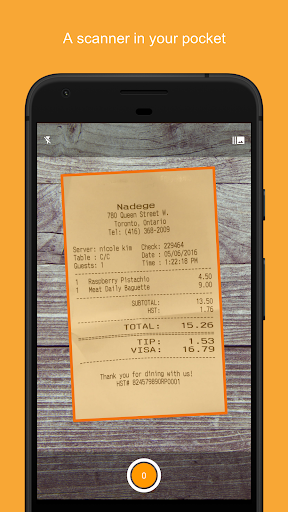
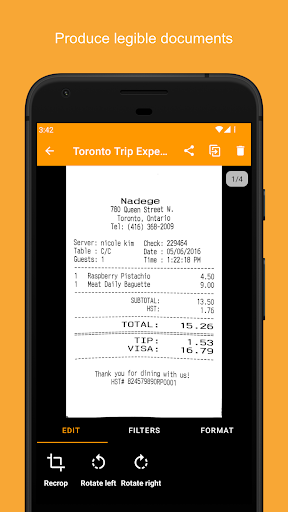
Genius Scan transforms your smartphone into a powerful, portable document scanner, perfect for anyone needing to digitize paper on the move. Whether you're a student archiving notes, a freelancer managing receipts, or a small business owner handling invoices, this app offers a seamless solution. It excels at automatically detecting documents, cropping them precisely, and cleaning up the image for a crisp, professional-looking scan. With its batch scanning capability, you can process multiple pages in seconds, significantly boosting efficiency. Beyond simple scanning, Genius Scan provides robust tools for organizing, securing, and sharing your PDFs, making it an indispensable tool for managing your paperwork without being tethered to a traditional scanner.
Pros
- Excellent automatic document detection and cropping.
- Fast and efficient batch scanning capabilities.
- Strong security features with on-device processing.
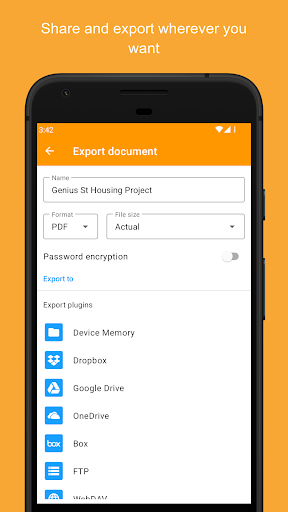
- Versatile export options to cloud services.
- Reliable OCR for text extraction.
Feature Guides
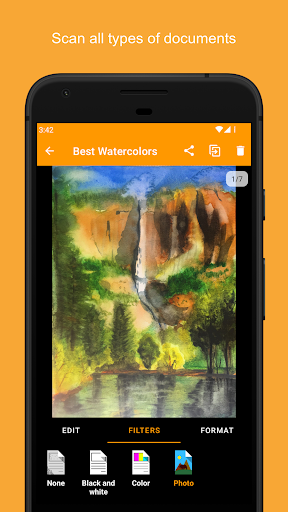
- Effortlessly capture documents with smart scanning technology that automatically detects edges, corrects distortion, and cleans up images, ensuring every scan is clear and legible.
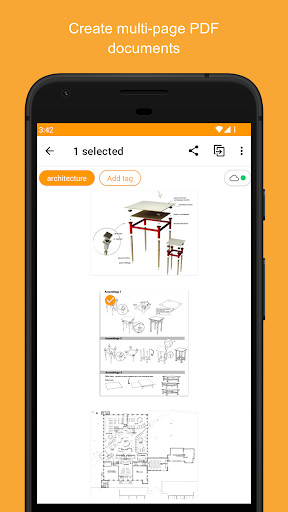
- Create and manage multi-page PDF documents with ease, including options to merge, split, and import existing photos or PDFs, offering flexible document handling.
- Enhance security with on-device processing, biometric unlock, and password encryption for your PDF files, keeping your sensitive information private.
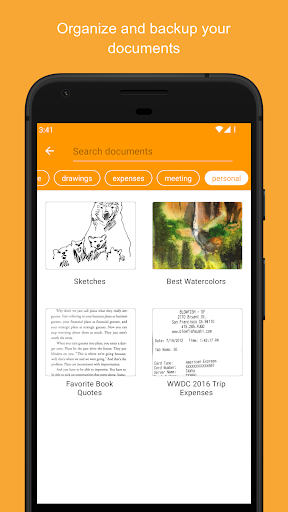
- Organize your scans efficiently using tags, metadata search, smart renaming, and optional cloud sync for seamless access across devices.
Recent Improvements
Recent updates to Genius Scan have focused on refining the user experience and enhancing core functionalities. Performance improvements have been made to the scanning process, making it even faster and more reliable. The OCR capabilities have been optimized for greater accuracy, allowing for more precise text extraction and searchable PDFs. Additionally, refinements to the cloud sync feature ensure a smoother backup and multi-device experience for subscribers. The developers have also continued to improve the app's stability and compatibility with the latest operating system versions, providing a consistently polished and dependable scanning solution.
User reviews
This app is a lifesaver for digitizing all my receipts and important papers! The auto-crop is surprisingly accurate, and I love that I can export directly to Google Drive. Definitely worth the upgrade for the OCR feature. 👍
Finally, a scanner app that works as advertised. It's super fast, and the scans are very clean. I use it daily for work documents and have had no issues. Highly recommend!
 SlackBusiness
 Amazon ChimeBusiness
 Amazon SellerBusiness
 AnyDesk Remote DesktopBusiness
 Wabi - Virtual Phone NumberBusiness
 Asana: Work in one placeBusiness
 BlueJeans Video ConferencingBusiness
 iScanner - PDF Scanner AppBusiness
 RemindersBusiness
 Cloud Cover MusicBusiness
 Crew Messaging and SchedulingBusiness
 CES 2024Business
 Duo MobileBusiness
 Free Conference CallBusiness
 Indeed Job SearchBusiness
 JetSign: Fill & Sign PDF FormsBusiness
 Microsoft TeamsBusiness
 OfficeSuite Pro + PDFBusiness
 PDF Extra: Scan, Edit & OCRBusiness
 Shipt Shopper: Shop for PayBusiness